Lumi Master
Aggiornata
Versione corrente
1.5.3
Offerta da

Vista tutta la passione dimostrata nel giocare a Lumi Master, le tue mani non dovrebbero essere limitate al minuscolo schermo di un telefono. Gioca come un professionista e ottieni il pieno controllo del gioco con tastiera e mouse. MEmu ti offre tutto ciò che ti aspetti. Scarica e gioca a Lumi Master su PC. Gioca quanto vuoi, niente più limitazioni di batteria, dati mobili e chiamate inquietanti. Il nuovissimo MEmu 9 è la scelta migliore per giocare a Lumi Master su PC. Realizzato sulla base della nostra esperienza, lo squisito sistema di mappatura dei tasti preimpostati rende Lumi Master un vero e proprio gioco per PC. MEmu è un gestore multi-instanza che permette di giocare con 2 o più account sullo stesso dispositivo. E la cosa più importante, il nostro esclusivo motore di emulazione può liberare tutto il potenziale del tuo PC, rendendo tutto fluido.
Mostra altro
Scarica Lumi Master su PC con MEmu Android Emulator. Divertiti giocando sul grande schermo. Scarica ora per ottenere un Uovo Lumi Arcobaleno Supremo e Energia bonus al lancio!


Scarica ora per ottenere un Uovo Lumi Arcobaleno Supremo e Energia bonus al lancio!
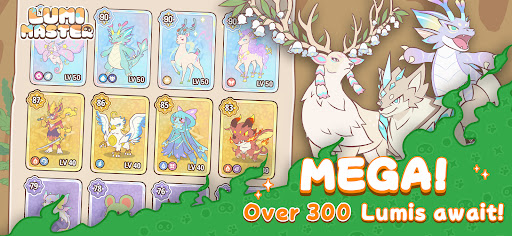
Lumi Master è un'accogliente avventura di raccolta di creature ambientata in un affascinante mondo disegnato a mano. Pensato per i giocatori più impegnati, goditi la scoperta immediata con semplici comandi a una mano in sessioni di gioco brevi di 5 minuti!
- Cattura centinaia di Lumi gratis
Esplora foreste pluviali, deserti e vulcani con un semplice tocco! Cattura Lumi selvatici e completa il tuo Lumi-Dex definitivo.
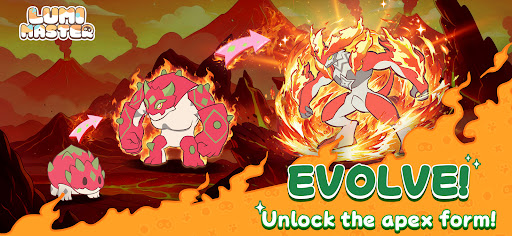
- Allena, fai evolvere e crea un legame
Guarda i tuoi adorabili compagni evolversi! Sblocca nuove forme, abilità elementali e potenziale di combattimento man mano che il vostro legame si rafforza.
- Esplorazione roguelike a piccole dosi
Spendi energia per attivare incontri casuali istantanei: scopri tesori, sfida i boss ed estrai risorse rare in soli 2 passaggi.
- Scambia per diventare il campione
Un vero percorso verso la gloria senza pay-to-win! Metti all'asta Lumi rari e scambia con giocatori di tutto il mondo per costruire la tua squadra dei sogni.
- Decora il tuo rifugio
Costruisci un santuario da fiaba dove i tuoi Lumi possano rilassarsi, giocare e vivere al tuo fianco.
- Leggero e in continua evoluzione
Pacchetto globale da 200 MB: funziona senza problemi praticamente su qualsiasi dispositivo. Minigiochi settimanali: flipper, alimentazione dei Lumi, raid cooperativi e altro ancora. Aggiornamenti stagionali: nuove mappe ogni settimana, con 60-80 nuovi Lumi aggiunti ogni stagione!
Seguici
Sito web: https://lumi.biligames.com/en
Facebook: lumimasteren
Discord: https://discord.gg/JF86YUP8tu
X: @lumimasterEN
YouTube: @LumiMaster
TikTok: @lumimasteren
Instagram: @lumimasteren
Mostra altro

1. Scarica il programma di installazione di MEmu e completa l'installazione

2. Avvia il Memu e apri il Google Play sulla homepage

3. Cerca Lumi Master in Google Play
Install
4. Scarica e installa Lumi Master
5. Al termine dell'installazione, fai clic sull'icona per avviar

6. Divertiti giocando a Lumi Master su PC con MEmu
MEmu App Player è il miglior emulatore Android gratuito, utilizzato da 50 milioni di persone per ottenere un'esperienza di gioco Android superba. La tecnilogia di virtualizzazione MEmu ti permette di giocare a migliaia di giochi Android con semplicità sul tuo computer, anche i giochi con la grafica più esigente.
Schermo più grande con una grafica migliore; Lunga durata, senza limitazione di batteria o dati mobili.
Supporto completo per mappa di tastiera per un controllo preciso di tastiera e mouse o gamepad.
Multipli account di gioco o attività su un singolo PC contemporaneamente con il gestore di multi istanza.
Play Lumi Master on PC by following steps: