BanG Dream! Our Notes
Aggiornata
Versione corrente
1.0.1
Offerta da

Vista tutta la passione dimostrata nel giocare a BanG Dream! Our Notes, le tue mani non dovrebbero essere limitate al minuscolo schermo di un telefono. Gioca come un professionista e ottieni il pieno controllo del gioco con tastiera e mouse. MEmu ti offre tutto ciò che ti aspetti. Scarica e gioca a BanG Dream! Our Notes su PC. Gioca quanto vuoi, niente più limitazioni di batteria, dati mobili e chiamate inquietanti. Il nuovissimo MEmu 9 è la scelta migliore per giocare a BanG Dream! Our Notes su PC. Realizzato sulla base della nostra esperienza, lo squisito sistema di mappatura dei tasti preimpostati rende BanG Dream! Our Notes un vero e proprio gioco per PC. MEmu è un gestore multi-instanza che permette di giocare con 2 o più account sullo stesso dispositivo. E la cosa più importante, il nostro esclusivo motore di emulazione può liberare tutto il potenziale del tuo PC, rendendo tutto fluido.
Mostra altro
Scarica BanG Dream! Our Notes su PC con MEmu Android Emulator. Divertiti giocando sul grande schermo. Vi presentiamo BanG Dream!
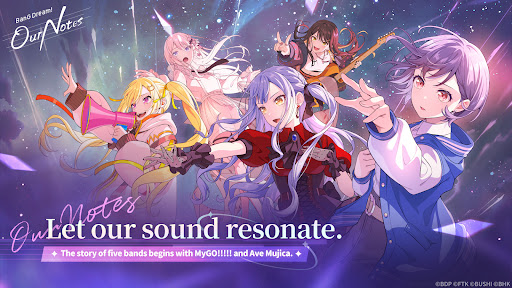
Vi presentiamo BanG Dream! Our Notes, una nuovissima avventura rhythm game dal progetto BanG Dream!
Godetevi un'ampia varietà di brani di cinque band e scoprite una nuova, avvincente storia tutta da scoprire.
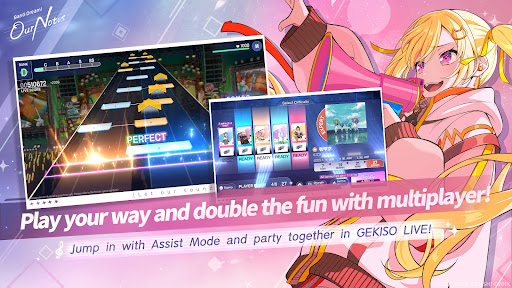
◆Nuovo sistema di gioco ritmico: "GEKISO LIVE"◆
Durante il gioco ritmico appariranno delle speciali sezioni GEKISO!
Combo, precisione nel tempismo e persino fortuna: mettete alla prova le vostre abilità nei rhythm game in una nuova ed entusiasmante esperienza di gioco!
Provate l'emozione e l'immersione di una vera performance live di BanG Dream! e divertitevi con il rhythm game in stile party fino a cinque giocatori!
Our Notes include anche un nuovo sistema esclusivo: la Modalità Assistenza!
Che siate nuovi ai rhythm game o che cerchiate semplicemente un'esperienza più rilassante, la Modalità Assistenza permette a tutti di godersi l'esibizione e migliorare al proprio ritmo.
◆Dai brani originali alle cover delle hit del momento◆
Dai brani originali iconici presenti nell'anime di BanG Dream!, inclusi i pezzi dei MyGO!!!!! Da MyGO!!!!! e Ave Mujica a una vasta gamma di cover di successo, la scaletta è ricca di musica da ascoltare!
Ascolta le tue canzoni preferite, dalle ultime hit ai classici più amati.
Potrai anche guardare diverse scene di performance e video musicali tratti dalla serie anime BanG Dream!
Inoltre, gli ultimi brani delle band preferite dai fan MyGO!!!!! e Ave Mujica saranno disponibili in anteprima su Our Notes!
【Canzoni di BanG Dream!】
・Mayoiuta / MyGO!!!!!
・KiLLKiSS / Ave Mujica
・Haruhikage (MyGO!!!!! ver.) / MyGO!!!!!
・MUGEN MY WORLD / Mugendai MewType
・Kishi Kaisen / millsage
・Homie’s Tie!! / Ikka Dumb Rock!
...e molte altre
Altre cover arriveranno presto!
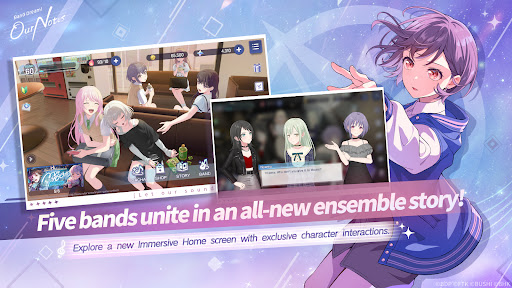
◆Nuove storie intrecciate da cinque band◆
Oltre a MyGO!!!!!, Ave Mujica e Mugendai MewType, anche millsage e Ikka Dumb Rock! si uniscono al cast!
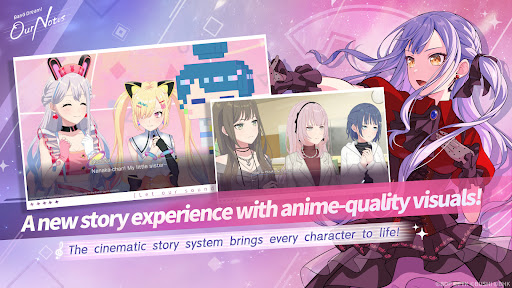
Grazie al Cinematic Story System, i personaggi si muovono con vivacità ed espressioni intense, proprio come in un film o in un anime.
Le scene speciali includono sequenze animate, tra cui filmati inediti.
Un'ampia gamma di effetti visivi e scene illustrate si uniscono per offrire un'esperienza narrativa completamente rinnovata.
Rivivi le familiari storie anime di MyGO!!!!!, Ave Mujica e Mugendai MewType da una prospettiva esclusiva del gioco. Potrai anche goderti episodi speciali che continuano le storie anime, disponibili esclusivamente in Our Notes. Nel frattempo, millsage e Ikka Dumb Rock! svilupperanno storie completamente originali fin dall'inizio.
Scopri storie vibranti intrecciate da cinque band distinte e un totale di 25 membri unici.
◆Sito web ufficiale◆
https://bdon.biligames.com/?lang=en-us
©BanG Dream! Project ©FROMTOKYO ©Bushiroad. Pubblicato da BILIBILI HK LIMITED
Mostra altro

1. Scarica il programma di installazione di MEmu e completa l'installazione

2. Avvia il Memu e apri il Google Play sulla homepage

3. Cerca BanG Dream! Our Notes in Google Play
Install
4. Scarica e installa BanG Dream! Our Notes
5. Al termine dell'installazione, fai clic sull'icona per avviar

6. Divertiti giocando a BanG Dream! Our Notes su PC con MEmu
MEmu App Player è il miglior emulatore Android gratuito, utilizzato da 50 milioni di persone per ottenere un'esperienza di gioco Android superba. La tecnilogia di virtualizzazione MEmu ti permette di giocare a migliaia di giochi Android con semplicità sul tuo computer, anche i giochi con la grafica più esigente.
Schermo più grande con una grafica migliore; Lunga durata, senza limitazione di batteria o dati mobili.
Supporto completo per mappa di tastiera per un controllo preciso di tastiera e mouse o gamepad.
Multipli account di gioco o attività su un singolo PC contemporaneamente con il gestore di multi istanza.
Play BanG Dream! Our Notes on PC by following steps: