Pudgy Party - Battle Royale
Aggiornata
Versione corrente
0.18.0
Offerta da

Vista tutta la passione dimostrata nel giocare a Pudgy Party - Battle Royale, le tue mani non dovrebbero essere limitate al minuscolo schermo di un telefono. Gioca come un professionista e ottieni il pieno controllo del gioco con tastiera e mouse. MEmu ti offre tutto ciò che ti aspetti. Scarica e gioca a Pudgy Party - Battle Royale su PC. Gioca quanto vuoi, niente più limitazioni di batteria, dati mobili e chiamate inquietanti. Il nuovissimo MEmu 9 è la scelta migliore per giocare a Pudgy Party - Battle Royale su PC. Realizzato sulla base della nostra esperienza, lo squisito sistema di mappatura dei tasti preimpostati rende Pudgy Party - Battle Royale un vero e proprio gioco per PC. MEmu è un gestore multi-instanza che permette di giocare con 2 o più account sullo stesso dispositivo. E la cosa più importante, il nostro esclusivo motore di emulazione può liberare tutto il potenziale del tuo PC, rendendo tutto fluido.
Mostra altro
Scarica Pudgy Party - Battle Royale su PC con MEmu Android Emulator. Divertiti giocando sul grande schermo. Welcome to Pudgy Party — the wholesome chaos where friendship, teamwork, and matching fits lead to victory.
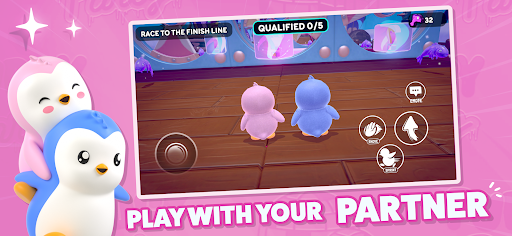
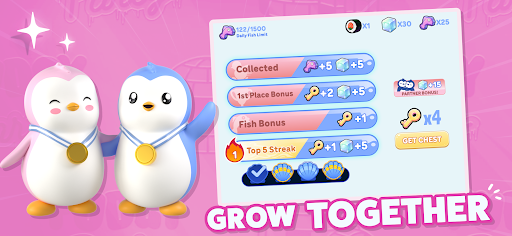
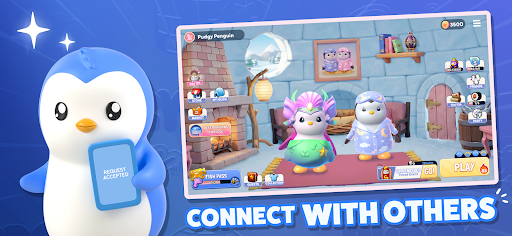
Welcome to Pudgy Party — the wholesome chaos where friendship, teamwork, and matching fits lead to victory.
Team up in real-time co-op races, conquer wild obstacle courses, and create unforgettable duo moments.
BUILT FOR DUOS
• Play with your partner, best friend, or favorite person
• Help each other reach the finish line
• Win together in knockout rounds
• Customize Your Igloo
MATCH YOUR STYLE
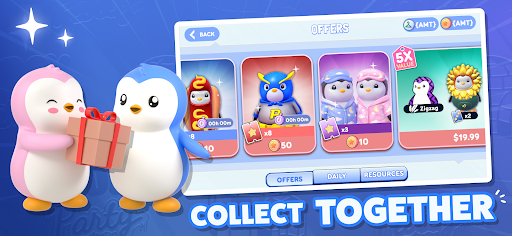
• Unlock adorable matching skins
• Send gifts & couple bundles
• Express yourself with endless customization
COLLECT YOUR FAVORITES
Step into the viral world of Pudgy Penguins
• Play as the characters millions already love
• Build your collection together
PARTY • QUALIFY • WIN
• Climb the leaderboards as a duo
• Earn rewards and unlock cosmetics
• Fast, chaotic, laugh-out-loud races
LIVE EVENTS EVERY WEEK
• New maps & modes
• Limited-time drops
• Seasonal events
From cozy nights to competitive runs —winning hits different when you play together. Download now and join the Pudgy Party.
Mostra altro

1. Scarica il programma di installazione di MEmu e completa l'installazione

2. Avvia il Memu e apri il Google Play sulla homepage

3. Cerca Pudgy Party - Battle Royale in Google Play
Install
4. Scarica e installa Pudgy Party - Battle Royale
5. Al termine dell'installazione, fai clic sull'icona per avviar

6. Divertiti giocando a Pudgy Party - Battle Royale su PC con MEmu
MEmu App Player è il miglior emulatore Android gratuito, utilizzato da 50 milioni di persone per ottenere un'esperienza di gioco Android superba. La tecnilogia di virtualizzazione MEmu ti permette di giocare a migliaia di giochi Android con semplicità sul tuo computer, anche i giochi con la grafica più esigente.
Schermo più grande con una grafica migliore; Lunga durata, senza limitazione di batteria o dati mobili.
Supporto completo per mappa di tastiera per un controllo preciso di tastiera e mouse o gamepad.
Multipli account di gioco o attività su un singolo PC contemporaneamente con il gestore di multi istanza.
Play Pudgy Party - Battle Royale on PC by following steps: