Dungeon Crawl 94: What Was Taken
更新日
現在のバージョン
提供元

スマホ不要!プロ選手のようにキーボードとマウスで操作しよう。MEmuエミュはあなたにすべての期待を与える。電池が切れてしまうとか画面が小さいとかの問題を心配する必要がなくて、存分Dungeon Crawl 94: What Was Takenを楽しんでください。新しいMEmuエミュ7はPCでDungeon Crawl 94: What Was Takenをプレイするのに最適!完璧なキーマッピングシステムにより、まるでパソコンゲームみたい。マルチインスタンスで複数のゲームやアプリを同時に実行!唯一無二な仮想化エンジンがパソコンの可能性を最大限になる。遊べるだけでなく、より楽しめる!
もっと見る
Dungeon Crawl 94: What Was TakenをPCでダウンロード!大画面でより楽しむ。電源が落ちてしまうとか通信料が足りないとかの問題を心配する必要がなく、PCの大画面でより快適にゲームを楽しましょう! Dungeon Crawl 94: What Was Taken is a turn-based, grid-based pixel art RPG where every move matters.
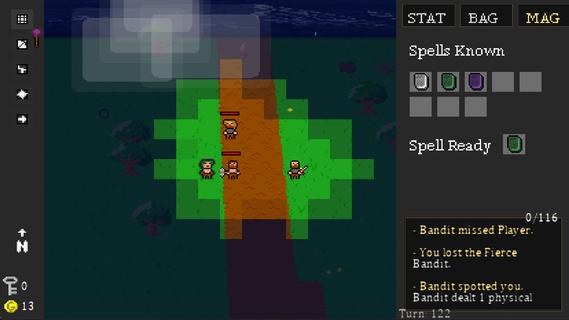
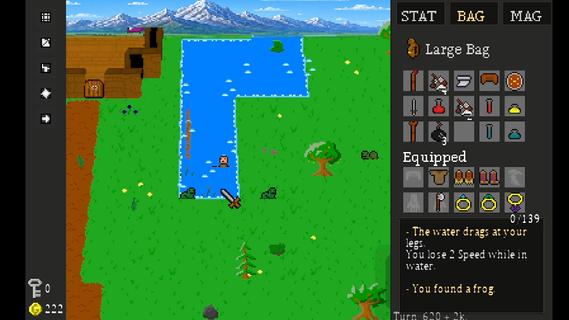
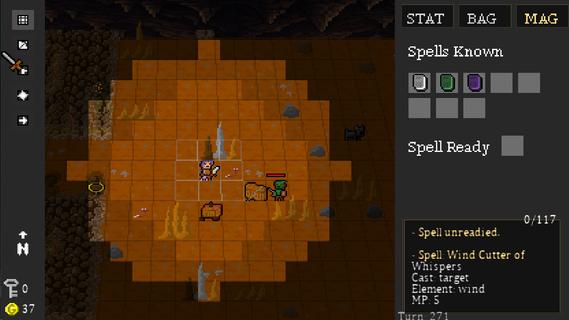
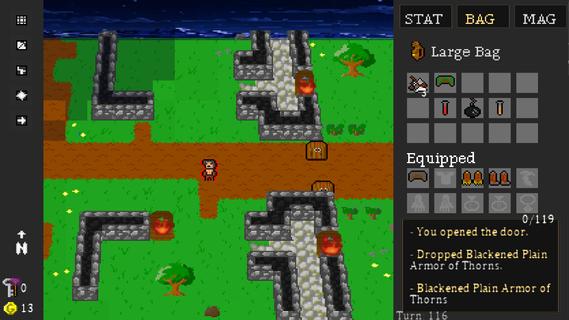
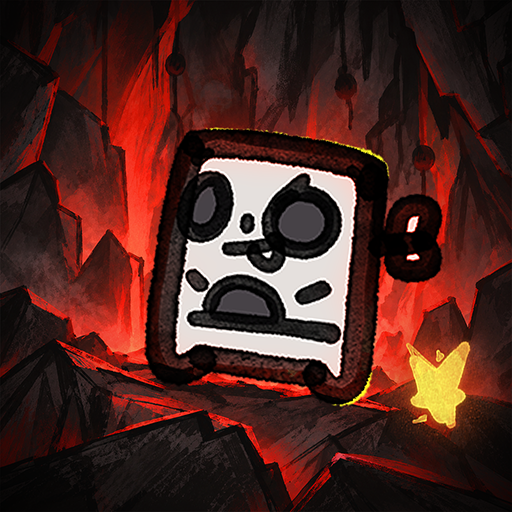
Dungeon Crawl 94: What Was Taken is a turn-based, grid-based pixel art RPG where every move matters. Explore a dangerous world of procedurally generated roads, forests, caves, dungeons, and other locations as you search for what was taken from you.Movement takes place one tile at a time, and every step advances the world around you. Enemies patrol, wildlife wanders, and danger continues to move with every turn. Sometimes fighting is the answer. Sometimes escaping is the smarter choice.Create your character and develop seven attributes: Strength, Dexterity, Intelligence, Wisdom, Speed, Constitution, and Luck. Equip weapons and armor, learn elemental magic, discover rare items, and build a character suited to the way you want to play.Explore dangerous dungeons filled with traps, puzzles, hidden treasures, merchants, enemies, and powerful bosses. Gather supplies, trade, craft useful items, and make camp as you push farther into the world.Procedural generation, multiple difficulty levels, hidden secrets, randomized loot, and different character builds make each journey through Dungeon Crawl 94: What Was Taken a little different from the last.FeaturesGrid-Based Turn-Based Exploration â Move one tile at a time as enemies and the world react to your actions.Procedurally Generated Adventures â Explore randomized roads, forests, caves, dungeons, and other locations.Seven Character Attributes â Develop Strength, Dexterity, Intelligence, Wisdom, Speed, Constitution, and Luck.Tactical Combat â Fight with melee weapons, bows, shields, and elemental magic.Equipment & Loot â Discover weapons, armor, magical items, consumables, and rare legendary treasures.Magic â Learn and use spells for combat, survival, and exploration.Crafting & Camping â Manage supplies and craft useful items as you travel.Merchants & Trading â Buy, sell, and manage your resources along the journey.Traps, Puzzles & Secrets â Search carefully for hidden areas and ways through environmental obstacles.Boss Battles â Face powerful enemies with unique challenges.Dynamic Pixel-Art World â Explore atmospheric environments with lighting, weather, and a tile-based visual style.Multiple Ways to Play â Randomized maps, different character builds, and multiple difficulty settings encourage new adventures.Xbox Controller, Keyboard & Mouse Support â Play using your preferred supported input method.
もっと見る

1. MEmuインストーラーをダウンロードしてセットアップを完了する

2. MEmuを起動し、デスクトップでのPlayストアを開く

3. PlayストアでDungeon Crawl 94: What Was Takenを検索する
Install
4. Dungeon Crawl 94: What Was Takenをダウンロードしてインストールする
5. インストールが完了したら、アイコンをクリックしてスタート

6. MEmuを使用してPCでDungeon Crawl 94: What Was Takenを楽しむ
MEmu App Playerは最高の無料で提供されるAndroidエミュレータで、5,000万人がすでに優れたAndroidゲーム体験を楽しんでいます。 MEmuの仮想化技術は、あなたのPCで何千ものAndroidゲームを快適にプレイすることを可能にします。
大画面でより精細;無限の待機、電池とドラフィックの極限を超え
キーボード・マウス・コントローラーを全力でサポート、より快適
マルチインスタンスで複数のゲームを同時に実行
Play Dungeon Crawl 94: What Was Taken on PC by following steps: