Never Grave
Bijgewerkt
Huidige Versie
1.4.0
Aangeboden door

Met al je passie voor het spelen van Never Grave, zouden je handen niet beperkt moeten zijn tot een klein scherm van je telefoon. Speel als een professional en krijg volledige controle over je spel met toetsenbord en muis. MEmu biedt je alles wat je verwacht. Download en speel Never Grave op PC. Speel zo lang als je wilt, geen beperkingen meer van batterij, mobiele data en storende oproepen. De gloednieuwe MEmu 9 is de beste keuze om Never Grave op PC te spelen. Voorbereid met onze expertise, maakt het uitmuntende vooraf ingestelde keymapping systeem van Never Grave een echt PC-spel. MEmu multi-instance manager maakt het spelen van 2 of meer accounts op hetzelfde apparaat mogelijk. En het belangrijkste, onze exclusieve emulatie-engine kan het volledige potentieel van je PC benutten, waardoor alles soepel verloopt.
Meer tonen
Download Never Grave op je pc met de MEmu Android-emulator. Geniet van spelen op een groot scherm. Een Metroidvania x Roguelite waarin je op avontuur gaat met behulp van een vervloekte hoed.
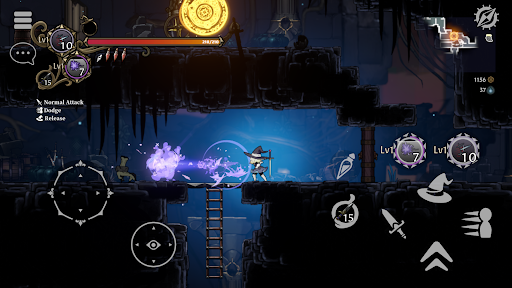
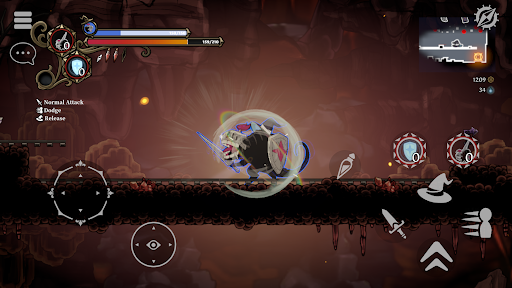
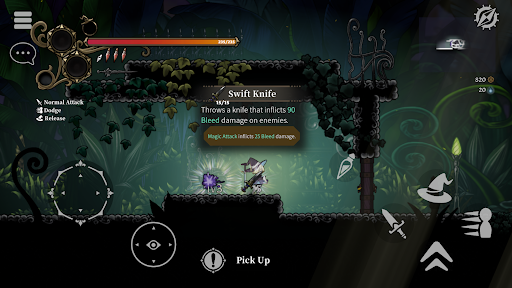
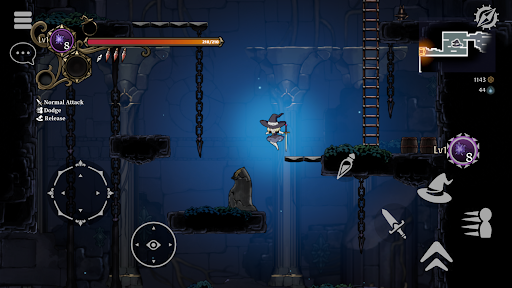
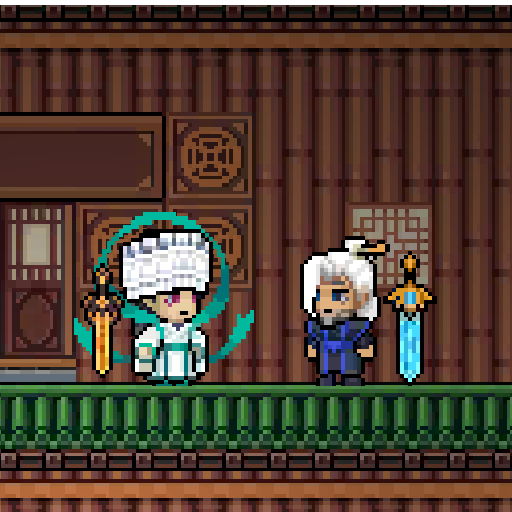
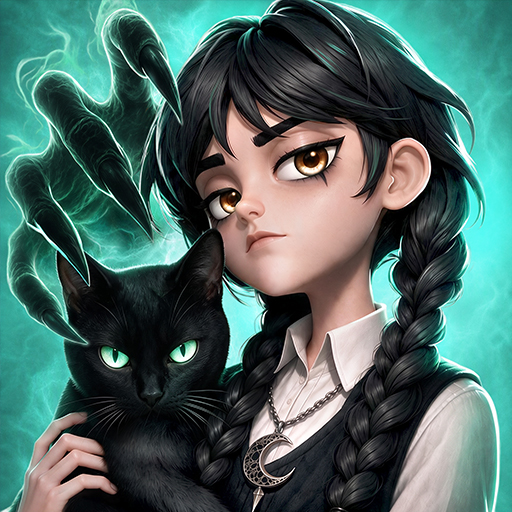
Een Metroidvania x Roguelite waarin je op avontuur gaat met behulp van een vervloekte hoed. Gebruik verschillende magische krachten of bezit je vijanden om de laagste levels te bereiken! Verzamel buit, bouw je dorp op, verdien de kost en versterk jezelf voor het volgende gevecht! Ondersteunt multiplayer voor maximaal 4 spelers.
Authentieke 2D-actie
- Never Grave is een 2D-actiespel waarin je op avontuur gaat met behulp van een vervloekte hoed. Verken kerkers, vecht met magie en gebruik soms zelfs het terrein om te winnen! Kerkers zoals ruïnes en botanische tuinen worden automatisch gegenereerd en veranderen elke keer dat je speelt. Obstakels en puzzels liggen op de loer in de kerkers, dus let goed op waar je loopt!
Bezitsysteem
- Bezit vijanden met behulp van een vervloekte hoed. Gebruik de unieke vaardigheden van je bezeten vijanden om een voordeel te behalen in de strijd!
Herbouw een verwoest dorp
- Gebruik de materialen die je in de kerkers verzamelt om het puin van verwoeste dorpen op te ruimen, nieuwe faciliteiten te bouwen en gewassen te verbouwen op de velden. Produceer voedsel en drankjes in het dorp om je voor te bereiden op de volgende strijd!
Multiplayer
- Multiplayer-ondersteuning voor maximaal vier spelers. Roep je vrienden uit andere werelden op en verover samen kerkers!
Spelfuncties
- Metroidvania x Roguelite met de nadruk op verkenning.
- Geavanceerde en intuïtieve besturing van het personage.
- Neem bezit van vijanden en gebruik hun unieke vaardigheden met het unieke bezettingssysteem.
- Traditionele Japanse handgetekende animatie met beperkte mogelijkheden wordt gebruikt voor de 2D-animatie van de personages.
- Handgeschilderde achtergronden met diepte, alsof je door een wereld van prentenboeken en uitgeknipte afbeeldingen reist.
- Leer nieuwe vaardigheden, zoals dubbelspringen, van artefacten om nieuwe gebieden te verkennen.
- Een constant veranderende speelstijl, afhankelijk van de synergie van "eigenschappen" die geassocieerd zijn met magie en voorwerpen.
- Intense gevechten met lastige eindbazen. Het vergt meer dan alleen het onthouden van de aanvalspatronen van de eindbazen om ze te verslaan zonder schade op te lopen...
- Herbouw je dorp. Versterk jezelf door te bouwen en te produceren ter voorbereiding op het volgende avontuur.
-Verken verschillende terreinen in procedureel gegenereerde kerkers.
-Online coöperatieve multiplayer. Tot vier spelers kunnen samen de kerker betreden!
-Ondersteuning voor controllers/gamepads.
Meer tonen

1. Download de MEmu-installatie en voltooi de setup

2. Start MEmu en open vervolgens Google Play op het bureaublad

3. Zoek Never Grave in Google Play
Install
4. Download en installeer Never Grave
5. Klik op het icoon om te starten na het voltooien van de installatie

6. Geniet van het spelen van Never Grave op PC met MEmu
MEmu Play is de beste Android Emulator en 100 miljoen mensen genieten al van de superieure Android-game-ervaring. De virtualisatietechnologie van MEmu stelt je in staat om duizenden Android-spellen soepel op je PC te spelen, zelfs de meest grafisch intensieve.
Groter scherm met betere graphics; Lange duur, zonder beperking van batterij of mobiele data.
Volledige Keymapping-ondersteuning voor nauwkeurige besturing van toetsenbord en muis of gamepad.
Meerdere game-accounts of taken op één PC tegelijk met Multi-Instance manager.
Speel Never Grave op PC door de volgende stappen te volgen: