GigaBash Mobile
Zaktualizowano
Aktualna wersja
Sprzedawca

Przy całej swojej pasji do grania w GigaBash Mobile, twoje ręce nie powinny być ograniczone na małym ekranie telefonu. Graj jak zawodowiec i uzyskaj pełną kontrolę nad grą za pomocą klawiatury i myszy. MEmu oferuje ci wszystko, czego oczekujesz. Pobierz i graj GigaBash Mobile na PC. Graj tak długo, jak chcesz, bez ograniczeń baterii, danych komórkowych i niepokojących połączeń. Zupełnie nowy MEmu 9 to najlepszy wybór do grania w GigaBash Mobile na PC. Przygotowany dzięki naszej wiedzy, znakomity, wstępnie ustawiony system mapowania klawiszy sprawia, że GigaBash Mobile jest prawdziwą grą na PC. Zakodowany naszą absorpcją, menedżer wielu instancji umożliwia granie na 2 lub więcej kontach na tym samym urządzeniu. A co najważniejsze, nasz emulator może uwolnić pełny potencjał twojego komputera, sprawić, że wszystko będzie płynne. Dbamy nie tylko o to, jak grasz, ale także o cały proces czerpania radości z grania.
Pokaż więcej
Ciesz się wspaniałym doświadczeniem podczas grania w GigaBash Mobile na komputerze z aplikacją MEMU App Player. Jest to potężny darmowy emulator Androida pozwalający grać w tysiące gier na Androida. Claim your place as king among Titans!
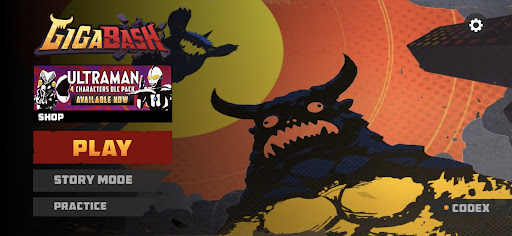
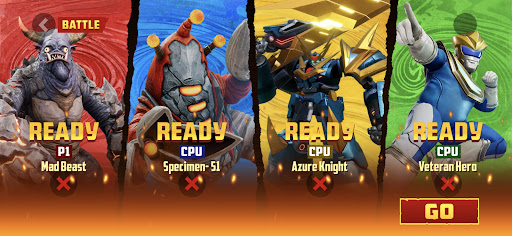
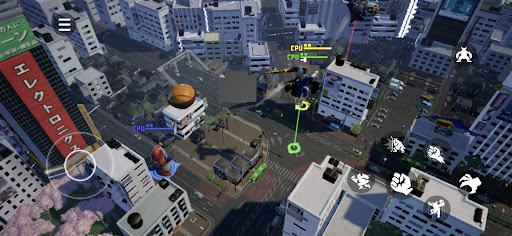
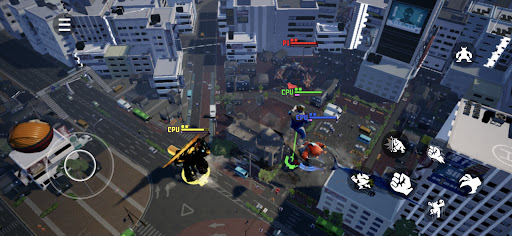
Claim your place as king among Titans! GigaBash is the ultimate Kaiju Fighting Game for 1-4 players, where you battle as film-inspired kaijus and giant heroes in fully destructible cityscapes.
Key Features:
● ORIGINAL CHARACTERS
Play as a rampaging Titan and send skyscrapers flying with a single punch; or pilot a Titan-hunting Mech and strike your foes with lightning from the heavens. Wreak havoc or chain thrilling combos to gain Giga Energy to transform into your final form, the terrifying titanic S-Class. More crossover characters from legendary IPs available as DLCs.
● ONSLAUGHT MODE
Challenge against endless waves of enemies and collect perks to help your journey. Some enemies have mutations too. The further you go, the more exclusive character skins you’ll unlock.
● ARCADE MODE
Face off alone against a lineup of 8 random opponents and one Final Boss to get a higher score. Do you dare to crank up the difficulty for a merciless yet satisfying challenge?
● STORY MODE
Discover the origins (and misadventures) of the Titans in four unique single-player campaigns, each with their own oversized protagonist.
● BATTLE MODE
It’s simple, 1-4 players battle each other in a variety of fully destructible maps to be the last Titan standing. Did you suffer an early defeat? Exact revenge on your foes by firing Orbital Lasers or dropping meteors from the convenience of your grave. Available as offline or online mode where you can cross-play with friends across mobile platforms.
● MAYHEM MODE
A casual party mode filled with wacky minigames for new and veteran players to enjoy together in online private matches.
Pokaż więcej

1. Pobierz instalator MEmu i zakończ instalację

2. Uruchom MEmu, a następnie otwórz Google Play na pulpicie

3. Wyszukaj GigaBash Mobile w Google Play
Install
4. Pobierz i zainstaluj GigaBash Mobile
5. Po zakończeniu instalacji kliknij ikonę, aby rozpocząć

6. Ciesz się grą GigaBash Mobile na PC z MEmu
MEmu Play to najlepszy emulator Androida, a 100 milionów ludzi już korzysta z jego i dosta doskonałe wrażenia z gier na Androida. Technologia wirtualizacji MEmu umożliwia płynne granie w tysiące gier Androida na komputerze, nawet tych najbardziej wymagających grafiki.
Większy ekran z lepszą grafiką; Długi czas, bez ograniczeń baterii lub danych mobilnych.
Pełna obsługa mapowania klawiszy dla precyzyjnego sterowania klawiaturą i myszą lub gamepadem.
Wiele kont gier lub zadań na jednym komputerze jednocześnie z menedżerem wielu instancji.
Play GigaBash Mobile on PC by following steps: