Starling Ascent
Zaktualizowano
Aktualna wersja
1.0.13
Sprzedawca

Przy całej swojej pasji do grania w Starling Ascent, twoje ręce nie powinny być ograniczone na małym ekranie telefonu. Graj jak zawodowiec i uzyskaj pełną kontrolę nad grą za pomocą klawiatury i myszy. MEmu oferuje ci wszystko, czego oczekujesz. Pobierz i graj Starling Ascent na PC. Graj tak długo, jak chcesz, bez ograniczeń baterii, danych komórkowych i niepokojących połączeń. Zupełnie nowy MEmu 9 to najlepszy wybór do grania w Starling Ascent na PC. Przygotowany dzięki naszej wiedzy, znakomity, wstępnie ustawiony system mapowania klawiszy sprawia, że Starling Ascent jest prawdziwą grą na PC. Zakodowany naszą absorpcją, menedżer wielu instancji umożliwia granie na 2 lub więcej kontach na tym samym urządzeniu. A co najważniejsze, nasz emulator może uwolnić pełny potencjał twojego komputera, sprawić, że wszystko będzie płynne. Dbamy nie tylko o to, jak grasz, ale także o cały proces czerpania radości z grania.
Pokaż więcej
Ciesz się wspaniałym doświadczeniem podczas grania w Starling Ascent na komputerze z aplikacją MEMU App Player. Jest to potężny darmowy emulator Androida pozwalający grać w tysiące gier na Androida. Starling Ascent: Bring the light back.


Starling Ascent: Bring the light back.
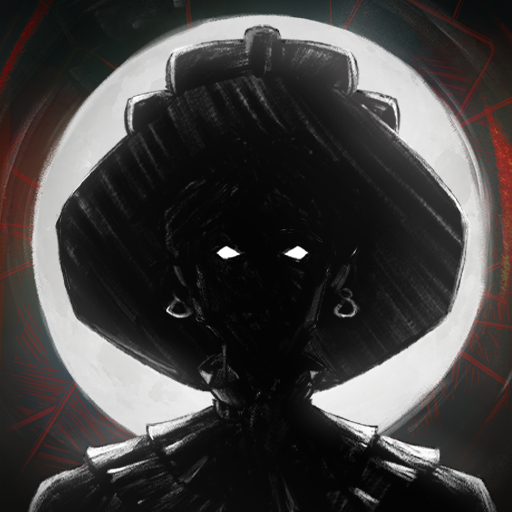
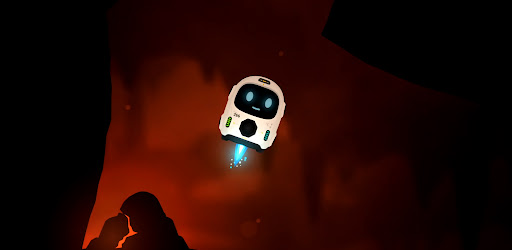
A whole civilisation went dark, power scattered into the caves far below. One small fail-safe robot was built to survive exactly this, and now he has one job: find the lost cores, carry them home, and climb back to a surface he has never seen.
Fly with super simple controls, nothing but rotate and thrust... use your momentum, angles and gravity pulling the whole time. It takes a few seconds to understand and hours to master.
Return Cores & Ascend Every level, a lost core is waiting somewhere in the cave. Find it, pick it up, then carry it to the docks and set it down clean. Do that and the way up opens. Be careful, Starling has limited health and fuel. You can find extra fuel in most of the longer levels and see if you can perfect every level with no damage against the clock!
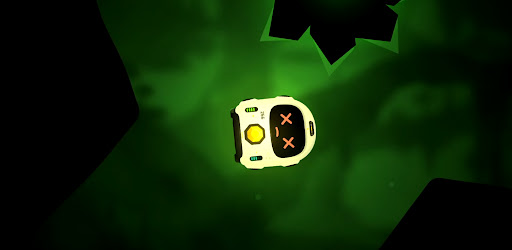
Five worlds and one final ascent. You climb through five different layers, each with its own look, its own feel, and its own ways to kill you. Every world adds a new hazard to everything you've already learned and one careless touch of lava, spikes, or a laser is instant death. They glow bright, so you always see them coming. The only question is whether you can fly clean enough to get past. Then put all your skills to test in the final Ascent through the opening.
Hardcore Mode Finish the game and the real test begins. In Hardcore you start back at level one and try to reach the finale on a single life. No timer, no checkpoints, no second chances. One run, every world, every hazard, start to finish. Can you make it the whole way without dying? Most won't.
FS-266 (Starling) isn't alone on this mission. Volare is his weary AI companion riding shotgun for the climb: part guide, part narrator, part sarcastic friend. Starling was made for one job. Volare knows exactly what that means. By the time you reach the surface, so will you.
Bring the light back.
- Simple controls. Rotate and thrust, that's it. A few seconds to understand, hours to master.
- Momentum flight. Use your angles, your speed and the gravity pulling on you the whole time.
- Grab, carry, dock. Find the lost core, carry it to the docks, set it down clean to open the way up.
- Five worlds and a final ascent. Each layer has its own look, its own feel and its own ways to kill you.
- One-shot hazards. Lava, spikes and lasers are instant death, but they glow bright so you always see them coming.
- Mind your fuel. Thrust burns it, coasting is free. Find extra fuel in the longer caves and plan your route home.
- Perfect every level. Clear it with no damage and against the clock if you're good enough.
- Volare. Your weary AI companion for the climb: part guide, part narrator, part sarcastic friend.
Pokaż więcej

1. Pobierz instalator MEmu i zakończ instalację

2. Uruchom MEmu, a następnie otwórz Google Play na pulpicie

3. Wyszukaj Starling Ascent w Google Play
Install
4. Pobierz i zainstaluj Starling Ascent
5. Po zakończeniu instalacji kliknij ikonę, aby rozpocząć

6. Ciesz się grą Starling Ascent na PC z MEmu
MEmu Play to najlepszy emulator Androida, a 100 milionów ludzi już korzysta z jego i dosta doskonałe wrażenia z gier na Androida. Technologia wirtualizacji MEmu umożliwia płynne granie w tysiące gier Androida na komputerze, nawet tych najbardziej wymagających grafiki.
Większy ekran z lepszą grafiką; Długi czas, bez ograniczeń baterii lub danych mobilnych.
Pełna obsługa mapowania klawiszy dla precyzyjnego sterowania klawiaturą i myszą lub gamepadem.
Wiele kont gier lub zadań na jednym komputerze jednocześnie z menedżerem wielu instancji.
Play Starling Ascent on PC by following steps: