
LOVE ETERNAL
Atualizada
Versão atual
Oferecido por

Com toda a sua paixão por jogar LOVE ETERNAL, não deixe os polegares te atrapalharem em uma pequena tela do seu celular. Jogue como um profissional e tenha controle total do seu jogo com teclado e mouse. O MEmu oferece todas as coisas que você está esperando. Baixe e jogue LOVE ETERNAL no PC. Jogue o tempo que quiser, sem mais limitações de bateria, dados móveis e aquelas ligações enquanto estiver jogando. O novíssimo MEmu 9 é a melhor escolha de jogar LOVE ETERNAL no PC. Com grandes novidades no sistema de mapeamento que faz LOVE ETERNAL um jogo de PC real. Nossa equipe melhorou o gerenciamento de várias instâncias do Android, reduzindo tempo de reprodução de 2 ou mais contas no mesmo dispositivo. O mais importante, nosso mecanimos de emulação exclusivo pode liberar todo o potencial do seu PC sem travamentos, rodando tudo liso. Nós nos preocupamos não apenas com você joga, mas com todo o processo de desfrutar de 100% do seu jogo favorito.
Mostre mais
Download do LOVE ETERNAL no PC com MEmu Android Emulador: Divirta-se jogando na tela grande. LOVE ETERNAL is a psychological horror platformer that plunges players into a haunting castle constructed from bitter memories.
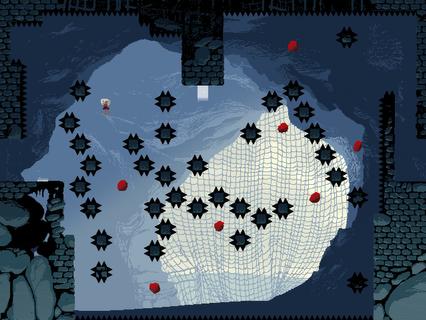
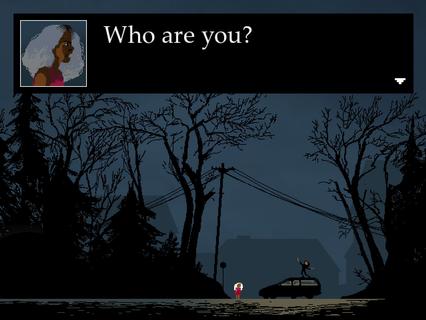
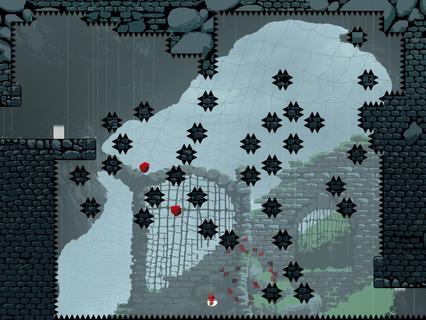

LOVE ETERNAL is a psychological horror platformer that plunges players into a haunting castle constructed from bitter memories. The game masterfully blends challenging platforming mechanics with an unsettling, experimental narrative that explores themes of trauma, family, and existential dread. Players take on the role of a young protagonist named Rona, who finds herself trapped within this eerie fortress, a place known as Shelter, where the past’s painful echoes manifest as both physical obstacles and psychological trials. The gameplay in LOVE ETERNAL draws inspiration from classic platformers like Celeste, featuring precise, gravity-defying jumps and a fluid movement system that requires timing and skill. However, unlike traditional platformers focused solely on skill, LOVE ETERNAL integrates its gameplay tightly with its narrative. The castle’s architecture and the challenges within it symbolize Rona’s internal struggles and fragmented memories, creating a deeply immersive experience where story and mechanics are inseparable. One of the game’s standout features is its gravity-flipping mechanic, which allows players to invert the direction of gravity to navigate through complex levels filled with spikes, traps, and other hazards. This mechanic not only adds a fresh layer of puzzle-solving but also reinforces the game’s themes of instability and disorientation, mirroring Rona’s mental state as she confronts her past. The narrative unfolds in a non-linear and experimental fashion, often eschewing traditional exposition for cryptic imagery, fragmented dialogue, and surreal encounters. As players progress, they piece together Rona’s story and the dark secrets behind the castle and her family. The atmosphere is thick with tension and melancholy, enhanced by a haunting soundtrack and minimalist pixel art that evokes both nostalgia and unease. LOVE ETERNAL challenges players not only with its demanding platforming but also with its emotional depth. The game explores difficult topics such as familial conflict, loss, and the struggle for self-acceptance, all wrapped in a mysterious and eerie setting. This combination of psychological horror and platforming creates a unique experience that lingers long after the game is over. With multiple checkpoints scattered throughout levels, LOVE ETERNAL balances difficulty with accessibility, encouraging players to persist through its tough trials without excessive frustration. The game’s design invites repeated playthroughs, as uncovering all the narrative fragments and secrets requires careful exploration and attention to detail. In summary, LOVE ETERNAL offers a compelling blend of challenging platform gameplay and a haunting psychological story. Its innovative use of gravity mechanics, combined with an evocative narrative and atmospheric presentation, makes it a standout title for fans of both horror and platformers. Players who enjoy games that push the boundaries of storytelling and gameplay will find LOVE ETERNAL a memorable and thought-provoking journey into the depths of memory and trauma.
Mostre mais

1. Faça o download do instalador do MEmu e conclua a instalação

2. Inicie o MEmu e depois abra o Google Play na página inicial

3. Pesquise LOVE ETERNAL no Google Play
Install
4. Baixe e Instale LOVE ETERNAL
5. Na conclusão da instalação, clique no ícone para iniciar

6. Divirta-se jogando LOVE ETERNAL no PC com MEmu
O MEmu App Player é o melhor emulador de Android grátis e 50 milhões de pessoas já desfrutam de sua excelente experiência de jogos no Android. A tecnologia de virtualização do MEmu permite que você jogue milhares de jogos do Android sem problemas no seu PC, mesmo os com gráficos mais intensivos.
Tela maior com gráficos melhores; Longa duração e sem limitação de bateria ou dados móveis.
Suporte completo ao Mapaeamento de Teclas para controle preciso do teclado e mouse ou gamepad.
Várias contas de jogos ou tarefas em um único PC de uma só vez com o Gerenciador de várias instâncias.
Play LOVE ETERNAL on PC by following steps: