ART FRENZY: GALLERY EDITION
อัปเดตเมื่อ
เวอร์ชันปัจจุบัน
2
ให้บริการโดย

เวลาคุณเล่น ART FRENZY: GALLERY EDITION, คุณอาจรู้สึกว่ามือคุณอาจบังจอแล้วทำให้ไม่ได้เล่นแบบเต็มที่. เล่นแบบไร้ขีดจำกัดด้วยเม้าส์และคีย์บอร์ด. MEmu มีตัวเลือกหลายอย่างให้คุณใช้งานเกมที่คุณเล่นแบบที่คุณต้องการ. ดาวน์โหลดและเล่น ART FRENZY: GALLERY EDITION บน PC. เล่นนานแค่ไหนก็ได้, ไม่ต้องชาร์จแบตเตอรี่, หรือเจอคนโทรเข้ามาระหว่างเล่น. MEmu 9 เป็นตัวเลือกสำหรับการเล่น ART FRENZY: GALLERY EDITION บน PC. ทางทีมงานเราได้ปรับแต่งเกม, ปรับให้เล่นเกมบางเกมได้เหมือนเล่น ART FRENZY: GALLERY EDITION เป็นเกม PC เช่นเล็งด้วยเม้าส์หรือใช้คีย์บอร์ด. ระบบของเรายังทำให้คุณสามารถเปิดเล่นได้มากกว่า 2 เกมพร้อมๆกันในคอมของคุณ. และที่สำคัญที่สุด, ระบบโปรแกรมของเราสามารถทำให้คุณใช้ระบบของ PC ทำให้เกมลื่นเหมือนกับใช้โทรศัพท์รุ่นล่าสุด. เราไม่ได้ดูแลเรื่องการเล่นเกม, แต่เราดูแลถึงความสนุกสนานที่คุณได้จากการเล่นด้วย.
แสดงเพิ่มเติม
ดาวน์โหลด ART FRENZY: GALLERY EDITION บน PC ด้วย MEmu Android Emulator สนุกกับการเล่นบนหน้าจอขนาดใหญ่ Dive into the World of Art!
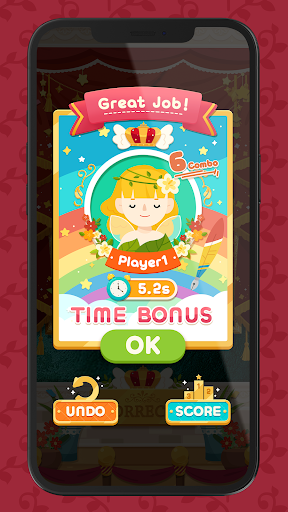
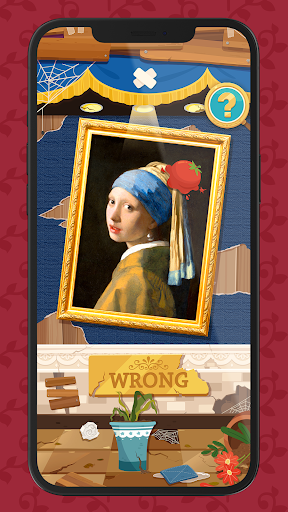
Dive into the World of Art!
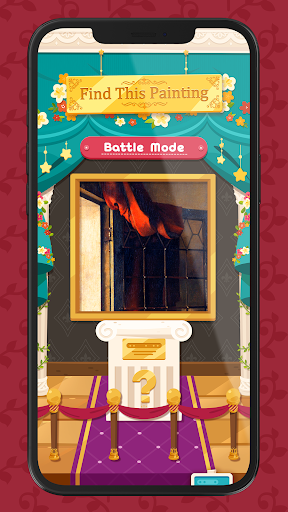
Unleash your inner art enthusiast with ART FRENZY: GALLERY EDITION! Identify art snippets, quickly snatch corresponding cards, and challenge friends in this exhilarating, fast-paced game. Dive deep into iconic masterpieces and enjoy an artful battle with every play. Ready to become the ultimate art collector?
Features:
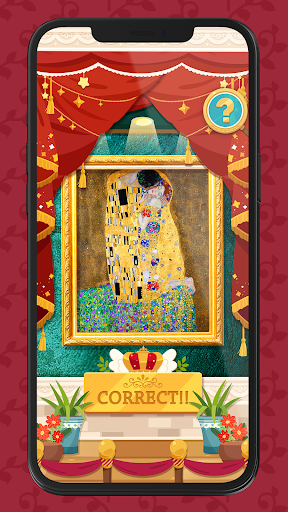
• Iconic Paintings: Cards showcase masterpieces like Mona Lisa, Starry Night, The Kiss, and more!
• Quick Play: Just use the card deck and app. From setup to gameplay, jump into the action within seconds.
• Dynamic Challenges: From partial image hints to various difficulty levels, each game offers a fresh challenge!
How To Play:
1. The app will display a snippet of a renowned painting.
2. Race to identify the full painting and grab its card.
3. Pick your avatar and validate your guess on the app.
4. Right guess? Earn a point! Wrong guess? Risk losing points.
5. The game concludes once all cards are claimed. The player with the most points or cards emerges as the winner!
Key Highlights:
SIMPLE SETUP: Dive into the game with easy setup. All scores and data are seamlessly managed by the app.
VARIETY: Choose from diverse game modes and difficulty levels. You can also experiment with various hint styles and game modes for a new experience every game night.
Download now and immerse yourself in a delightful blend of art and adrenaline!
*Note: The ART FRENZY: GALLERY EDITION card deck is required for gameplay.
แสดงเพิ่มเติม

1. ดาวน์โหลดตัวติดตั้ง MEmu และสิ้นสุดการติดตั้ง

2. เริ่ม MEmu จากนั้นเปิด Google Play บนหน้าแรก

3. ค้นหา ART FRENZY: GALLERY EDITION ใน Google Play
Install
4. ดาวน์โหลดและติดตั้ง ART FRENZY: GALLERY EDITION
5. เมื่อติดตั้งเสร็จให้คลิกที่ไอคอนเพื่อเริ่มใช้งาน

6. สนุกกับการเล่น ART FRENZY: GALLERY EDITION บนพีซีด้วย MEmu
MEmu App Player เป็นอีมูเลเตอร์ Android ที่ดีที่สุดและผู้คนกว่า 50 ล้านคนเพลิดเพลินไปกับประสบการณ์การเล่นเกม Android ที่ยอดเยี่ยม เทคโนโลยีการจำลองเสมือนของ MEmu ช่วยให้คุณเล่นเกม Android หลายพันเกมได้อย่างราบรื่นบนพีซีของคุณแม้แต่เกมที่ต้องใช้กราฟิกมากที่สุด
จอใหญ่และกราฟฟิกสวยกว่า; เล่นได้นาน, ไม่ต้องใช้แบตเตอรี่โทรศัพท์หรือเน็ตโทรศัพท์.
ระบบปรับแต่งปุ่มคีย์บอร์ดและเม้าส์ตามที่คุณเลือก
เล่นมากกว่าหนึ่งเกมบน PC ในเวลาเดียวกันด้วยระบบหลายจอหรือ Multi-Instance manager.
Play ART FRENZY: GALLERY EDITION on PC by following steps: