Pokémon Masters
อัปเดตเมื่อ
เวอร์ชันปัจจุบัน
2.52.0
ให้บริการโดย

เวลาคุณเล่น Pokémon Masters, คุณอาจรู้สึกว่ามือคุณอาจบังจอแล้วทำให้ไม่ได้เล่นแบบเต็มที่. เล่นแบบไร้ขีดจำกัดด้วยเม้าส์และคีย์บอร์ด. MEmu มีตัวเลือกหลายอย่างให้คุณใช้งานเกมที่คุณเล่นแบบที่คุณต้องการ. ดาวน์โหลดและเล่น Pokémon Masters บน PC. เล่นนานแค่ไหนก็ได้, ไม่ต้องชาร์จแบตเตอรี่, หรือเจอคนโทรเข้ามาระหว่างเล่น. MEmu 9 เป็นตัวเลือกสำหรับการเล่น Pokémon Masters บน PC. ทางทีมงานเราได้ปรับแต่งเกม, ปรับให้เล่นเกมบางเกมได้เหมือนเล่น Pokémon Masters เป็นเกม PC เช่นเล็งด้วยเม้าส์หรือใช้คีย์บอร์ด. ระบบของเรายังทำให้คุณสามารถเปิดเล่นได้มากกว่า 2 เกมพร้อมๆกันในคอมของคุณ. และที่สำคัญที่สุด, ระบบโปรแกรมของเราสามารถทำให้คุณใช้ระบบของ PC ทำให้เกมลื่นเหมือนกับใช้โทรศัพท์รุ่นล่าสุด. เราไม่ได้ดูแลเรื่องการเล่นเกม, แต่เราดูแลถึงความสนุกสนานที่คุณได้จากการเล่นด้วย.
แสดงเพิ่มเติม
ดาวน์โหลด Pokémon Masters บน PC ด้วย MEmu Android Emulator สนุกกับการเล่นบนหน้าจอขนาดใหญ่ THE MAIN STORY’S ARCEUS ARC UNFOLDS!
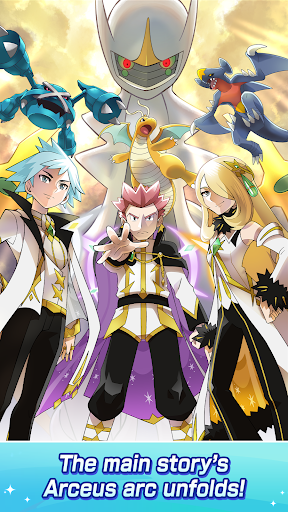
THE MAIN STORY’S ARCEUS ARC UNFOLDS!
Sync pairs awaken the power of arc suits—outfits blessed by Arceus—showing the powerful depths of the bond between Pokémon and Trainer!
TEAM UP WITH SYNC PAIRS FROM EVERY REGION!
Team up and interact with Trainers from the Hisui region, the Paldea region, and everywhere in between!
GET TO KNOW YOUR FAVORITE TRAINERS!
Interact with Trainers in the Trainer Lodge to deepen your bond and get special photos and stories!
TRAINERS DON SPECIAL OUTFITS!
Trainers appear wearing outfits exclusive to Pokémon Masters EX! Enjoy original stories connected to those outfits, too!
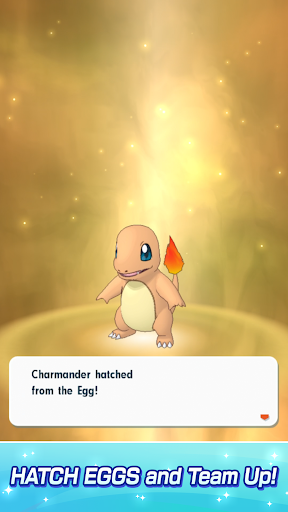
HATCH EGGS & TEAM UP!
Hatch Eggs to get new Pokémon! Add hatched Pokémon to your team, and battle your way to the top!
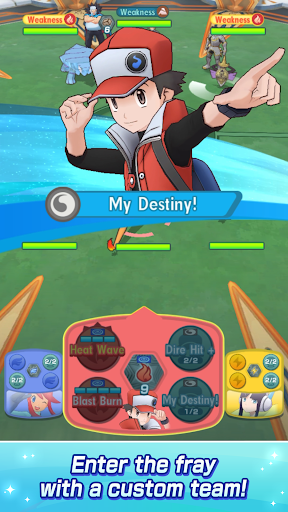
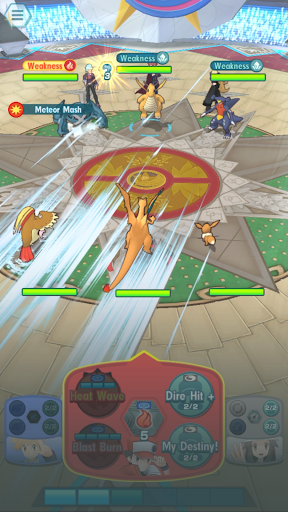
ENTER THE FRAY WITH A CUSTOM TEAM!
Assemble Trainers and Pokémon to take on battles! Create a team all your own, and aim for victory!
TRAINERS FROM ALL OVER COME TOGETHER!
Champions, Elite Four members, Gym Leaders, and visitors from the past! Enjoy adventures together with your favorite Trainers and their Pokémon!
TAKE PHOTOS OF YOUR FAVES!
Select the Trainers, background, frame, and effects to take a photo worthy of Pokéstar Studios!
You can include up to three Trainers in a photo!
Note:
・We recommend a device with at least 2GB of RAM.
・We do not guarantee functionality on all devices listed above.
・There may be cases where the app does not function properly due to your device’s capabilities, specifications, or particular conditions for using apps.
・It may take time to become compatible with the latest OS.
แสดงเพิ่มเติม

1. ดาวน์โหลดตัวติดตั้ง MEmu และสิ้นสุดการติดตั้ง

2. เริ่ม MEmu จากนั้นเปิด Google Play บนหน้าแรก

3. ค้นหา Pokémon Masters ใน Google Play
Install
4. ดาวน์โหลดและติดตั้ง Pokémon Masters
5. เมื่อติดตั้งเสร็จให้คลิกที่ไอคอนเพื่อเริ่มใช้งาน

6. สนุกกับการเล่น Pokémon Masters บนพีซีด้วย MEmu
MEmu App Player เป็นอีมูเลเตอร์ Android ที่ดีที่สุดและผู้คนกว่า 50 ล้านคนเพลิดเพลินไปกับประสบการณ์การเล่นเกม Android ที่ยอดเยี่ยม เทคโนโลยีการจำลองเสมือนของ MEmu ช่วยให้คุณเล่นเกม Android หลายพันเกมได้อย่างราบรื่นบนพีซีของคุณแม้แต่เกมที่ต้องใช้กราฟิกมากที่สุด
จอใหญ่และกราฟฟิกสวยกว่า; เล่นได้นาน, ไม่ต้องใช้แบตเตอรี่โทรศัพท์หรือเน็ตโทรศัพท์.
ระบบปรับแต่งปุ่มคีย์บอร์ดและเม้าส์ตามที่คุณเลือก
เล่นมากกว่าหนึ่งเกมบน PC ในเวลาเดียวกันด้วยระบบหลายจอหรือ Multi-Instance manager.
Play Pokémon Masters on PC by following steps: