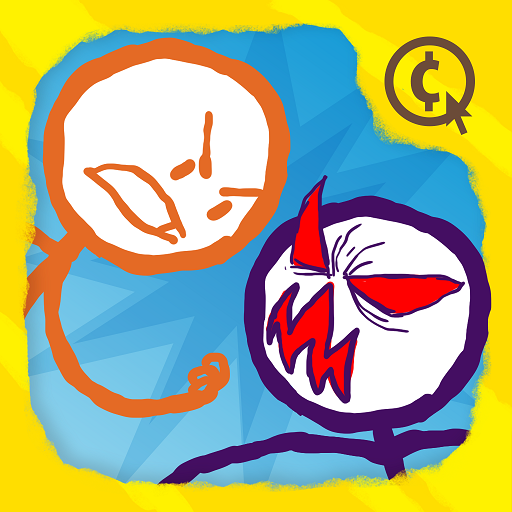
Draw a Stickman: EPIC 2
อัปเดตเมื่อ
เวอร์ชันปัจจุบัน
1.6.9
ให้บริการโดย

เวลาคุณเล่น Draw a Stickman: EPIC 2, คุณอาจรู้สึกว่ามือคุณอาจบังจอแล้วทำให้ไม่ได้เล่นแบบเต็มที่. เล่นแบบไร้ขีดจำกัดด้วยเม้าส์และคีย์บอร์ด. MEmu มีตัวเลือกหลายอย่างให้คุณใช้งานเกมที่คุณเล่นแบบที่คุณต้องการ. ดาวน์โหลดและเล่น Draw a Stickman: EPIC 2 บน PC. เล่นนานแค่ไหนก็ได้, ไม่ต้องชาร์จแบตเตอรี่, หรือเจอคนโทรเข้ามาระหว่างเล่น. MEmu 9 เป็นตัวเลือกสำหรับการเล่น Draw a Stickman: EPIC 2 บน PC. ทางทีมงานเราได้ปรับแต่งเกม, ปรับให้เล่นเกมบางเกมได้เหมือนเล่น Draw a Stickman: EPIC 2 เป็นเกม PC เช่นเล็งด้วยเม้าส์หรือใช้คีย์บอร์ด. ระบบของเรายังทำให้คุณสามารถเปิดเล่นได้มากกว่า 2 เกมพร้อมๆกันในคอมของคุณ. และที่สำคัญที่สุด, ระบบโปรแกรมของเราสามารถทำให้คุณใช้ระบบของ PC ทำให้เกมลื่นเหมือนกับใช้โทรศัพท์รุ่นล่าสุด. เราไม่ได้ดูแลเรื่องการเล่นเกม, แต่เราดูแลถึงความสนุกสนานที่คุณได้จากการเล่นด้วย.
แสดงเพิ่มเติม
ดาวน์โหลด Draw a Stickman: EPIC 2 บน PC ด้วย MEmu Android Emulator สนุกกับการเล่นบนหน้าจอขนาดใหญ่ ** ผู้ชนะรางวัล Webby Awards 5 รางวัล - แฟรนไชส์ Draw a Stickman **.
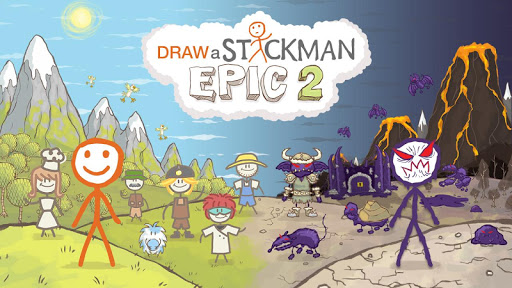
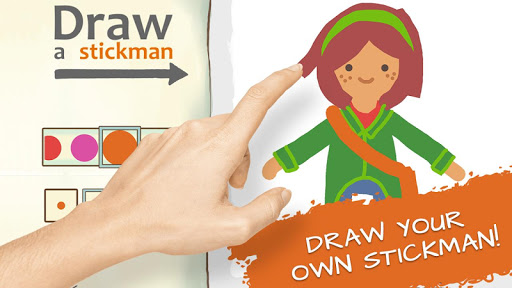
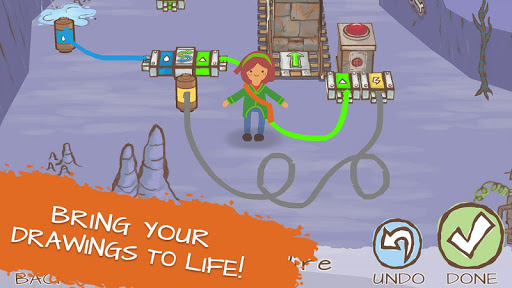
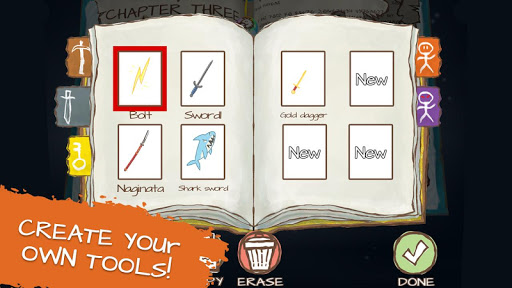
** ผู้ชนะรางวัล Webby Awards 5 รางวัล - แฟรนไชส์ Draw a Stickman **
** เล่นไปแล้วกว่า 100 ล้านครั้งทั่วโลก **
หยิบดินสอของคุณขึ้นมาแล้วเตรียมพร้อมสำหรับการผจญภัยที่สร้างสรรค์ที่สุดใน DRAW A STICKMAN โดย 2 ด่านแรกเล่นได้ฟรี!
จินตนาการคือกุญแจสำคัญเมื่อคุณเข้าสู่ดินแดนแห่งหนังสือนิทานที่เต็มไปด้วยความลึกลับและมหัศจรรย์ สิ่งมีชีวิตที่แปลกประหลาด และปริศนาอันน่าพิศวง! สร้าง Stickman ต้นฉบับของคุณเอง แล้วดูว่ามันมีชีวิตขึ้นมาใน DRAW A STICKMAN: EPIC 2! ท้าทายตัวเองเพื่อปลดล็อกทุกความลับ รวบรวมภาพวาดทุกภาพ และแบ่งปันความคิดสร้างสรรค์ของคุณกับคนทั่วโลก!
ทำให้ภาพวาดของคุณมีชีวิตขึ้นมา!
ปลดปล่อยความคิดสร้างสรรค์ของคุณเมื่อคุณวาด Stickman จากมุมมองที่เป็นเอกลักษณ์เฉพาะตัวของคุณ แล้วดูฮีโร่แอนิเมชั่นของคุณมีชีวิตขึ้นมาต่อหน้าต่อตาคุณ! ทำให้ทุกความคิดกลายเป็นจริงโดยบันทึกภาพวาดไม่จำกัดจำนวนในสมุดสเก็ตช์ของคุณ และแบ่งปันกับเพื่อนๆ!
เรื่องราวใหม่
ออกเดินทางข้ามเวลาที่เต็มไปด้วยอันตราย! วาด Stickman ของคุณและสร้างเพื่อนใหม่! แต่จงระวัง...ความหายนะกำลังมาเยือนพันธมิตรของคุณ! คุณต้องเป็นฮีโร่! ฝ่าฟันผ่านโลกเวทมนตร์ของ EPIC 2 เพื่อทำภารกิจช่วยเหลือคู่หูของคุณ!
ภาพวาดของคุณมีความสำคัญ
สร้างและบันทึกภาพวาดได้ไม่จำกัดจำนวนในสมุดวาดรูปของคุณ! ใช้ภาพวาดเหล่านี้ตลอดการผจญภัยของคุณ!
แบ่งปันและรับภาพวาดกับเพื่อน ๆ
ด้วยคุณสมบัติการแชร์ใหม่ ตอนนี้คุณสามารถส่งผลงานสร้างสรรค์ของคุณให้เพื่อน ๆ ได้แล้ว! จากนั้นพวกเขาจะสามารถใช้ภาพวาดของคุณในการผจญภัยสุดยิ่งใหญ่ของพวกเขาเอง!
ต่อสู้ในการต่อสู้สุดยิ่งใหญ่
เผชิญหน้ากับก๊อบลินที่หมึกเต็ม กบที่แลบลิ้น มังกรพ่นไฟ และบอสใหญ่! คุณต้องใช้กลยุทธ์ของคุณเองเพื่อไขปัญหาและปริศนาที่น่าสนใจ ขณะต่อสู้กับวายร้ายตัวใหม่ทั้งหมด!
เข้าร่วมการผจญภัยที่เต็มไปด้วยแอ็กชั่นนี้ที่ให้ความคิดสร้างสรรค์ไม่รู้จบ!
ขณะที่คุณสำรวจสภาพแวดล้อมที่มีสีสันแต่ละแห่ง ให้เลือกดินสอวาดรูปและเครื่องมือต่าง ๆ เพื่อช่วยให้คุณเอาชนะอุปสรรคทุกอย่างระหว่างทางได้สำเร็จ
คุณสมบัติใหม่และการปรับปรุงช่วยให้คุณเลือกจากจานสีที่ใหญ่ขึ้น รวมถึงขนาดดินสอที่หลากหลาย ด้วยคุณสมบัติการแชร์ใหม่ คุณสามารถส่งภาพวาดของคุณไปยังเพื่อนของคุณได้! ปลดล็อก Color Buddies ที่ซ่อนอยู่ ค้นหาชิ้นส่วนปริศนา และเพลิดเพลินไปกับดินสอวาดภาพใหม่สำหรับ Wires, Eggs และ Ice! นี่คือประสบการณ์ที่ไม่เหมือนใคร ซึ่งปรับแต่งได้ด้วยตัวคุณเอง!
DRAW A STICKMAN: EPIC 2 เป็นภาคต่อที่คุณรอคอย และรับรองว่าจะมอบความบันเทิงให้กับนักเล่นเกมตัวยงและผู้ที่มีความคิดสร้างสรรค์ได้หลายชั่วโมง!
แสดงเพิ่มเติม

1. ดาวน์โหลดตัวติดตั้ง MEmu และสิ้นสุดการติดตั้ง

2. เริ่ม MEmu จากนั้นเปิด Google Play บนหน้าแรก

3. ค้นหา Draw a Stickman: EPIC 2 ใน Google Play
Install
4. ดาวน์โหลดและติดตั้ง Draw a Stickman: EPIC 2
5. เมื่อติดตั้งเสร็จให้คลิกที่ไอคอนเพื่อเริ่มใช้งาน

6. สนุกกับการเล่น Draw a Stickman: EPIC 2 บนพีซีด้วย MEmu
MEmu App Player เป็นอีมูเลเตอร์ Android ที่ดีที่สุดและผู้คนกว่า 50 ล้านคนเพลิดเพลินไปกับประสบการณ์การเล่นเกม Android ที่ยอดเยี่ยม เทคโนโลยีการจำลองเสมือนของ MEmu ช่วยให้คุณเล่นเกม Android หลายพันเกมได้อย่างราบรื่นบนพีซีของคุณแม้แต่เกมที่ต้องใช้กราฟิกมากที่สุด
จอใหญ่และกราฟฟิกสวยกว่า; เล่นได้นาน, ไม่ต้องใช้แบตเตอรี่โทรศัพท์หรือเน็ตโทรศัพท์.
ระบบปรับแต่งปุ่มคีย์บอร์ดและเม้าส์ตามที่คุณเลือก
เล่นมากกว่าหนึ่งเกมบน PC ในเวลาเดียวกันด้วยระบบหลายจอหรือ Multi-Instance manager.
Play Draw a Stickman: EPIC 2 on PC by following steps: