Executive Command
อัปเดตเมื่อ
เวอร์ชันปัจจุบัน
1.2.2
ให้บริการโดย

เวลาคุณเล่น Executive Command, คุณอาจรู้สึกว่ามือคุณอาจบังจอแล้วทำให้ไม่ได้เล่นแบบเต็มที่. เล่นแบบไร้ขีดจำกัดด้วยเม้าส์และคีย์บอร์ด. MEmu มีตัวเลือกหลายอย่างให้คุณใช้งานเกมที่คุณเล่นแบบที่คุณต้องการ. ดาวน์โหลดและเล่น Executive Command บน PC. เล่นนานแค่ไหนก็ได้, ไม่ต้องชาร์จแบตเตอรี่, หรือเจอคนโทรเข้ามาระหว่างเล่น. MEmu 9 เป็นตัวเลือกสำหรับการเล่น Executive Command บน PC. ทางทีมงานเราได้ปรับแต่งเกม, ปรับให้เล่นเกมบางเกมได้เหมือนเล่น Executive Command เป็นเกม PC เช่นเล็งด้วยเม้าส์หรือใช้คีย์บอร์ด. ระบบของเรายังทำให้คุณสามารถเปิดเล่นได้มากกว่า 2 เกมพร้อมๆกันในคอมของคุณ. และที่สำคัญที่สุด, ระบบโปรแกรมของเราสามารถทำให้คุณใช้ระบบของ PC ทำให้เกมลื่นเหมือนกับใช้โทรศัพท์รุ่นล่าสุด. เราไม่ได้ดูแลเรื่องการเล่นเกม, แต่เราดูแลถึงความสนุกสนานที่คุณได้จากการเล่นด้วย.
แสดงเพิ่มเติม
ดาวน์โหลด Executive Command บน PC ด้วย MEmu Android Emulator สนุกกับการเล่นบนหน้าจอขนาดใหญ่ Ever wanted to be the President of the United States for a day?
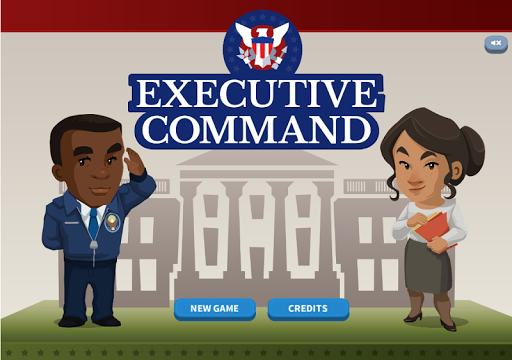
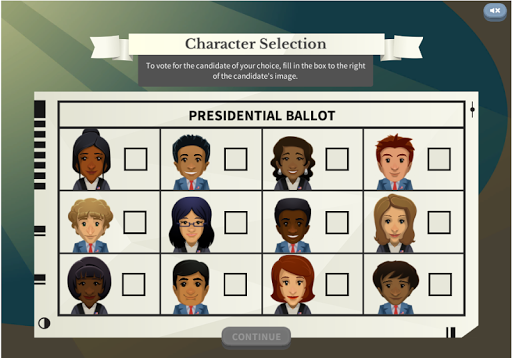
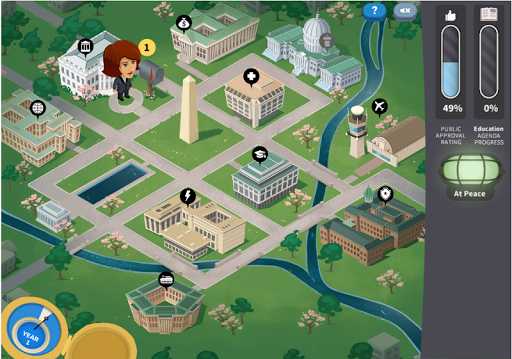
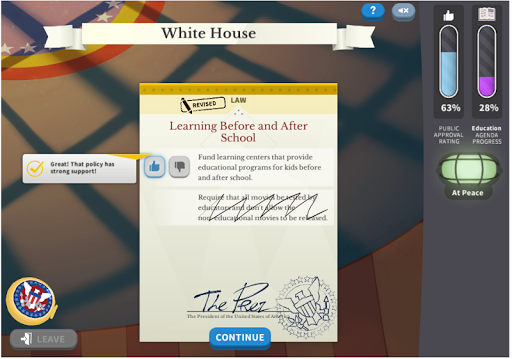
Ever wanted to be the President of the United States for a day? In Executive Command, you can be President for four years! Try to accomplish what you set as your agenda while facing the challenges and responsibilities that crop up along the way. Being commander-in-chief and chief executive is no easy job. See how you do!
Played over 3.5 million times on iCivics.org, this NEW and IMPROVED version of Executive Command includes the following features:
- New war scenarios
- More bills ready for presidential review
- New Secretary of State assist on diplomacy tasks
- More presidential avatars
- Refreshed content, art and game features
Sign up for an iCivics account to earn Impact Points and game-based achievements!
Teachers: Check out our classroom resources for Win the White House. Just visit www.icivics.org!
Learning Objectives: Your students will ...
- Analyze the structure, functions, and processes of the executive branch
- Describe the various roles of the president: commander in chief, head diplomat, agenda setter, chief executive
- Identify the functions of executive cabinet positions and regulatory departments
Game Features:
- Set your presidential agenda and make speeches to Congress to gain support through new legislation
- Review and sign or veto bills from Congress
- Address diplomatic requests in person or through the State Department
- Manage international tension and a declaration of war
- Stay on top of your domestic and foreign duties as president
แสดงเพิ่มเติม

1. ดาวน์โหลดตัวติดตั้ง MEmu และสิ้นสุดการติดตั้ง

2. เริ่ม MEmu จากนั้นเปิด Google Play บนหน้าแรก

3. ค้นหา Executive Command ใน Google Play
Install
4. ดาวน์โหลดและติดตั้ง Executive Command
5. เมื่อติดตั้งเสร็จให้คลิกที่ไอคอนเพื่อเริ่มใช้งาน

6. สนุกกับการเล่น Executive Command บนพีซีด้วย MEmu
MEmu App Player เป็นอีมูเลเตอร์ Android ที่ดีที่สุดและผู้คนกว่า 50 ล้านคนเพลิดเพลินไปกับประสบการณ์การเล่นเกม Android ที่ยอดเยี่ยม เทคโนโลยีการจำลองเสมือนของ MEmu ช่วยให้คุณเล่นเกม Android หลายพันเกมได้อย่างราบรื่นบนพีซีของคุณแม้แต่เกมที่ต้องใช้กราฟิกมากที่สุด
จอใหญ่และกราฟฟิกสวยกว่า; เล่นได้นาน, ไม่ต้องใช้แบตเตอรี่โทรศัพท์หรือเน็ตโทรศัพท์.
ระบบปรับแต่งปุ่มคีย์บอร์ดและเม้าส์ตามที่คุณเลือก
เล่นมากกว่าหนึ่งเกมบน PC ในเวลาเดียวกันด้วยระบบหลายจอหรือ Multi-Instance manager.
Play Executive Command on PC by following steps: