FEROCIOUS
อัปเดตเมื่อ
เวอร์ชันปัจจุบัน
ให้บริการโดย

เวลาคุณเล่น FEROCIOUS, คุณอาจรู้สึกว่ามือคุณอาจบังจอแล้วทำให้ไม่ได้เล่นแบบเต็มที่. เล่นแบบไร้ขีดจำกัดด้วยเม้าส์และคีย์บอร์ด. MEmu มีตัวเลือกหลายอย่างให้คุณใช้งานเกมที่คุณเล่นแบบที่คุณต้องการ. ดาวน์โหลดและเล่น FEROCIOUS บน PC. เล่นนานแค่ไหนก็ได้, ไม่ต้องชาร์จแบตเตอรี่, หรือเจอคนโทรเข้ามาระหว่างเล่น. MEmu 9 เป็นตัวเลือกสำหรับการเล่น FEROCIOUS บน PC. ทางทีมงานเราได้ปรับแต่งเกม, ปรับให้เล่นเกมบางเกมได้เหมือนเล่น FEROCIOUS เป็นเกม PC เช่นเล็งด้วยเม้าส์หรือใช้คีย์บอร์ด. ระบบของเรายังทำให้คุณสามารถเปิดเล่นได้มากกว่า 2 เกมพร้อมๆกันในคอมของคุณ. และที่สำคัญที่สุด, ระบบโปรแกรมของเราสามารถทำให้คุณใช้ระบบของ PC ทำให้เกมลื่นเหมือนกับใช้โทรศัพท์รุ่นล่าสุด. เราไม่ได้ดูแลเรื่องการเล่นเกม, แต่เราดูแลถึงความสนุกสนานที่คุณได้จากการเล่นด้วย.
แสดงเพิ่มเติม
ดาวน์โหลด FEROCIOUS บน PC ด้วย MEmu Android Emulator สนุกกับการเล่นบนหน้าจอขนาดใหญ่ In FEROCIOUS, players wake up on a mysterious island brimming with ancient ruins and lethal predators, challenging them to adapt and survive.
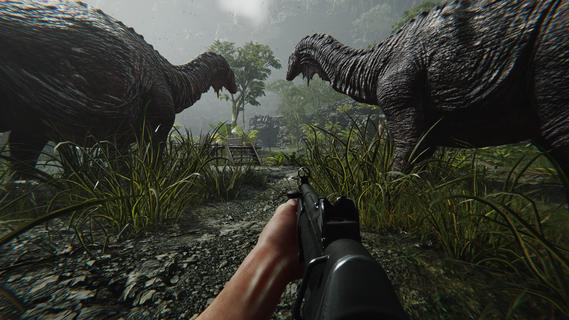
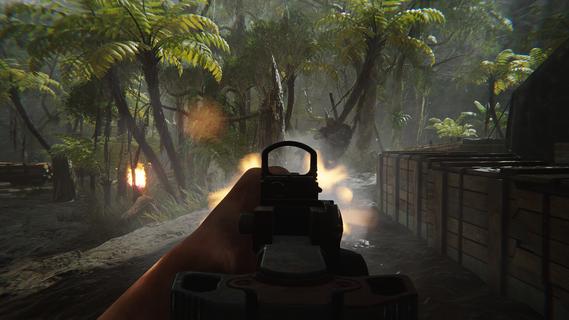
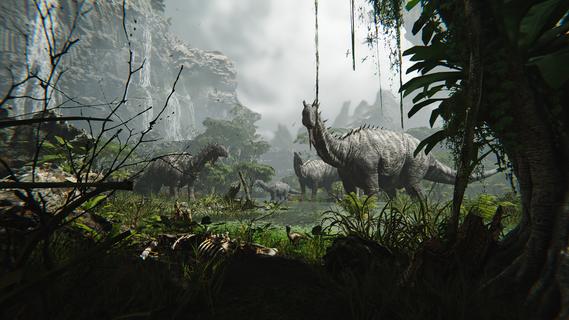
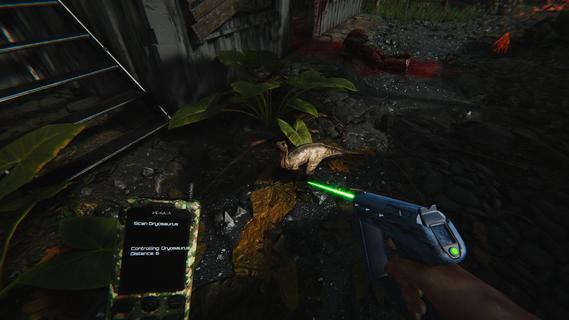
In FEROCIOUS, players wake up on a mysterious island brimming with ancient ruins and lethal predators, challenging them to adapt and survive. Every encounter provides thrilling combat experiences while utilizing the environment to craft weapons and gear. Explore hidden secrets and engage strategically to master the island's unpredictability and uncover its mysteries. Features of FEROCIOUS- Dynamic FPS Combat: Engage in intense gunfights against mercenaries, fierce dinosaurs, and powerful mechas. The combat system is designed for high-stakes encounters that keep players on their toes, ensuring that every fight feels unpredictable and exhilarating. - Exploration and Survival: Navigate through a vast, dangerous island where survival is paramount. Players must carefully explore the terrain to uncover hidden paths, essential gear, and secrets that aid in their quest for survival. - Resource Crafting System: Utilize the resources found throughout the environment to craft weapons and gear that suit your play style. This crafting system allows players to adapt to various challenges by customizing their arsenal for each encounter. - Animal Control Mechanics: Turn the island's wild inhabitants to your advantage. Players can control dinosaurs to attack enemies, create advantageous distractions, or access guarded areas, adding a unique strategic layer to gameplay. - Ever-Changing Environment: The island itself acts as a living entity, with unpredictable elements that can either aid or hinder players. This dynamic setting not only enhances the challenge but also rewards those who dare to explore and understand its intricacies.
แสดงเพิ่มเติม

1. ดาวน์โหลดตัวติดตั้ง MEmu และสิ้นสุดการติดตั้ง

2. เริ่ม MEmu จากนั้นเปิด Google Play บนหน้าแรก

3. ค้นหา FEROCIOUS ใน Google Play
Install
4. ดาวน์โหลดและติดตั้ง FEROCIOUS
5. เมื่อติดตั้งเสร็จให้คลิกที่ไอคอนเพื่อเริ่มใช้งาน

6. สนุกกับการเล่น FEROCIOUS บนพีซีด้วย MEmu
MEmu App Player เป็นอีมูเลเตอร์ Android ที่ดีที่สุดและผู้คนกว่า 50 ล้านคนเพลิดเพลินไปกับประสบการณ์การเล่นเกม Android ที่ยอดเยี่ยม เทคโนโลยีการจำลองเสมือนของ MEmu ช่วยให้คุณเล่นเกม Android หลายพันเกมได้อย่างราบรื่นบนพีซีของคุณแม้แต่เกมที่ต้องใช้กราฟิกมากที่สุด
จอใหญ่และกราฟฟิกสวยกว่า; เล่นได้นาน, ไม่ต้องใช้แบตเตอรี่โทรศัพท์หรือเน็ตโทรศัพท์.
ระบบปรับแต่งปุ่มคีย์บอร์ดและเม้าส์ตามที่คุณเลือก
เล่นมากกว่าหนึ่งเกมบน PC ในเวลาเดียวกันด้วยระบบหลายจอหรือ Multi-Instance manager.
Play FEROCIOUS on PC by following steps: