FEROCIOUS
Actualizada
Versión actual
Ofrecida por

Con toda tu pasión para jugar FEROCIOUS, no se supone que tus manos estén limitadas en una pequeña pantalla de tu teléfono. Juega como un profesional y obtén el control total de tu juego con el teclado y el mouse. MEmu le ofrece todas las cosas que espera. Descargar y jugar FEROCIOUS en PC. Juega todo el tiempo que quieras, sin más limitaciones de batería, datos móviles y llamadas molestas. El nuevo MEmu 9 es la mejor opción para jugar FEROCIOUS en PC. Preparado con nuestra experiencia, el exquisito sistema de keymapping preestablecido convierte a FEROCIOUS en un verdadero juego de PC. Codificado con nuestra absorción, el administrador de instancias múltiples hace posible jugar 2 o más cuentas en el mismo dispositivo. Y lo más importante, nuestro exclusivo motor de emulación puede liberar todo el potencial de su PC, hacer que todo sea más fluido. Nos importa no solo cómo juegas, sino también todo el proceso de disfrutar de la felicidad de los juegos.
Más detalles
Descargar FEROCIOUS en PC con MEmu Android Emulador. Disfruta jugando en la pentalla grande. In FEROCIOUS, players wake up on a mysterious island brimming with ancient ruins and lethal predators, challenging them to adapt and survive.
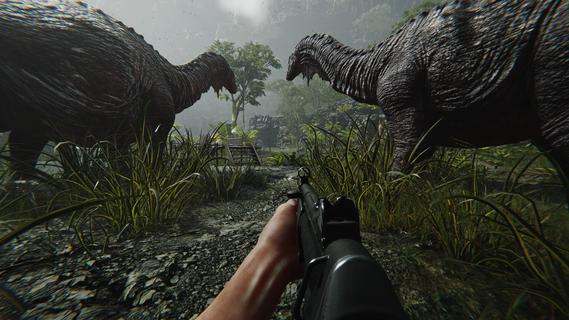
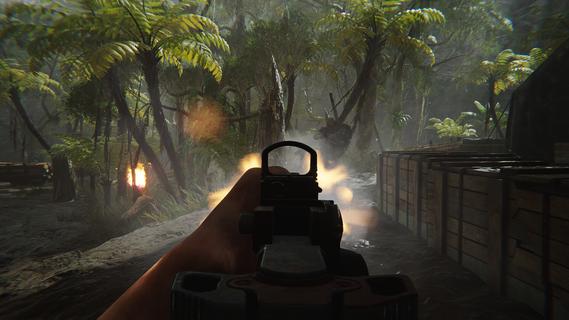
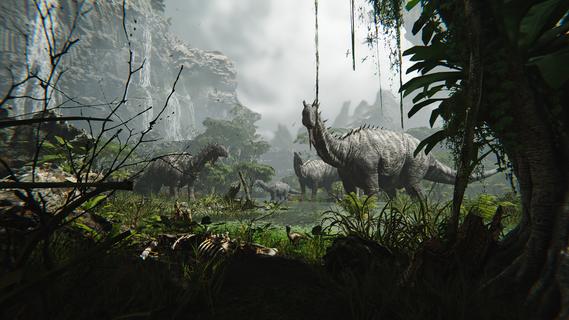
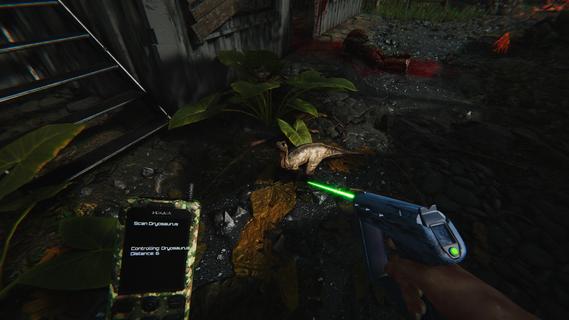
In FEROCIOUS, players wake up on a mysterious island brimming with ancient ruins and lethal predators, challenging them to adapt and survive. Every encounter provides thrilling combat experiences while utilizing the environment to craft weapons and gear. Explore hidden secrets and engage strategically to master the island's unpredictability and uncover its mysteries. Features of FEROCIOUS- Dynamic FPS Combat: Engage in intense gunfights against mercenaries, fierce dinosaurs, and powerful mechas. The combat system is designed for high-stakes encounters that keep players on their toes, ensuring that every fight feels unpredictable and exhilarating. - Exploration and Survival: Navigate through a vast, dangerous island where survival is paramount. Players must carefully explore the terrain to uncover hidden paths, essential gear, and secrets that aid in their quest for survival. - Resource Crafting System: Utilize the resources found throughout the environment to craft weapons and gear that suit your play style. This crafting system allows players to adapt to various challenges by customizing their arsenal for each encounter. - Animal Control Mechanics: Turn the island's wild inhabitants to your advantage. Players can control dinosaurs to attack enemies, create advantageous distractions, or access guarded areas, adding a unique strategic layer to gameplay. - Ever-Changing Environment: The island itself acts as a living entity, with unpredictable elements that can either aid or hinder players. This dynamic setting not only enhances the challenge but also rewards those who dare to explore and understand its intricacies.
Más detalles

1. Descargar el instalador de MEmu y finalice la instalación

2. Iniciar MEmu y abrir Google Play en la página de inicio

3. Buscar FEROCIOUS en Google Play
Install
4. Descargar y instalar FEROCIOUS
5. Hacer click al icono para iniciar

6. Disfruta jugando FEROCIOUS en PC con MEmu
MEmu App Player es el mejor emulador de Android gratuito y 50 millones de personas ya están disfrutando su magnífica experiencia jugando en Android. La tecnología de virtualización de MEmu te permite jugar a miles de juegos Android suavemente en tu PC, incluso los más intensivos gráficamente.
Pantalla más grande con mejores gráficos; Larga duración, sin limitación de batería o datos móviles.
Soporte completo de keymapping para un control preciso del teclado y el mouse o gamepad.
Múltiples cuentas de juegos o tareas en una sola PC a la vez con el administrador de instancias múltiples.
Play FEROCIOUS on PC by following steps: