GT Rivals: Real Racing Sim
อัปเดตเมื่อ
เวอร์ชันปัจจุบัน
0.9.0
ให้บริการโดย

เวลาคุณเล่น GT Rivals: Real Racing Sim, คุณอาจรู้สึกว่ามือคุณอาจบังจอแล้วทำให้ไม่ได้เล่นแบบเต็มที่. เล่นแบบไร้ขีดจำกัดด้วยเม้าส์และคีย์บอร์ด. MEmu มีตัวเลือกหลายอย่างให้คุณใช้งานเกมที่คุณเล่นแบบที่คุณต้องการ. ดาวน์โหลดและเล่น GT Rivals: Real Racing Sim บน PC. เล่นนานแค่ไหนก็ได้, ไม่ต้องชาร์จแบตเตอรี่, หรือเจอคนโทรเข้ามาระหว่างเล่น. MEmu 9 เป็นตัวเลือกสำหรับการเล่น GT Rivals: Real Racing Sim บน PC. ทางทีมงานเราได้ปรับแต่งเกม, ปรับให้เล่นเกมบางเกมได้เหมือนเล่น GT Rivals: Real Racing Sim เป็นเกม PC เช่นเล็งด้วยเม้าส์หรือใช้คีย์บอร์ด. ระบบของเรายังทำให้คุณสามารถเปิดเล่นได้มากกว่า 2 เกมพร้อมๆกันในคอมของคุณ. และที่สำคัญที่สุด, ระบบโปรแกรมของเราสามารถทำให้คุณใช้ระบบของ PC ทำให้เกมลื่นเหมือนกับใช้โทรศัพท์รุ่นล่าสุด. เราไม่ได้ดูแลเรื่องการเล่นเกม, แต่เราดูแลถึงความสนุกสนานที่คุณได้จากการเล่นด้วย.
แสดงเพิ่มเติม
ดาวน์โหลด GT Rivals: Real Racing Sim บน PC ด้วย MEmu Android Emulator สนุกกับการเล่นบนหน้าจอขนาดใหญ่ GT Rivals - Real Racing Simulator.
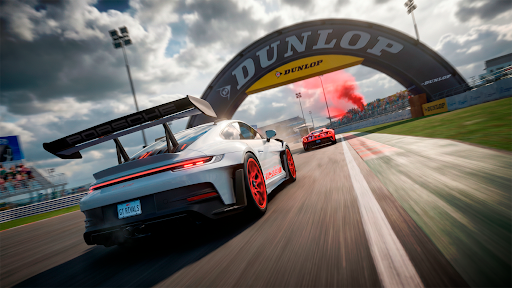
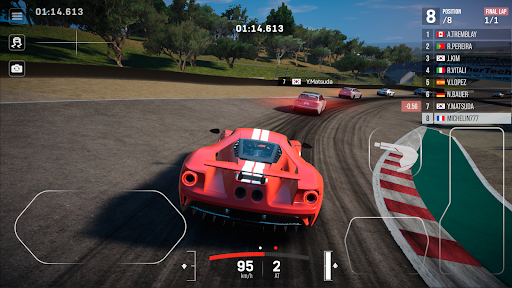
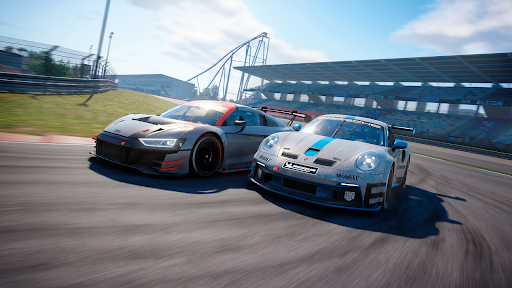
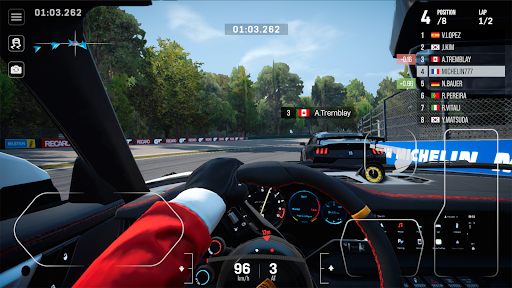
GT Rivals - Real Racing Simulator
Experience the next generation of mobile racing.
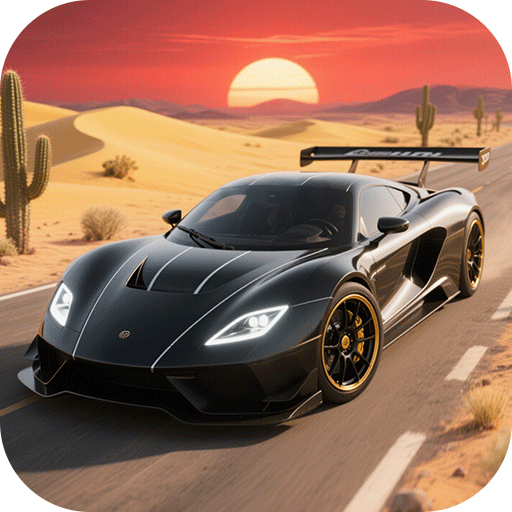
Drive officially licensed cars from world-famous brands like Porsche, Ford, Pagani, Audi, Mazda, Dodge, Subaru, and Mitsubishi, on real-world tracks and compete in intense real-time multiplayer races. From tight technical circuits to legendary tracks, every race is a test of skill, precision, and control.
REAL CARS. REAL TRACKS. REAL COMPETITION
• Race licensed cars from top manufacturers
• Drive on iconic tracks like Nürburgring, Monza, Laguna Seca, Tsukuba Circuit and others
• Realistic handling and physics tuned for competitive racing
ONLINE PvP RACING
• Compete against real players worldwide
• Climb leagues and prove your skill
• Win races and dominate the leaderboard
BUILD AND CUSTOMIZE YOUR CAR
• Upgrade performance with detailed tuning systems
• Customize your car with liveries and body parts
• Create your unique racing style
SEASONS, EVENTS & REWARDS
• New ranked seasons with exclusive rewards
• Limited-time events and challenges
• GT Pass with free and premium rewards
THIS IS NOT ARCADE — THIS IS RACING
GT Rivals delivers a true racing experience designed for players who want more than just casual driving.
แสดงเพิ่มเติม

1. ดาวน์โหลดตัวติดตั้ง MEmu และสิ้นสุดการติดตั้ง

2. เริ่ม MEmu จากนั้นเปิด Google Play บนหน้าแรก

3. ค้นหา GT Rivals: Real Racing Sim ใน Google Play
Install
4. ดาวน์โหลดและติดตั้ง GT Rivals: Real Racing Sim
5. เมื่อติดตั้งเสร็จให้คลิกที่ไอคอนเพื่อเริ่มใช้งาน

6. สนุกกับการเล่น GT Rivals: Real Racing Sim บนพีซีด้วย MEmu
MEmu App Player เป็นอีมูเลเตอร์ Android ที่ดีที่สุดและผู้คนกว่า 50 ล้านคนเพลิดเพลินไปกับประสบการณ์การเล่นเกม Android ที่ยอดเยี่ยม เทคโนโลยีการจำลองเสมือนของ MEmu ช่วยให้คุณเล่นเกม Android หลายพันเกมได้อย่างราบรื่นบนพีซีของคุณแม้แต่เกมที่ต้องใช้กราฟิกมากที่สุด
จอใหญ่และกราฟฟิกสวยกว่า; เล่นได้นาน, ไม่ต้องใช้แบตเตอรี่โทรศัพท์หรือเน็ตโทรศัพท์.
ระบบปรับแต่งปุ่มคีย์บอร์ดและเม้าส์ตามที่คุณเลือก
เล่นมากกว่าหนึ่งเกมบน PC ในเวลาเดียวกันด้วยระบบหลายจอหรือ Multi-Instance manager.
Play GT Rivals: Real Racing Sim on PC by following steps: