
Hexa Hysteria
อัปเดตเมื่อ
เวอร์ชันปัจจุบัน
1.12.1.4
ให้บริการโดย

เวลาคุณเล่น Hexa Hysteria, คุณอาจรู้สึกว่ามือคุณอาจบังจอแล้วทำให้ไม่ได้เล่นแบบเต็มที่. เล่นแบบไร้ขีดจำกัดด้วยเม้าส์และคีย์บอร์ด. MEmu มีตัวเลือกหลายอย่างให้คุณใช้งานเกมที่คุณเล่นแบบที่คุณต้องการ. ดาวน์โหลดและเล่น Hexa Hysteria บน PC. เล่นนานแค่ไหนก็ได้, ไม่ต้องชาร์จแบตเตอรี่, หรือเจอคนโทรเข้ามาระหว่างเล่น. MEmu 9 เป็นตัวเลือกสำหรับการเล่น Hexa Hysteria บน PC. ทางทีมงานเราได้ปรับแต่งเกม, ปรับให้เล่นเกมบางเกมได้เหมือนเล่น Hexa Hysteria เป็นเกม PC เช่นเล็งด้วยเม้าส์หรือใช้คีย์บอร์ด. ระบบของเรายังทำให้คุณสามารถเปิดเล่นได้มากกว่า 2 เกมพร้อมๆกันในคอมของคุณ. และที่สำคัญที่สุด, ระบบโปรแกรมของเราสามารถทำให้คุณใช้ระบบของ PC ทำให้เกมลื่นเหมือนกับใช้โทรศัพท์รุ่นล่าสุด. เราไม่ได้ดูแลเรื่องการเล่นเกม, แต่เราดูแลถึงความสนุกสนานที่คุณได้จากการเล่นด้วย.
แสดงเพิ่มเติม
ดาวน์โหลด Hexa Hysteria บน PC ด้วย MEmu Android Emulator สนุกกับการเล่นบนหน้าจอขนาดใหญ่ Welcome, to the world of Hexa Hysteria!
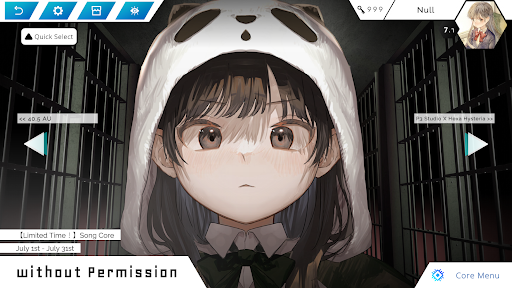
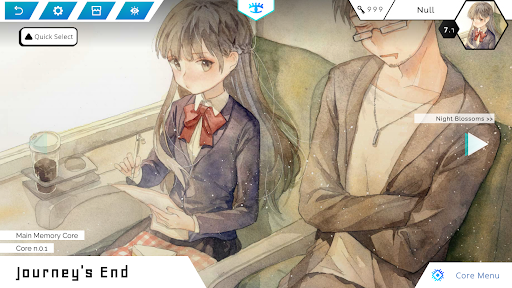
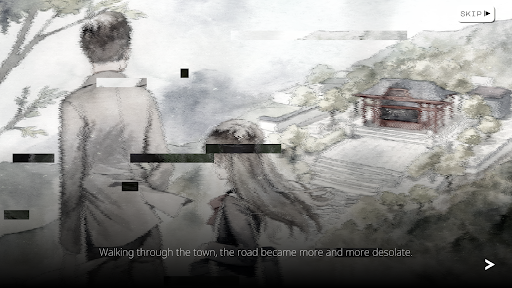
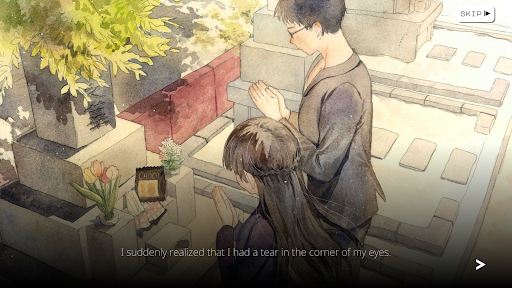
Welcome, to the world of Hexa Hysteria! Experience our innovative game-play, unlock various music, and explore the incredible stories from the distant past!
=== FEATURES ===
- One-of-its-kind, truly innovative game-play.
- Story-focused design.
- Various music from Japan, Taiwan, Korea, Germany, Netherlands, and all around the world!
- Beautiful, hand-drawn arts!
== STORY ===
In the distant future, an empty spaceship is driving through the endless dark space.
This spaceship has no destination. We don't know how long it has been sailing, but it contains memories of a species that has long perished.
This species calls itself human, and once inhabited a planet called Earth, it seems.
They must have had a high degree of civilization. At a certain point, they even created artificial intelligence that surpassed their own, and together, they developed such technology that allows them to create this ship.
However, no matter what, they are now nothing more than dust in history. Long before we were born, they had vanished, no one remained.
Why did they make this spaceship? Perhaps, they once wanted to leave the galaxy where they were born and expand farther away.
Or, they just wanted to leave a little proof that they once existed, so that future civilizations can have a chance to know how they had loved and lived and died.
Too much time has passed, and we shall never know their intentions, but only some unverifiable conjectures.
But looking at these burning memories, there is an indescribable sadness, right?
แสดงเพิ่มเติม

1. ดาวน์โหลดตัวติดตั้ง MEmu และสิ้นสุดการติดตั้ง

2. เริ่ม MEmu จากนั้นเปิด Google Play บนหน้าแรก

3. ค้นหา Hexa Hysteria ใน Google Play
Install
4. ดาวน์โหลดและติดตั้ง Hexa Hysteria
5. เมื่อติดตั้งเสร็จให้คลิกที่ไอคอนเพื่อเริ่มใช้งาน

6. สนุกกับการเล่น Hexa Hysteria บนพีซีด้วย MEmu
MEmu App Player เป็นอีมูเลเตอร์ Android ที่ดีที่สุดและผู้คนกว่า 50 ล้านคนเพลิดเพลินไปกับประสบการณ์การเล่นเกม Android ที่ยอดเยี่ยม เทคโนโลยีการจำลองเสมือนของ MEmu ช่วยให้คุณเล่นเกม Android หลายพันเกมได้อย่างราบรื่นบนพีซีของคุณแม้แต่เกมที่ต้องใช้กราฟิกมากที่สุด
จอใหญ่และกราฟฟิกสวยกว่า; เล่นได้นาน, ไม่ต้องใช้แบตเตอรี่โทรศัพท์หรือเน็ตโทรศัพท์.
ระบบปรับแต่งปุ่มคีย์บอร์ดและเม้าส์ตามที่คุณเลือก
เล่นมากกว่าหนึ่งเกมบน PC ในเวลาเดียวกันด้วยระบบหลายจอหรือ Multi-Instance manager.
Play Hexa Hysteria on PC by following steps: