Lovely Craft Piston Trap
อัปเดตเมื่อ
เวอร์ชันปัจจุบัน
0.2.999
ให้บริการโดย

เวลาคุณเล่น Lovely Craft Piston Trap, คุณอาจรู้สึกว่ามือคุณอาจบังจอแล้วทำให้ไม่ได้เล่นแบบเต็มที่. เล่นแบบไร้ขีดจำกัดด้วยเม้าส์และคีย์บอร์ด. MEmu มีตัวเลือกหลายอย่างให้คุณใช้งานเกมที่คุณเล่นแบบที่คุณต้องการ. ดาวน์โหลดและเล่น Lovely Craft Piston Trap บน PC. เล่นนานแค่ไหนก็ได้, ไม่ต้องชาร์จแบตเตอรี่, หรือเจอคนโทรเข้ามาระหว่างเล่น. MEmu 9 เป็นตัวเลือกสำหรับการเล่น Lovely Craft Piston Trap บน PC. ทางทีมงานเราได้ปรับแต่งเกม, ปรับให้เล่นเกมบางเกมได้เหมือนเล่น Lovely Craft Piston Trap เป็นเกม PC เช่นเล็งด้วยเม้าส์หรือใช้คีย์บอร์ด. ระบบของเรายังทำให้คุณสามารถเปิดเล่นได้มากกว่า 2 เกมพร้อมๆกันในคอมของคุณ. และที่สำคัญที่สุด, ระบบโปรแกรมของเราสามารถทำให้คุณใช้ระบบของ PC ทำให้เกมลื่นเหมือนกับใช้โทรศัพท์รุ่นล่าสุด. เราไม่ได้ดูแลเรื่องการเล่นเกม, แต่เราดูแลถึงความสนุกสนานที่คุณได้จากการเล่นด้วย.
แสดงเพิ่มเติม
ดาวน์โหลด Lovely Craft Piston Trap บน PC ด้วย MEmu Android Emulator สนุกกับการเล่นบนหน้าจอขนาดใหญ่ Lovely Craft Piston Trap is a creative sandbox puzzle game set in a colorful voxel world where players use various blocks to build intricate traps and mechanisms.
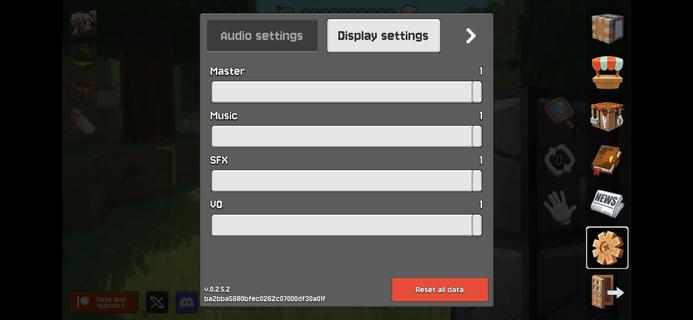
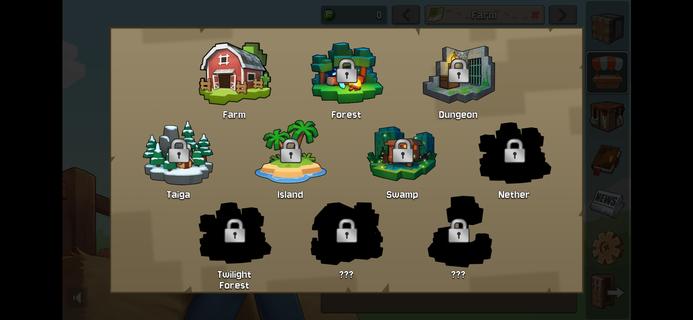

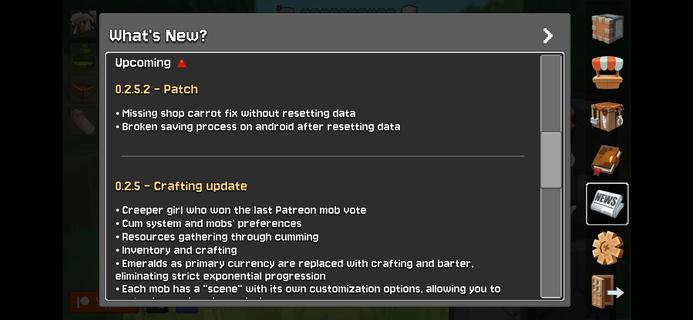
Lovely Craft Piston Trap is a creative sandbox puzzle game set in a colorful voxel world where players use various blocks to build intricate traps and mechanisms. Tasked with protecting villages and exploring mysterious lands, players combine logic and creativity to design defenses against strange creatures and uncover hidden conspiracies. The game features intuitive touch controls, offline play, and a rich inventory of materials, making it accessible and engaging for both casual and strategic players. Key Features:Diverse Building Blocks and Items: Includes stones, wood, pistons (normal and sticky), sensors, levers, and more, allowing players to customize traps like falling walls, flood traps, or piston pushers.Offline Mode: Play and save maps without internet, free from ads, enabling uninterrupted creativity and testing.User-Friendly Interface: Optimized for mobile with drag-and-drop block placement, zoom, rotation, and virtual joystick controls.Light Voxel Graphics: Bright, smooth animations that run well on most Android devices, offering a visually pleasing experience.Map Sharing and Auto-Save: Automatically saves progress and allows exporting and importing maps to share creations with friends. Lovely Craft Piston Trap blends puzzle-solving, building, and storytelling, offering a unique experience where mechanical ingenuity meets adventure and strategy.
แสดงเพิ่มเติม

1. ดาวน์โหลดตัวติดตั้ง MEmu และสิ้นสุดการติดตั้ง

2. เริ่ม MEmu จากนั้นเปิด Google Play บนหน้าแรก

3. ค้นหา Lovely Craft Piston Trap ใน Google Play
Install
4. ดาวน์โหลดและติดตั้ง Lovely Craft Piston Trap
5. เมื่อติดตั้งเสร็จให้คลิกที่ไอคอนเพื่อเริ่มใช้งาน

6. สนุกกับการเล่น Lovely Craft Piston Trap บนพีซีด้วย MEmu
MEmu App Player เป็นอีมูเลเตอร์ Android ที่ดีที่สุดและผู้คนกว่า 50 ล้านคนเพลิดเพลินไปกับประสบการณ์การเล่นเกม Android ที่ยอดเยี่ยม เทคโนโลยีการจำลองเสมือนของ MEmu ช่วยให้คุณเล่นเกม Android หลายพันเกมได้อย่างราบรื่นบนพีซีของคุณแม้แต่เกมที่ต้องใช้กราฟิกมากที่สุด
จอใหญ่และกราฟฟิกสวยกว่า; เล่นได้นาน, ไม่ต้องใช้แบตเตอรี่โทรศัพท์หรือเน็ตโทรศัพท์.
ระบบปรับแต่งปุ่มคีย์บอร์ดและเม้าส์ตามที่คุณเลือก
เล่นมากกว่าหนึ่งเกมบน PC ในเวลาเดียวกันด้วยระบบหลายจอหรือ Multi-Instance manager.
Play Lovely Craft Piston Trap on PC by following steps: