Sifu
อัปเดตเมื่อ
เวอร์ชันปัจจุบัน
ให้บริการโดย

เวลาคุณเล่น Sifu, คุณอาจรู้สึกว่ามือคุณอาจบังจอแล้วทำให้ไม่ได้เล่นแบบเต็มที่. เล่นแบบไร้ขีดจำกัดด้วยเม้าส์และคีย์บอร์ด. MEmu มีตัวเลือกหลายอย่างให้คุณใช้งานเกมที่คุณเล่นแบบที่คุณต้องการ. ดาวน์โหลดและเล่น Sifu บน PC. เล่นนานแค่ไหนก็ได้, ไม่ต้องชาร์จแบตเตอรี่, หรือเจอคนโทรเข้ามาระหว่างเล่น. MEmu 9 เป็นตัวเลือกสำหรับการเล่น Sifu บน PC. ทางทีมงานเราได้ปรับแต่งเกม, ปรับให้เล่นเกมบางเกมได้เหมือนเล่น Sifu เป็นเกม PC เช่นเล็งด้วยเม้าส์หรือใช้คีย์บอร์ด. ระบบของเรายังทำให้คุณสามารถเปิดเล่นได้มากกว่า 2 เกมพร้อมๆกันในคอมของคุณ. และที่สำคัญที่สุด, ระบบโปรแกรมของเราสามารถทำให้คุณใช้ระบบของ PC ทำให้เกมลื่นเหมือนกับใช้โทรศัพท์รุ่นล่าสุด. เราไม่ได้ดูแลเรื่องการเล่นเกม, แต่เราดูแลถึงความสนุกสนานที่คุณได้จากการเล่นด้วย.
แสดงเพิ่มเติม
ดาวน์โหลด Sifu บน PC ด้วย MEmu Android Emulator สนุกกับการเล่นบนหน้าจอขนาดใหญ่ Embark on a path of revenge in Sifu, the critically acclaimed third-person brawler renowned for its tight Kung Fu combat and cinematic martial arts action, now fully adapted for mobile.
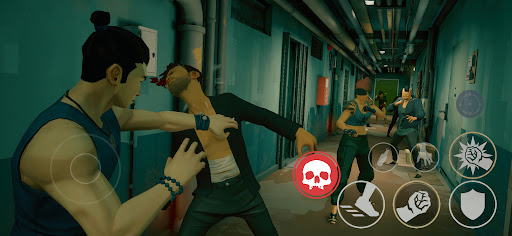
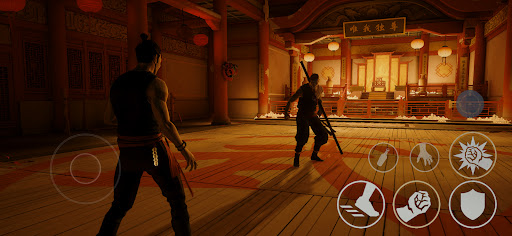
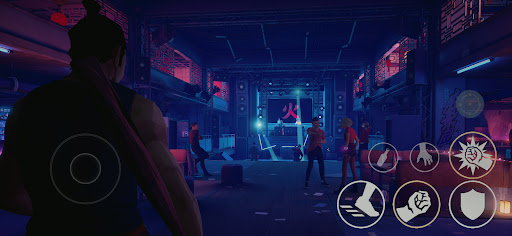
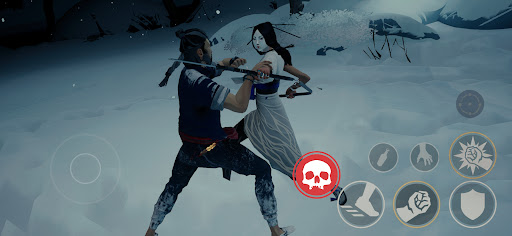
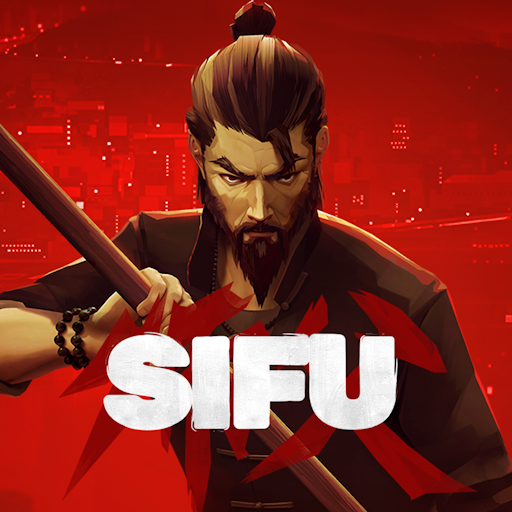
Embark on a path of revenge in Sifu, the critically acclaimed third-person brawler renowned for its tight Kung Fu combat and cinematic martial arts action, now fully adapted for mobile.
Is one life enough to know Kung Fu?
Hunt down your family's assassins, one against all. You have no allies, countless enemies, and a mysterious amulet that brings you back to life every time you die. Yet be warned: your secret weapon comes with a hefty price to pay: aging and its consequences.
Trial by Fire
Your enemies don't wait their turn, and they don't broadcast their intent. Dodge, parry, strike, use combos, and be like water making its way through captivating environments. Learn to master your art as you fight through the underbelly of a nightclub, scramble through a refined gallery to avoid being surrounded, and navigate a towering office building in pursuit of revenge.
Adaptation is Survival
Careful positioning and clever use of the environment are key to your survival. Use everything at your disposal: throwable objects, makeshift weapons, windows, and ledges. The odds are stacked against you, and you will be offered no mercy.
Training Never Ends
Kung Fu is mastery through practice, a path for both the body and the mind. Learn from your errors, unlock unique skills, and find the strength within yourself to master the devastating techniques of Pak-Mei Kung Fu.
Adapted for Mobile
Experience Sifu on the go with new touch controls designed specifically for mobile devices, enhanced contextual interactions, a reworked camera system, and full controller support. Fight your way through the complete story campaign, optimised for mobile play.
แสดงเพิ่มเติม

1. ดาวน์โหลดตัวติดตั้ง MEmu และสิ้นสุดการติดตั้ง

2. เริ่ม MEmu จากนั้นเปิด Google Play บนหน้าแรก

3. ค้นหา Sifu ใน Google Play
Install
4. ดาวน์โหลดและติดตั้ง Sifu
5. เมื่อติดตั้งเสร็จให้คลิกที่ไอคอนเพื่อเริ่มใช้งาน

6. สนุกกับการเล่น Sifu บนพีซีด้วย MEmu
MEmu App Player เป็นอีมูเลเตอร์ Android ที่ดีที่สุดและผู้คนกว่า 50 ล้านคนเพลิดเพลินไปกับประสบการณ์การเล่นเกม Android ที่ยอดเยี่ยม เทคโนโลยีการจำลองเสมือนของ MEmu ช่วยให้คุณเล่นเกม Android หลายพันเกมได้อย่างราบรื่นบนพีซีของคุณแม้แต่เกมที่ต้องใช้กราฟิกมากที่สุด
จอใหญ่และกราฟฟิกสวยกว่า; เล่นได้นาน, ไม่ต้องใช้แบตเตอรี่โทรศัพท์หรือเน็ตโทรศัพท์.
ระบบปรับแต่งปุ่มคีย์บอร์ดและเม้าส์ตามที่คุณเลือก
เล่นมากกว่าหนึ่งเกมบน PC ในเวลาเดียวกันด้วยระบบหลายจอหรือ Multi-Instance manager.
Play Sifu on PC by following steps: