
Star Trek Online
อัปเดตเมื่อ
เวอร์ชันปัจจุบัน
ให้บริการโดย

เวลาคุณเล่น Star Trek Online, คุณอาจรู้สึกว่ามือคุณอาจบังจอแล้วทำให้ไม่ได้เล่นแบบเต็มที่. เล่นแบบไร้ขีดจำกัดด้วยเม้าส์และคีย์บอร์ด. MEmu มีตัวเลือกหลายอย่างให้คุณใช้งานเกมที่คุณเล่นแบบที่คุณต้องการ. ดาวน์โหลดและเล่น Star Trek Online บน PC. เล่นนานแค่ไหนก็ได้, ไม่ต้องชาร์จแบตเตอรี่, หรือเจอคนโทรเข้ามาระหว่างเล่น. MEmu 9 เป็นตัวเลือกสำหรับการเล่น Star Trek Online บน PC. ทางทีมงานเราได้ปรับแต่งเกม, ปรับให้เล่นเกมบางเกมได้เหมือนเล่น Star Trek Online เป็นเกม PC เช่นเล็งด้วยเม้าส์หรือใช้คีย์บอร์ด. ระบบของเรายังทำให้คุณสามารถเปิดเล่นได้มากกว่า 2 เกมพร้อมๆกันในคอมของคุณ. และที่สำคัญที่สุด, ระบบโปรแกรมของเราสามารถทำให้คุณใช้ระบบของ PC ทำให้เกมลื่นเหมือนกับใช้โทรศัพท์รุ่นล่าสุด. เราไม่ได้ดูแลเรื่องการเล่นเกม, แต่เราดูแลถึงความสนุกสนานที่คุณได้จากการเล่นด้วย.
แสดงเพิ่มเติม
ดาวน์โหลด Star Trek Online บน PC ด้วย MEmu Android Emulator สนุกกับการเล่นบนหน้าจอขนาดใหญ่ More than a century has passed since the events of Star Trek: Strange New Worlds and thirty years since the events of Star Trek: Nemesis.
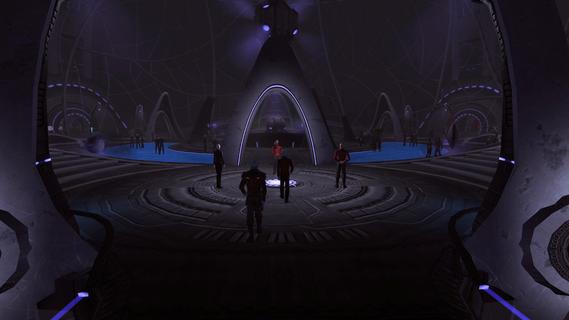
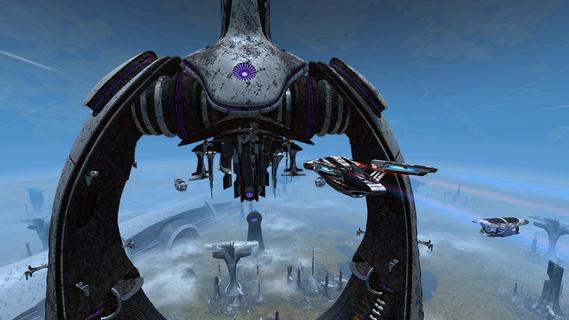
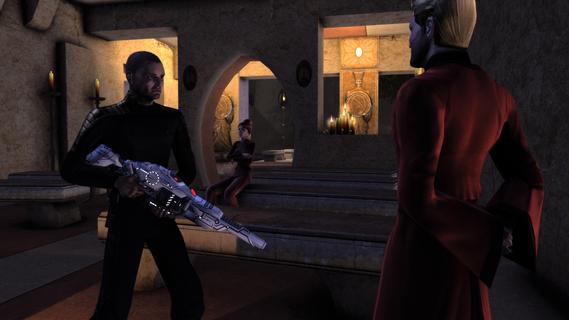
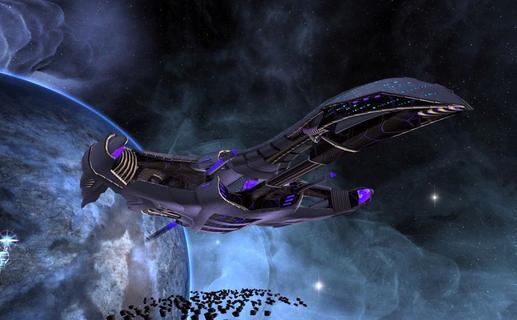
More than a century has passed since the events of Star Trek: Strange New Worlds and thirty years since the events of Star Trek: Nemesis. The Romulan Empire has fractured after the destruction of their homeworld; the Federation and Klingon Empire are at war yet again after decades of peace; militant Cardassians threaten the recovery of their own people. All the while, ancient powers lurk in the Delta and Gamma Quadrants, waiting for the right time to strike. The galaxy is in turmoil and it's up to you and your crew to save it!FeaturesIn Star Trek Online, customize your Captain, ship, and crew, and enjoy your very own Star Trek experience with more than 160 episodes through multiple story arcs. Explore strange new worlds on daring away missions and defy the odds in epic space combat. This ever-expanding, completely Free-to-Play online experience brings the Star Trek universe to life!Free-to-PlayExperience an MMO beyond the Final Frontier. Go from Ensign to Fleet Admiral entirely free-to-play!You Are the CaptainPartake in epic space battles and lead away teams across unknown worlds. Join forces with Star Trek legends like Spock, Janeway, Worf, Tilly, and over 40 more Star Trek characters, played by their original actors!Choose Your FactionDefend the Federation, rebuild the Romulan Republic, restore honor to the Klingon Empire, or serve the Dominion in battle! Each faction features vastly different ships, crew, gear, and play styles.Total CustomizationCreate and customize a Captain from any species in the galaxy, or even make your own! Select from hundreds of ships and find the one that fits YOUR play style.
แสดงเพิ่มเติม

1. ดาวน์โหลดตัวติดตั้ง MEmu และสิ้นสุดการติดตั้ง

2. เริ่ม MEmu จากนั้นเปิด Google Play บนหน้าแรก

3. ค้นหา Star Trek Online ใน Google Play
Install
4. ดาวน์โหลดและติดตั้ง Star Trek Online
5. เมื่อติดตั้งเสร็จให้คลิกที่ไอคอนเพื่อเริ่มใช้งาน

6. สนุกกับการเล่น Star Trek Online บนพีซีด้วย MEmu
MEmu App Player เป็นอีมูเลเตอร์ Android ที่ดีที่สุดและผู้คนกว่า 50 ล้านคนเพลิดเพลินไปกับประสบการณ์การเล่นเกม Android ที่ยอดเยี่ยม เทคโนโลยีการจำลองเสมือนของ MEmu ช่วยให้คุณเล่นเกม Android หลายพันเกมได้อย่างราบรื่นบนพีซีของคุณแม้แต่เกมที่ต้องใช้กราฟิกมากที่สุด
จอใหญ่และกราฟฟิกสวยกว่า; เล่นได้นาน, ไม่ต้องใช้แบตเตอรี่โทรศัพท์หรือเน็ตโทรศัพท์.
ระบบปรับแต่งปุ่มคีย์บอร์ดและเม้าส์ตามที่คุณเลือก
เล่นมากกว่าหนึ่งเกมบน PC ในเวลาเดียวกันด้วยระบบหลายจอหรือ Multi-Instance manager.
Play Star Trek Online on PC by following steps:























![[ไกด์เกม] CookieRun Classic แนะนำ 5 คุกกี้น่าปั้น น่าลงทุน ที่มือใหม่ห้ามพลาด! (เล่นบน PC ผ่าน MEmu ให้ลื่นสุด ๆ) PC](https://www.memuplay.com/blog/wp-content/uploads/2026/08/579c01ab-a953-45b3-8115-9b6279b7d6f9.png)