Tomorrow: MMO Nuclear Quest
อัปเดตเมื่อ
เวอร์ชันปัจจุบัน
1.0.2
ให้บริการโดย

เวลาคุณเล่น Tomorrow: MMO Nuclear Quest, คุณอาจรู้สึกว่ามือคุณอาจบังจอแล้วทำให้ไม่ได้เล่นแบบเต็มที่. เล่นแบบไร้ขีดจำกัดด้วยเม้าส์และคีย์บอร์ด. MEmu มีตัวเลือกหลายอย่างให้คุณใช้งานเกมที่คุณเล่นแบบที่คุณต้องการ. ดาวน์โหลดและเล่น Tomorrow: MMO Nuclear Quest บน PC. เล่นนานแค่ไหนก็ได้, ไม่ต้องชาร์จแบตเตอรี่, หรือเจอคนโทรเข้ามาระหว่างเล่น. MEmu 9 เป็นตัวเลือกสำหรับการเล่น Tomorrow: MMO Nuclear Quest บน PC. ทางทีมงานเราได้ปรับแต่งเกม, ปรับให้เล่นเกมบางเกมได้เหมือนเล่น Tomorrow: MMO Nuclear Quest เป็นเกม PC เช่นเล็งด้วยเม้าส์หรือใช้คีย์บอร์ด. ระบบของเรายังทำให้คุณสามารถเปิดเล่นได้มากกว่า 2 เกมพร้อมๆกันในคอมของคุณ. และที่สำคัญที่สุด, ระบบโปรแกรมของเราสามารถทำให้คุณใช้ระบบของ PC ทำให้เกมลื่นเหมือนกับใช้โทรศัพท์รุ่นล่าสุด. เราไม่ได้ดูแลเรื่องการเล่นเกม, แต่เราดูแลถึงความสนุกสนานที่คุณได้จากการเล่นด้วย.
แสดงเพิ่มเติม
ดาวน์โหลด Tomorrow: MMO Nuclear Quest บน PC ด้วย MEmu Android Emulator สนุกกับการเล่นบนหน้าจอขนาดใหญ่ Tomorrow has come!
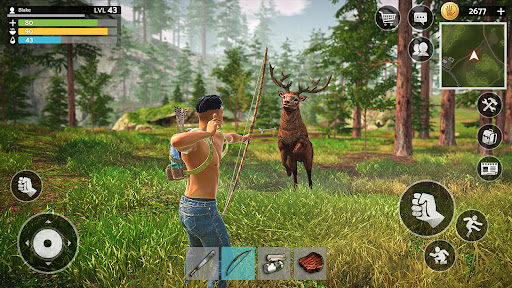
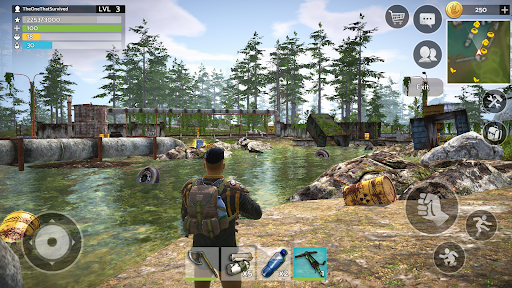
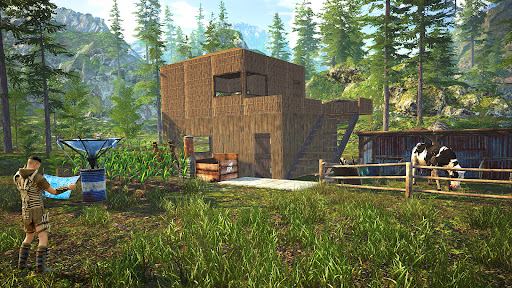
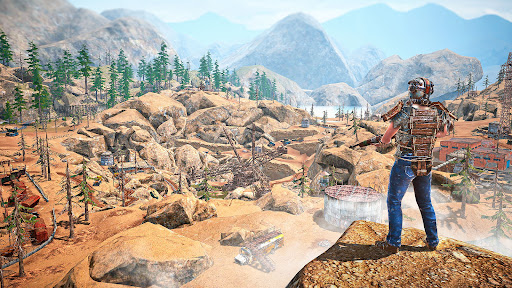
Tomorrow has come! Get ready to fight in a post apocalyptic wasteland where survival is an ongoing adventure. In Tomorrow: MMO Nuclear Quest, players are thrown into a post nuclear wasteland full of zombie, monsters, and hostile factions. Set in the 2060s, the open-world RPG allows you to complete different types of quests. You can craft essential items, defend against zombie who have managed to survive the apocalypse, and much more. Each quest tests your skills and forces you to adapt in this harsh post nuclear MMO wasteland.
⚒ Build your own shelter in a post nuclear environment! ⚒
With deep survival RPG elements, Tomorrow: MMO Nuclear Quest offers an adventure unlike any other. Explore the vast open world at your own pace, taking on quests that challenge your ability to craft items, build a base, and engage in intense PvP battle. In this sandbox RPG, crafting is essential for survival. You'll craft everything from weapons to survival gear, allowing you to dominate the wasteland. Base building is a key element of survival. Your base will help you not only protect yourself from hordes of hostile zombie but also manage your own resources!
แสดงเพิ่มเติม

1. ดาวน์โหลดตัวติดตั้ง MEmu และสิ้นสุดการติดตั้ง

2. เริ่ม MEmu จากนั้นเปิด Google Play บนหน้าแรก

3. ค้นหา Tomorrow: MMO Nuclear Quest ใน Google Play
Install
4. ดาวน์โหลดและติดตั้ง Tomorrow: MMO Nuclear Quest
5. เมื่อติดตั้งเสร็จให้คลิกที่ไอคอนเพื่อเริ่มใช้งาน

6. สนุกกับการเล่น Tomorrow: MMO Nuclear Quest บนพีซีด้วย MEmu
MEmu App Player เป็นอีมูเลเตอร์ Android ที่ดีที่สุดและผู้คนกว่า 50 ล้านคนเพลิดเพลินไปกับประสบการณ์การเล่นเกม Android ที่ยอดเยี่ยม เทคโนโลยีการจำลองเสมือนของ MEmu ช่วยให้คุณเล่นเกม Android หลายพันเกมได้อย่างราบรื่นบนพีซีของคุณแม้แต่เกมที่ต้องใช้กราฟิกมากที่สุด
จอใหญ่และกราฟฟิกสวยกว่า; เล่นได้นาน, ไม่ต้องใช้แบตเตอรี่โทรศัพท์หรือเน็ตโทรศัพท์.
ระบบปรับแต่งปุ่มคีย์บอร์ดและเม้าส์ตามที่คุณเลือก
เล่นมากกว่าหนึ่งเกมบน PC ในเวลาเดียวกันด้วยระบบหลายจอหรือ Multi-Instance manager.
Play Tomorrow: MMO Nuclear Quest on PC by following steps: