WordBrain - Word puzzle game
อัปเดตเมื่อ
เวอร์ชันปัจจุบัน
1.48.5
ให้บริการโดย

เวลาคุณเล่น WordBrain - Word puzzle game, คุณอาจรู้สึกว่ามือคุณอาจบังจอแล้วทำให้ไม่ได้เล่นแบบเต็มที่. เล่นแบบไร้ขีดจำกัดด้วยเม้าส์และคีย์บอร์ด. MEmu มีตัวเลือกหลายอย่างให้คุณใช้งานเกมที่คุณเล่นแบบที่คุณต้องการ. ดาวน์โหลดและเล่น WordBrain - Word puzzle game บน PC. เล่นนานแค่ไหนก็ได้, ไม่ต้องชาร์จแบตเตอรี่, หรือเจอคนโทรเข้ามาระหว่างเล่น. MEmu 9 เป็นตัวเลือกสำหรับการเล่น WordBrain - Word puzzle game บน PC. ทางทีมงานเราได้ปรับแต่งเกม, ปรับให้เล่นเกมบางเกมได้เหมือนเล่น WordBrain - Word puzzle game เป็นเกม PC เช่นเล็งด้วยเม้าส์หรือใช้คีย์บอร์ด. ระบบของเรายังทำให้คุณสามารถเปิดเล่นได้มากกว่า 2 เกมพร้อมๆกันในคอมของคุณ. และที่สำคัญที่สุด, ระบบโปรแกรมของเราสามารถทำให้คุณใช้ระบบของ PC ทำให้เกมลื่นเหมือนกับใช้โทรศัพท์รุ่นล่าสุด. เราไม่ได้ดูแลเรื่องการเล่นเกม, แต่เราดูแลถึงความสนุกสนานที่คุณได้จากการเล่นด้วย.
แสดงเพิ่มเติม
ดาวน์โหลด WordBrain - Word puzzle game บน PC ด้วย MEmu Android Emulator สนุกกับการเล่นบนหน้าจอขนาดใหญ่ More than 40 million word geniuses have used WordBrain to sharpen their word searching and logic skills!
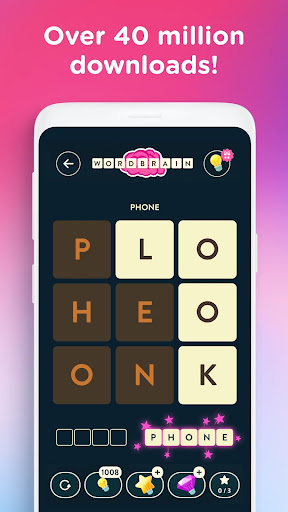
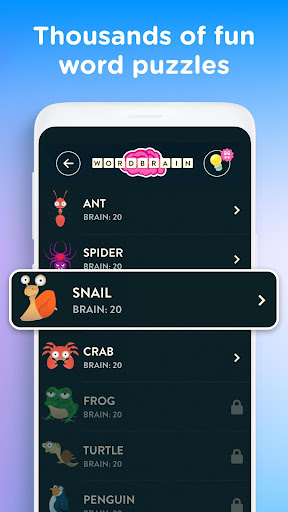
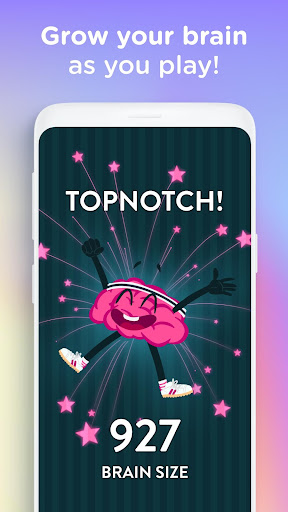
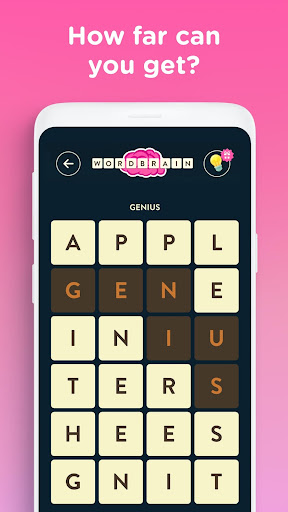
More than 40 million word geniuses have used WordBrain to sharpen their word searching and logic skills! Solve the puzzles and use your logic to find the words as you progress through thousands of challenging word puzzles!
The first word puzzles ease you into the unique WordBrain way of thinking, it’s much more than a word search or a crossword puzzle but once you get hooked no other word game will feel the same.
Your puzzle solving, spelling, and word search skills need to be on top form as you find the words in the correct order to solve the levels. Can you score extra points by finding other words hidden in the level?
WordBrain is free to play, and there are so many new words to find and puzzles to solve!
WELCOME TO WORDBRAIN
Your WordBrain puzzle game experience starts here! Let Brainy the WordBrain mascot show you how to play and introduce you to the wonderful world of solving puzzles WordBrain style
Start simple with easy anagram puzzles that can be trickier word puzzles than you think to solve
Puzzles get trickier as more words are hidden in the levels. Can you solve the puzzles and find the words in the correct order to solve the puzzle? Can you apply logic and use your word brain to increase your brain size score?
There are thousands of WordBrain levels to solve. Play to solve knowing that each time you find a new word and solve a WordBrain puzzle you’re training your brain to keep it healthy.
WORD EVENTS
WordBrain keeps the word puzzle challenges fresh with regular events that let you win rewards that you can use in other puzzles
PUZZLE OF THE DAY
Can you solve the puzzle of the day? Can you solve the word puzzle of the day tomorrow and maintain your streak? There are thousands of WordBrain players with streaks of hundreds of days long proving that WordBrain keeps delivering exciting puzzles and challenges.
HINTS, BUT ALL THE PUZZLES CAN BE SOLVED WITHOUT THEM
Word Puzzles can be tricky! All of the WordBrain puzzles can be solved without using hints, but maybe you’d like some help with the more difficult puzzles.
Hints will give you a clue about what words need to be found to solve the puzzle. Maybe you just need the first letter of the word to solve the puzzle!
CUSTOM PUZZLES
Show off your word game style and skills by creating your own word puzzle and share it with your friends
Can they find the words? Can they solve your puzzle? Can you solve theirs?
Special seasonal tiles mean your word games always look good
---
Love word puzzles and word games? Love WordBrain? Like us on Facebook or follow us on Twitter to stay up-to-date on MAG word game news, special contests, polls and lots of other fun stuff.
www.facebook.com/wordbraingame
www.twitter.com/wordbraingame
www.instagram.com/wordbraingame
Join a global audience of more than 250 million players and check out some of our other chart-topping hit word & puzzle games like Ruzzle, Word Domination or WordBrain 2!
WordBrain has been lovingly created by MAG Interactive, where we take fun seriously.
More about MAG Interactive at www.maginteractive.com
Good Times!
Additional Information:
The WordBrain game is free to play. In-app purchases are available for additional content and in-game currency.
แสดงเพิ่มเติม

1. ดาวน์โหลดตัวติดตั้ง MEmu และสิ้นสุดการติดตั้ง

2. เริ่ม MEmu จากนั้นเปิด Google Play บนหน้าแรก

3. ค้นหา WordBrain - Word puzzle game ใน Google Play
Install
4. ดาวน์โหลดและติดตั้ง WordBrain - Word puzzle game
5. เมื่อติดตั้งเสร็จให้คลิกที่ไอคอนเพื่อเริ่มใช้งาน

6. สนุกกับการเล่น WordBrain - Word puzzle game บนพีซีด้วย MEmu
MEmu App Player เป็นอีมูเลเตอร์ Android ที่ดีที่สุดและผู้คนกว่า 50 ล้านคนเพลิดเพลินไปกับประสบการณ์การเล่นเกม Android ที่ยอดเยี่ยม เทคโนโลยีการจำลองเสมือนของ MEmu ช่วยให้คุณเล่นเกม Android หลายพันเกมได้อย่างราบรื่นบนพีซีของคุณแม้แต่เกมที่ต้องใช้กราฟิกมากที่สุด
จอใหญ่และกราฟฟิกสวยกว่า; เล่นได้นาน, ไม่ต้องใช้แบตเตอรี่โทรศัพท์หรือเน็ตโทรศัพท์.
ระบบปรับแต่งปุ่มคีย์บอร์ดและเม้าส์ตามที่คุณเลือก
เล่นมากกว่าหนึ่งเกมบน PC ในเวลาเดียวกันด้วยระบบหลายจอหรือ Multi-Instance manager.
Play WordBrain - Word puzzle game on PC by following steps: