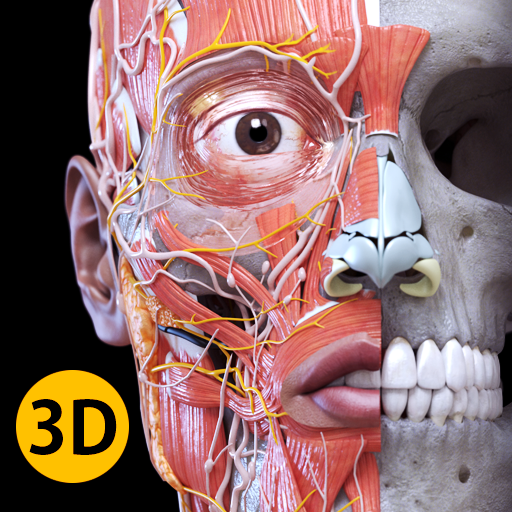
Anatomy 3D Atlas
อัปเดตเมื่อ
เวอร์ชันปัจจุบัน
6.1.0
ให้บริการโดย

เมื่อใช้ Anatomy 3D Atlas บนโทรศัพท์ของคุณไม่ต้องกังวลกับการชาร์จไฟมากเกินไปปลดปล่อยตัวคุณเองจากหน้าจอขนาดเล็กและสนุกกับการใช้แอพนี้บนหน้าจอขนาดใหญ่ จากนี้ไปรับประสบการณ์เต็มหน้าจอของแอปพลิเคชันของคุณด้วยคีย์บอร์ดและเมาส์ MEmu มีคุณสมบัติที่น่าแปลกใจที่คุณคาดหวัง: การติดตั้งที่รวดเร็วและการตั้งค่าที่ง่ายควบคุมได้ง่ายไม่ จำกัด แบตเตอรี่ข้อมูลมือถือและการโทรที่รบกวน MEmu 9 ใหม่ล่าสุดเป็นตัวเลือกที่ดีที่สุดสำหรับการใช้ Meitu – โปรแกรมแก้ไขภาพแนวธรรมชาติ บนคอมพิวเตอร์ของคุณ ด้วยรหัสการดูดซึมของเราผู้จัดการหลายอินสแตนซ์ทำให้สามารถเปิดบัญชี 2 บัญชีขึ้นไปในเวลาเดียวกันได้ และที่สำคัญที่สุดเอ็นจิ้นจำลองพิเศษของเราสามารถปลดปล่อยศักยภาพของPCของคุณและทำให้ทุกอย่างราบรื่นและสนุกสนาน
แสดงเพิ่มเติม
ดาวน์โหลด Anatomy 3D Atlas บน PC ด้วย MEmu Android Emulator สนุกกับการเล่นบนหน้าจอขนาดใหญ่ This app is freely downloadable, however in-app purchase is required to unlock the contents.
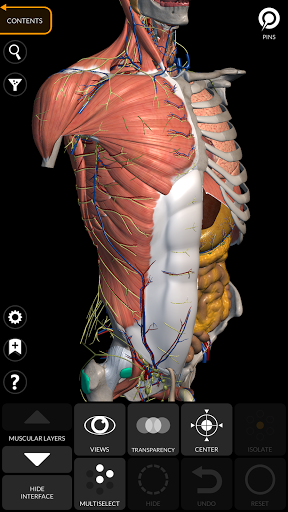
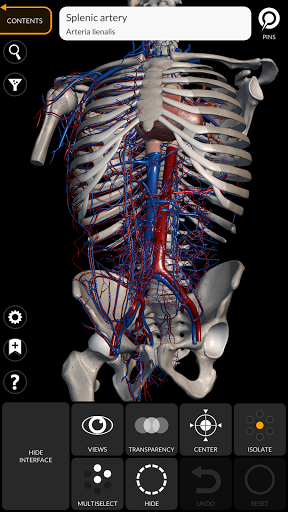
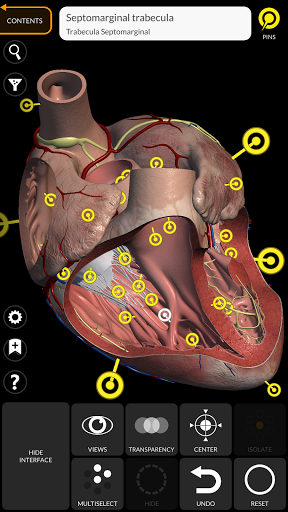
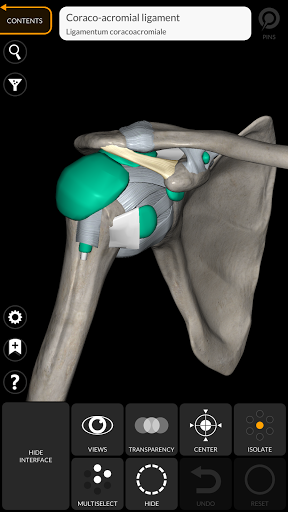
This app is freely downloadable, however in-app purchase is required to unlock the contents.
The complete Skeletal System and a few other contents are always freely accessible enabling you to try the app properly.
"Anatomy 3D Atlas" allows you to study human anatomy in an easy and interactive way.
Through a simple and intuitive interface it is possible to observe every anatomical structure from any angle.
The anatomical 3D models are particularly detailed and with textures up to 4k resolution.
The subdivision by regions and the predefined views facilitate the observation and the study of single parts or groups of systems and the relationships between different organs.
"Anatomy - 3D Atlas" is an application aimed at medical students, doctors, physiotherapists, paramedics, nurses, athletic trainers and in anyone interested in deepening their knowledge of human anatomy.
This app is a fantastic tool to complement classic human anatomy books.
ANATOMICAL 3D MODELS
• Musculoskeletal system
• Cardiovascular system
• Nervous system
• Respiratory System
• Digestive System
• Urogenital system (male and female)
• Endocrine system
• Lymphatic system
• Eye and ear system
FEATURES
• Simple and intuitive interface
• Rotate and zoom each model in 3D space
• Option to hide or isolate single or multiple selected models
• Filter to hide or display each system
• Search function to easily find every anatomical part
• Bookmark function to save custom views
• Smart rotation which moves the center of rotation automatically
• Transparency function
• Visualization of muscles through levels of layers from the superficial ones down to the deepest ones
• By selecting a model or a pin, the related anatomical term shows up
• Description of the muscles: origin, insertion, innervation and action
• Show/Hide UI interface (very useful with small screens)
MULTILINGUAL
• The anatomical terms and the user interface are available in 11 languages: Latin, English, French, German, Italian, Portuguese, Turkish, Russian, Spanish, Chinese, Japanese and Korean
• The anatomical terms can be displayed in two languages simultaneously
SYSTEM REQUIREMENTS
• Android 8.0 or later, devices with at least 3GB of RAM
แสดงเพิ่มเติม

1. ดาวน์โหลดตัวติดตั้ง MEmu และสิ้นสุดการติดตั้ง

2. เริ่ม MEmu จากนั้นเปิด Google Play บนหน้าแรก

3. ค้นหา Anatomy 3D Atlas ใน Google Play
Install
4. ดาวน์โหลดและติดตั้ง Anatomy 3D Atlas
5. เมื่อติดตั้งเสร็จให้คลิกที่ไอคอนเพื่อเริ่มใช้งาน

6. ใช้ MEmu เพื่อสัมผัสประสบการณ์ Anatomy 3D Atlas บนคอมพิวเตอร์ของคุณ
MEmu Play คือโปรแกรมจำลอง Android ที่ดีที่สุด มีผู้ใช้มากกว่า 50 ล้านคน มอบประสบการณ์การใช้งานแอป Android ขั้นสุดยอดให้กับคุณ เทคโนโลยีจำลองเสมือนของ MEmu ช่วยให้คุณรันแอป Android หลายพันแอปบนคอมพิวเตอร์ได้อย่างราบรื่น แม้แอปที่กินทรัพยากรเครื่องสูงที่สุด
จอใหญ่และกราฟฟิกสวยกว่า; เล่นได้นาน, ไม่ต้องใช้แบตเตอรี่โทรศัพท์หรือเน็ตโทรศัพท์.
ระบบปรับแต่งปุ่มคีย์บอร์ดและเม้าส์ตามที่คุณเลือก
เล่นมากกว่าหนึ่งเกมบน PC ในเวลาเดียวกันด้วยระบบหลายจอหรือ Multi-Instance manager.
Use Anatomy 3D Atlas on PC by following steps: