Clapper: Video, Live, Chat
อัปเดตเมื่อ
เวอร์ชันปัจจุบัน
14.6.1
ให้บริการโดย

เมื่อใช้ Clapper: Video, Live, Chat บนโทรศัพท์ของคุณไม่ต้องกังวลกับการชาร์จไฟมากเกินไปปลดปล่อยตัวคุณเองจากหน้าจอขนาดเล็กและสนุกกับการใช้แอพนี้บนหน้าจอขนาดใหญ่ จากนี้ไปรับประสบการณ์เต็มหน้าจอของแอปพลิเคชันของคุณด้วยคีย์บอร์ดและเมาส์ MEmu มีคุณสมบัติที่น่าแปลกใจที่คุณคาดหวัง: การติดตั้งที่รวดเร็วและการตั้งค่าที่ง่ายควบคุมได้ง่ายไม่ จำกัด แบตเตอรี่ข้อมูลมือถือและการโทรที่รบกวน MEmu 9 ใหม่ล่าสุดเป็นตัวเลือกที่ดีที่สุดสำหรับการใช้ Meitu – โปรแกรมแก้ไขภาพแนวธรรมชาติ บนคอมพิวเตอร์ของคุณ ด้วยรหัสการดูดซึมของเราผู้จัดการหลายอินสแตนซ์ทำให้สามารถเปิดบัญชี 2 บัญชีขึ้นไปในเวลาเดียวกันได้ และที่สำคัญที่สุดเอ็นจิ้นจำลองพิเศษของเราสามารถปลดปล่อยศักยภาพของPCของคุณและทำให้ทุกอย่างราบรื่นและสนุกสนาน
แสดงเพิ่มเติม
ดาวน์โหลด Clapper: Video, Live, Chat บน PC ด้วย MEmu Android Emulator สนุกกับการเล่นบนหน้าจอขนาดใหญ่ Discover online community and find friends with Clapper, the social media app that prioritizes authentic conversations.

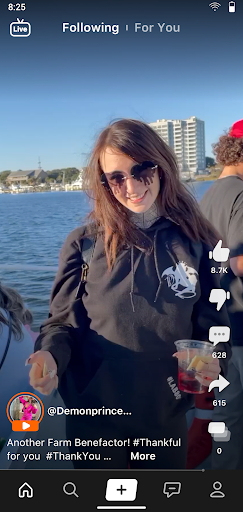
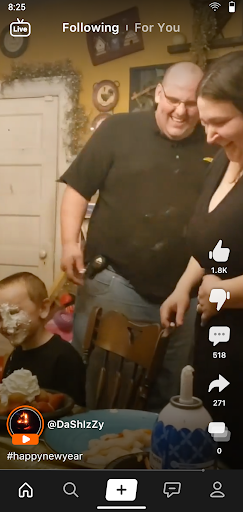
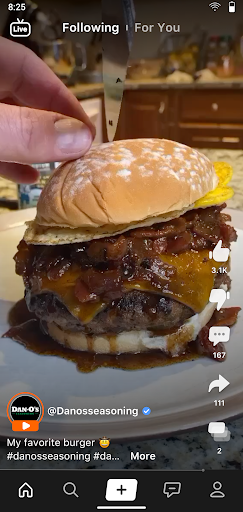
Discover online community and find friends with Clapper, the social media app that prioritizes authentic conversations. Find the niche community you're searching for.
The Clapper app is an ad-free video platform built around people, not popularity. Whether you're sharing your first short video, laughing in a Livestream, looking for a community-centered platform, or simply hoping to find people who share your interests, join a video community that welcomes every voice. Say goodbye to chasing trends or competing for attention. Start community building and connecting with people who genuinely care.
Create, Connect, Belong
Get access to all of our features from day one. Post a short video to reach your niche community, build connections in real time with Livestreams, or join a conversation in a Radio. We give you everything you need to build a creator community in one place.
Find People Who Get You
Explore a fan community built around hobbies, local discovery, and thousands of passions. Use Clapper Clubs, Group Chats, and Profile Tags to find friends online who share your interests and conversations you'll actually want to come back to.
Real Conversations Start Here
The best communities aren't built by algorithms. They're built by real people. Our equal opportunity algorithm makes it easier to discover the creators you’ve been searching for. No shadow banning. No endless ads. Just authentic conversations and authentic content.
Connection Never Ends
With a global community, you can meet real people from anywhere. You’re not limited to what’s next door or in your state; explore your interests and passions with millions of creators across the world. Looking for local discovery? We've got you covered, too.
Create what matters to you. Find people who care. Build a video community that keeps coming back. All with Clapper.
แสดงเพิ่มเติม

1. ดาวน์โหลดตัวติดตั้ง MEmu และสิ้นสุดการติดตั้ง

2. เริ่ม MEmu จากนั้นเปิด Google Play บนหน้าแรก

3. ค้นหา Clapper: Video, Live, Chat ใน Google Play
Install
4. ดาวน์โหลดและติดตั้ง Clapper: Video, Live, Chat
5. เมื่อติดตั้งเสร็จให้คลิกที่ไอคอนเพื่อเริ่มใช้งาน

6. ใช้ MEmu เพื่อสัมผัสประสบการณ์ Clapper: Video, Live, Chat บนคอมพิวเตอร์ของคุณ
MEmu Play คือโปรแกรมจำลอง Android ที่ดีที่สุด มีผู้ใช้มากกว่า 50 ล้านคน มอบประสบการณ์การใช้งานแอป Android ขั้นสุดยอดให้กับคุณ เทคโนโลยีจำลองเสมือนของ MEmu ช่วยให้คุณรันแอป Android หลายพันแอปบนคอมพิวเตอร์ได้อย่างราบรื่น แม้แอปที่กินทรัพยากรเครื่องสูงที่สุด
จอใหญ่และกราฟฟิกสวยกว่า; เล่นได้นาน, ไม่ต้องใช้แบตเตอรี่โทรศัพท์หรือเน็ตโทรศัพท์.
ระบบปรับแต่งปุ่มคีย์บอร์ดและเม้าส์ตามที่คุณเลือก
เล่นมากกว่าหนึ่งเกมบน PC ในเวลาเดียวกันด้วยระบบหลายจอหรือ Multi-Instance manager.
Use Clapper: Video, Live, Chat on PC by following steps: