Disney+
อัปเดตเมื่อ
เวอร์ชันปัจจุบัน
26.20.0+rc3-2026.11.02
ให้บริการโดย

เมื่อใช้ Disney+ บนโทรศัพท์ของคุณไม่ต้องกังวลกับการชาร์จไฟมากเกินไปปลดปล่อยตัวคุณเองจากหน้าจอขนาดเล็กและสนุกกับการใช้แอพนี้บนหน้าจอขนาดใหญ่ จากนี้ไปรับประสบการณ์เต็มหน้าจอของแอปพลิเคชันของคุณด้วยคีย์บอร์ดและเมาส์ MEmu มีคุณสมบัติที่น่าแปลกใจที่คุณคาดหวัง: การติดตั้งที่รวดเร็วและการตั้งค่าที่ง่ายควบคุมได้ง่ายไม่ จำกัด แบตเตอรี่ข้อมูลมือถือและการโทรที่รบกวน MEmu 9 ใหม่ล่าสุดเป็นตัวเลือกที่ดีที่สุดสำหรับการใช้ Meitu – โปรแกรมแก้ไขภาพแนวธรรมชาติ บนคอมพิวเตอร์ของคุณ ด้วยรหัสการดูดซึมของเราผู้จัดการหลายอินสแตนซ์ทำให้สามารถเปิดบัญชี 2 บัญชีขึ้นไปในเวลาเดียวกันได้ และที่สำคัญที่สุดเอ็นจิ้นจำลองพิเศษของเราสามารถปลดปล่อยศักยภาพของPCของคุณและทำให้ทุกอย่างราบรื่นและสนุกสนาน
แสดงเพิ่มเติม
ดาวน์โหลด Disney+ บน PC ด้วย MEmu Android Emulator สนุกกับการเล่นบนหน้าจอขนาดใหญ่ **NEW APP**.
**NEW APP**
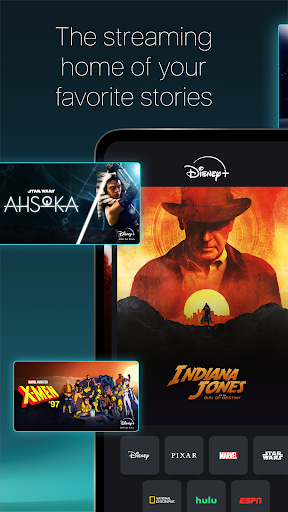
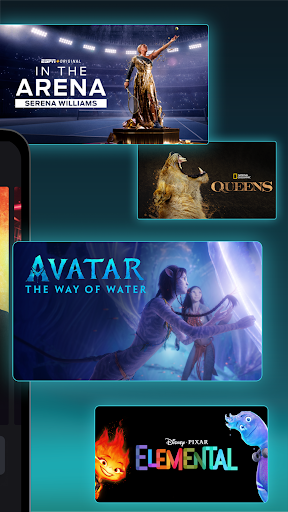
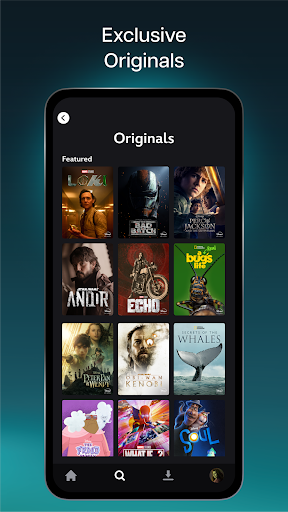
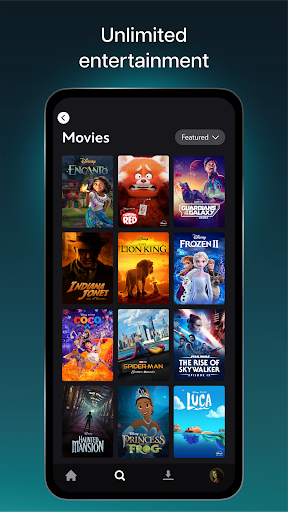
Disney+ is the streaming home of your favourite stories and more. With movies & series from Disney, Pixar, Marvel, Star Wars, National Geographic and Hulu. From Hollywood award-winners to Asian content, discover new favourites on Disney+.
With new titles added regularly, you can watch Disney's latest blockbusters, series, documentaries and so much more. You can stream at home, on-the-go or download select content to watch offline on compatible devices today!
With Disney+, you can watch:
• Original blockbuster films, live-action and animated series, short-form content and documentaries
• Popular Korean dramas & a wide selection of other Asian content
• From the latest releases and popular TV series to Disney classics
Enjoy these features:
• Explore thousands of hours of movies, series, Disney+ Originals and more
• Download selected content on max. 10 mobile devices only*
• Create up to 7 profiles under 1 account
• Watch all our titles on compatible Phones, Tablets, Laptops, TVs
Subscription is required. Additional bank charges may apply. The content available on Disney+ may vary by region. Some titles shown on this page may not be available in your country. *Downloaded content will remain on your device for a limited amount of time as long as you are an active Disney+ subscriber and your device is connected to the internet at least once every 30 days.
For more information on plans, price, features and more, please visit: help.disneyplus.com
Subscriber Agreement for Thailand: https://www.disneyplus.com/en-th/legal/subscriber-agreement
Privacy Policy: https://www.disneyplus.com/en-th/legal/privacy-policy
Supplemental Privacy Policy for Thailand: https://www.disneyplus.com/en-th/legal/supplemental-privacy-policy-for-thailand
แสดงเพิ่มเติม

1. ดาวน์โหลดตัวติดตั้ง MEmu และสิ้นสุดการติดตั้ง

2. เริ่ม MEmu จากนั้นเปิด Google Play บนหน้าแรก

3. ค้นหา Disney+ ใน Google Play
Install
4. ดาวน์โหลดและติดตั้ง Disney+
5. เมื่อติดตั้งเสร็จให้คลิกที่ไอคอนเพื่อเริ่มใช้งาน

6. ใช้ MEmu เพื่อสัมผัสประสบการณ์ Disney+ บนคอมพิวเตอร์ของคุณ
MEmu Play คือโปรแกรมจำลอง Android ที่ดีที่สุด มีผู้ใช้มากกว่า 50 ล้านคน มอบประสบการณ์การใช้งานแอป Android ขั้นสุดยอดให้กับคุณ เทคโนโลยีจำลองเสมือนของ MEmu ช่วยให้คุณรันแอป Android หลายพันแอปบนคอมพิวเตอร์ได้อย่างราบรื่น แม้แอปที่กินทรัพยากรเครื่องสูงที่สุด
จอใหญ่และกราฟฟิกสวยกว่า; เล่นได้นาน, ไม่ต้องใช้แบตเตอรี่โทรศัพท์หรือเน็ตโทรศัพท์.
ระบบปรับแต่งปุ่มคีย์บอร์ดและเม้าส์ตามที่คุณเลือก
เล่นมากกว่าหนึ่งเกมบน PC ในเวลาเดียวกันด้วยระบบหลายจอหรือ Multi-Instance manager.
Use Disney+ on PC by following steps: