Allcarmm-စမူဆာ app
อัปเดตเมื่อ
เวอร์ชันปัจจุบัน
5.3.0
ให้บริการโดย

เมื่อใช้ Allcarmm-စမူဆာ app บนโทรศัพท์ของคุณไม่ต้องกังวลกับการชาร์จไฟมากเกินไปปลดปล่อยตัวคุณเองจากหน้าจอขนาดเล็กและสนุกกับการใช้แอพนี้บนหน้าจอขนาดใหญ่ จากนี้ไปรับประสบการณ์เต็มหน้าจอของแอปพลิเคชันของคุณด้วยคีย์บอร์ดและเมาส์ MEmu มีคุณสมบัติที่น่าแปลกใจที่คุณคาดหวัง: การติดตั้งที่รวดเร็วและการตั้งค่าที่ง่ายควบคุมได้ง่ายไม่ จำกัด แบตเตอรี่ข้อมูลมือถือและการโทรที่รบกวน MEmu 9 ใหม่ล่าสุดเป็นตัวเลือกที่ดีที่สุดสำหรับการใช้ Meitu – โปรแกรมแก้ไขภาพแนวธรรมชาติ บนคอมพิวเตอร์ของคุณ ด้วยรหัสการดูดซึมของเราผู้จัดการหลายอินสแตนซ์ทำให้สามารถเปิดบัญชี 2 บัญชีขึ้นไปในเวลาเดียวกันได้ และที่สำคัญที่สุดเอ็นจิ้นจำลองพิเศษของเราสามารถปลดปล่อยศักยภาพของPCของคุณและทำให้ทุกอย่างราบรื่นและสนุกสนาน
แสดงเพิ่มเติม
สัมผัสประสบการณ์สุดยอดการใช้งาน Allcarmm-စမူဆာ app บนพีซีด้วย MEmu Play นี่คือโปรแกรมจำลอง Android ฟรีที่ทรงพลัง ให้คุณใช้งานแอป Android นับพันบนเดสก์ท็อป สนุกกับการเชื่อมต่อกับเพื่อนๆ และขัดเกลาผลงานของคุณอย่างมีประสิทธิภาพยิ่งขึ้น! Samusar is a video learning app for adults.
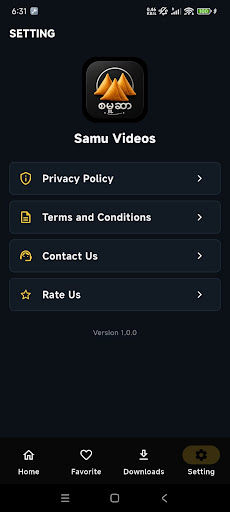
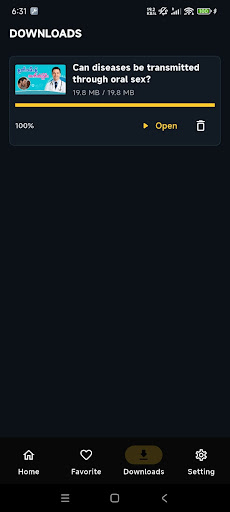
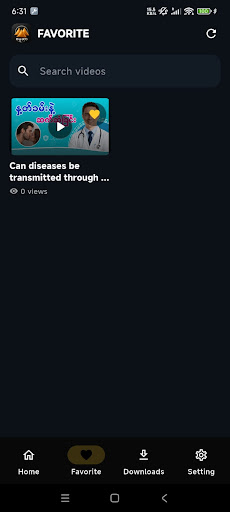
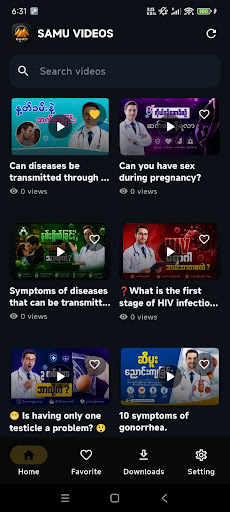
Samusar is a video learning app for adults. It lets users browse educational videos by topic, open a video page and stream the selected lesson directly inside the app.
When a video includes a download option, users can save that video for later viewing. Samusar can also send notifications when new educational videos or important app updates are available.
Topics covered in the app may include reproductive health, relationships, consent, personal safety, well-being and human anatomy. The videos are organized to make it easy to find and watch information relevant to each topic.
How Samusar works
• Browse the available video topics and categories.
• Select a video to view its information.
• Watch the selected educational video using the in-app player.
• Download selected videos when the download option is available.
• Receive notifications about newly added content and important updates.
Key features
• Organized educational video library
• Topic and category-based browsing
• Video streaming inside the app
• Optional downloads for supported videos
• New-content and app-update notifications
• Simple navigation designed for mobile devices
Samusar is intended only for users aged 18 or older who have reached the legal age of majority in their country or region.
All videos and information available through Samusar are provided for general educational and informational purposes only. They are not a substitute for professional medical advice, diagnosis, counseling or treatment. Users should consult a qualified healthcare professional regarding medical conditions, health concerns or treatment decisions.
For assistance, contact: admin@samuvideos.online
แสดงเพิ่มเติม

1. ดาวน์โหลดตัวติดตั้ง MEmu และสิ้นสุดการติดตั้ง

2. เริ่ม MEmu จากนั้นเปิด Google Play บนหน้าแรก

3. ค้นหา Allcarmm-စမူဆာ app ใน Google Play
Install
4. ดาวน์โหลดและติดตั้ง Allcarmm-စမူဆာ app
5. เมื่อติดตั้งเสร็จให้คลิกที่ไอคอนเพื่อเริ่มใช้งาน

6. ใช้ MEmu เพื่อสัมผัสประสบการณ์ Allcarmm-စမူဆာ app บนคอมพิวเตอร์ของคุณ
MEmu Play คือโปรแกรมจำลอง Android ที่ดีที่สุด มีผู้ใช้มากกว่า 50 ล้านคน มอบประสบการณ์การใช้งานแอป Android ขั้นสุดยอดให้กับคุณ เทคโนโลยีจำลองเสมือนของ MEmu ช่วยให้คุณรันแอป Android หลายพันแอปบนคอมพิวเตอร์ได้อย่างราบรื่น แม้แอปที่กินทรัพยากรเครื่องสูงที่สุด
จอใหญ่และกราฟฟิกสวยกว่า; เล่นได้นาน, ไม่ต้องใช้แบตเตอรี่โทรศัพท์หรือเน็ตโทรศัพท์.
ระบบปรับแต่งปุ่มคีย์บอร์ดและเม้าส์ตามที่คุณเลือก
เล่นมากกว่าหนึ่งเกมบน PC ในเวลาเดียวกันด้วยระบบหลายจอหรือ Multi-Instance manager.
Use Allcarmm-စမူဆာ app on PC by following steps: