Holo Widgets & Launcher
อัปเดตเมื่อ
เวอร์ชันปัจจุบัน
2.0.0
ให้บริการโดย

เมื่อใช้ Holo Widgets & Launcher บนโทรศัพท์ของคุณไม่ต้องกังวลกับการชาร์จไฟมากเกินไปปลดปล่อยตัวคุณเองจากหน้าจอขนาดเล็กและสนุกกับการใช้แอพนี้บนหน้าจอขนาดใหญ่ จากนี้ไปรับประสบการณ์เต็มหน้าจอของแอปพลิเคชันของคุณด้วยคีย์บอร์ดและเมาส์ MEmu มีคุณสมบัติที่น่าแปลกใจที่คุณคาดหวัง: การติดตั้งที่รวดเร็วและการตั้งค่าที่ง่ายควบคุมได้ง่ายไม่ จำกัด แบตเตอรี่ข้อมูลมือถือและการโทรที่รบกวน MEmu 9 ใหม่ล่าสุดเป็นตัวเลือกที่ดีที่สุดสำหรับการใช้ Meitu – โปรแกรมแก้ไขภาพแนวธรรมชาติ บนคอมพิวเตอร์ของคุณ ด้วยรหัสการดูดซึมของเราผู้จัดการหลายอินสแตนซ์ทำให้สามารถเปิดบัญชี 2 บัญชีขึ้นไปในเวลาเดียวกันได้ และที่สำคัญที่สุดเอ็นจิ้นจำลองพิเศษของเราสามารถปลดปล่อยศักยภาพของPCของคุณและทำให้ทุกอย่างราบรื่นและสนุกสนาน
แสดงเพิ่มเติม
ดาวน์โหลด Holo Widgets & Launcher บน PC ด้วย MEmu Android Emulator สนุกกับการเล่นบนหน้าจอขนาดใหญ่ -Low resource requirements, equipment performance requirements are low, saving memory usage and power.
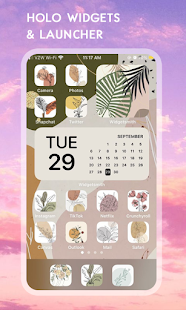
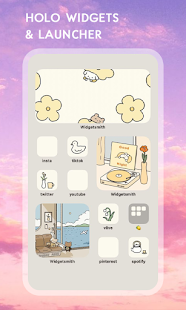
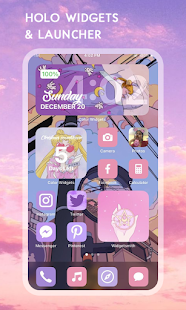
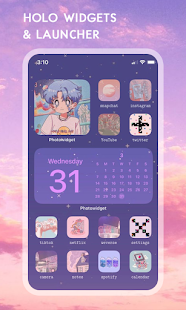
-Low resource requirements, equipment performance requirements are low, saving memory usage and power
-Material design
-Quick access to your favorite apps
-Double click on the icon to open the second application
-Your program list will be automatically sorted by category
-Use the search bar to search for apps, contacts and web pages
-Main menu notification
-Turn off the screen by double-tapping the screen or flipping your device on a flat surface
-Various lock screens and notifications
-Thousands of skins and lock screen styles with highly customizable options, supporting almost all major mainstream icon packs
-A variety of plug-in kits. You can download and enable the features you want to use
-Security: You can hide your programs in the program list and set a password to protect them
-In-depth optimization for landscape and portrait modes, so that you can use it comfortably at any angle
-Can run on almost all Android devices, including smartphones, tablets and Google TV
แสดงเพิ่มเติม

1. ดาวน์โหลดตัวติดตั้ง MEmu และสิ้นสุดการติดตั้ง

2. เริ่ม MEmu จากนั้นเปิด Google Play บนหน้าแรก

3. ค้นหา Holo Widgets & Launcher ใน Google Play
Install
4. ดาวน์โหลดและติดตั้ง Holo Widgets & Launcher
5. เมื่อติดตั้งเสร็จให้คลิกที่ไอคอนเพื่อเริ่มใช้งาน

6. ใช้ MEmu เพื่อสัมผัสประสบการณ์ Holo Widgets & Launcher บนคอมพิวเตอร์ของคุณ
MEmu Play คือโปรแกรมจำลอง Android ที่ดีที่สุด มีผู้ใช้มากกว่า 50 ล้านคน มอบประสบการณ์การใช้งานแอป Android ขั้นสุดยอดให้กับคุณ เทคโนโลยีจำลองเสมือนของ MEmu ช่วยให้คุณรันแอป Android หลายพันแอปบนคอมพิวเตอร์ได้อย่างราบรื่น แม้แอปที่กินทรัพยากรเครื่องสูงที่สุด
จอใหญ่และกราฟฟิกสวยกว่า; เล่นได้นาน, ไม่ต้องใช้แบตเตอรี่โทรศัพท์หรือเน็ตโทรศัพท์.
ระบบปรับแต่งปุ่มคีย์บอร์ดและเม้าส์ตามที่คุณเลือก
เล่นมากกว่าหนึ่งเกมบน PC ในเวลาเดียวกันด้วยระบบหลายจอหรือ Multi-Instance manager.
Use Holo Widgets & Launcher on PC by following steps: