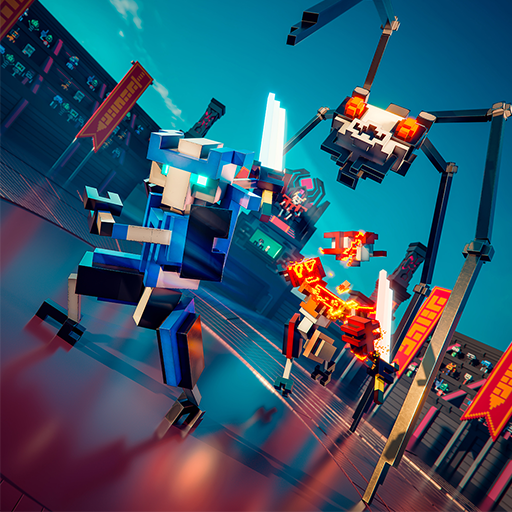
EzMotion:AI Image &Video Maker
อัปเดตเมื่อ
เวอร์ชันปัจจุบัน
1.0.0
ให้บริการโดย

เมื่อใช้ EzMotion:AI Image &Video Maker บนโทรศัพท์ของคุณไม่ต้องกังวลกับการชาร์จไฟมากเกินไปปลดปล่อยตัวคุณเองจากหน้าจอขนาดเล็กและสนุกกับการใช้แอพนี้บนหน้าจอขนาดใหญ่ จากนี้ไปรับประสบการณ์เต็มหน้าจอของแอปพลิเคชันของคุณด้วยคีย์บอร์ดและเมาส์ MEmu มีคุณสมบัติที่น่าแปลกใจที่คุณคาดหวัง: การติดตั้งที่รวดเร็วและการตั้งค่าที่ง่ายควบคุมได้ง่ายไม่ จำกัด แบตเตอรี่ข้อมูลมือถือและการโทรที่รบกวน MEmu 9 ใหม่ล่าสุดเป็นตัวเลือกที่ดีที่สุดสำหรับการใช้ Meitu – โปรแกรมแก้ไขภาพแนวธรรมชาติ บนคอมพิวเตอร์ของคุณ ด้วยรหัสการดูดซึมของเราผู้จัดการหลายอินสแตนซ์ทำให้สามารถเปิดบัญชี 2 บัญชีขึ้นไปในเวลาเดียวกันได้ และที่สำคัญที่สุดเอ็นจิ้นจำลองพิเศษของเราสามารถปลดปล่อยศักยภาพของPCของคุณและทำให้ทุกอย่างราบรื่นและสนุกสนาน
แสดงเพิ่มเติม
สัมผัสประสบการณ์สุดยอดการใช้งาน EzMotion:AI Image &Video Maker บนพีซีด้วย MEmu Play นี่คือโปรแกรมจำลอง Android ฟรีที่ทรงพลัง ให้คุณใช้งานแอป Android นับพันบนเดสก์ท็อป สนุกกับการเชื่อมต่อกับเพื่อนๆ และขัดเกลาผลงานของคุณอย่างมีประสิทธิภาพยิ่งขึ้น! Create anything you want to create.
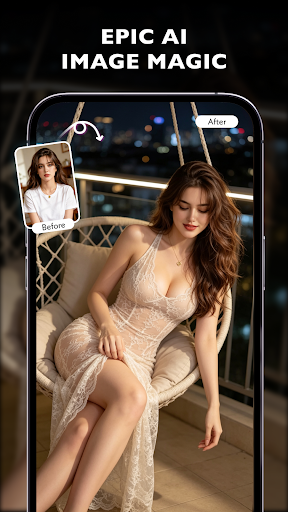
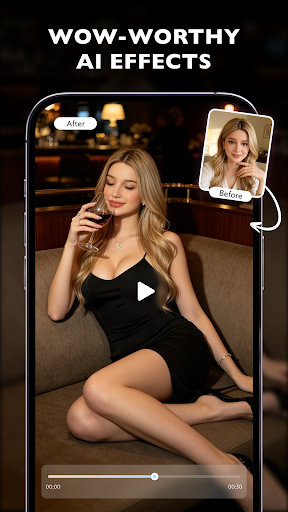
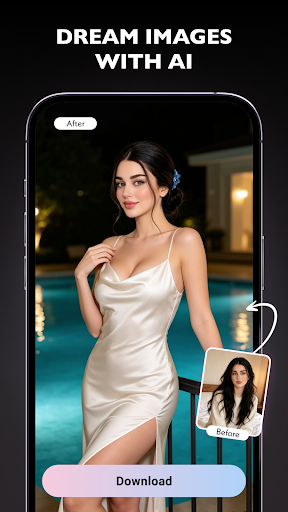
Create anything you want to create. Let’s cut to the chase. You want stunning visuals. You don’t have hours to learn complicated editing software. EzMotion is the answer.
Three Core Capabilities. One Tap.
1. Explosive Video Effects
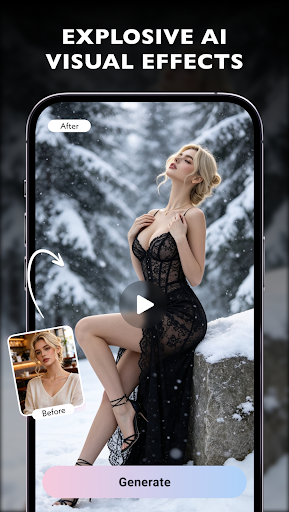
Drop in any video clip. Choose an AI effect. That’s it. Within seconds, ordinary footage transforms into something explosive—literally. Motion tracking meets real-time rendering, No keyframes. No masking. Just tap and watch the wow factor explode.
2. Epic Image Magic
Start with a simple photo or even a text description. EzMotion’s AI generates dreamlike visuals that feel cinematic. Want a sunset cityscape floating above clouds? Done. Need a portrait wrapped in neon cyberpunk glow? Easy. The AI understands composition, lighting, and mood, turning your ideas into share-ready images instantly.
3. Wow-Worthy Effects for Every Frame
This is where EzMotion stands apart. It doesn’t just apply a filter and call it a day. The AI analyzes each frame—detecting depth, motion, and focal points—then applies effects dynamically. A static portrait can ripple like water. A walking figure can leave glowing footprints. Every frame becomes a miniature spectacle.
Why EzMotion?
Because creativity shouldn’t require a manual. Because one click should deliver magic, not frustration. Whether you’re a casual creator or a social media pro, EzMotion puts explosive, epic, and wow-worthy AI effects in your pocket. No learning curve. Just results.
แสดงเพิ่มเติม

1. ดาวน์โหลดตัวติดตั้ง MEmu และสิ้นสุดการติดตั้ง

2. เริ่ม MEmu จากนั้นเปิด Google Play บนหน้าแรก

3. ค้นหา EzMotion:AI Image &Video Maker ใน Google Play
Install
4. ดาวน์โหลดและติดตั้ง EzMotion:AI Image &Video Maker
5. เมื่อติดตั้งเสร็จให้คลิกที่ไอคอนเพื่อเริ่มใช้งาน

6. ใช้ MEmu เพื่อสัมผัสประสบการณ์ EzMotion:AI Image &Video Maker บนคอมพิวเตอร์ของคุณ
MEmu Play คือโปรแกรมจำลอง Android ที่ดีที่สุด มีผู้ใช้มากกว่า 50 ล้านคน มอบประสบการณ์การใช้งานแอป Android ขั้นสุดยอดให้กับคุณ เทคโนโลยีจำลองเสมือนของ MEmu ช่วยให้คุณรันแอป Android หลายพันแอปบนคอมพิวเตอร์ได้อย่างราบรื่น แม้แอปที่กินทรัพยากรเครื่องสูงที่สุด
จอใหญ่และกราฟฟิกสวยกว่า; เล่นได้นาน, ไม่ต้องใช้แบตเตอรี่โทรศัพท์หรือเน็ตโทรศัพท์.
ระบบปรับแต่งปุ่มคีย์บอร์ดและเม้าส์ตามที่คุณเลือก
เล่นมากกว่าหนึ่งเกมบน PC ในเวลาเดียวกันด้วยระบบหลายจอหรือ Multi-Instance manager.
Use EzMotion:AI Image &Video Maker on PC by following steps: