FilmyFly - Movies & Web Series
อัปเดตเมื่อ
เวอร์ชันปัจจุบัน
1.0.0
ให้บริการโดย

เมื่อใช้ FilmyFly - Movies & Web Series บนโทรศัพท์ของคุณไม่ต้องกังวลกับการชาร์จไฟมากเกินไปปลดปล่อยตัวคุณเองจากหน้าจอขนาดเล็กและสนุกกับการใช้แอพนี้บนหน้าจอขนาดใหญ่ จากนี้ไปรับประสบการณ์เต็มหน้าจอของแอปพลิเคชันของคุณด้วยคีย์บอร์ดและเมาส์ MEmu มีคุณสมบัติที่น่าแปลกใจที่คุณคาดหวัง: การติดตั้งที่รวดเร็วและการตั้งค่าที่ง่ายควบคุมได้ง่ายไม่ จำกัด แบตเตอรี่ข้อมูลมือถือและการโทรที่รบกวน MEmu 9 ใหม่ล่าสุดเป็นตัวเลือกที่ดีที่สุดสำหรับการใช้ Meitu – โปรแกรมแก้ไขภาพแนวธรรมชาติ บนคอมพิวเตอร์ของคุณ ด้วยรหัสการดูดซึมของเราผู้จัดการหลายอินสแตนซ์ทำให้สามารถเปิดบัญชี 2 บัญชีขึ้นไปในเวลาเดียวกันได้ และที่สำคัญที่สุดเอ็นจิ้นจำลองพิเศษของเราสามารถปลดปล่อยศักยภาพของPCของคุณและทำให้ทุกอย่างราบรื่นและสนุกสนาน
แสดงเพิ่มเติม
สัมผัสประสบการณ์สุดยอดการใช้งาน FilmyFly - Movies & Web Series บนพีซีด้วย MEmu Play นี่คือโปรแกรมจำลอง Android ฟรีที่ทรงพลัง ให้คุณใช้งานแอป Android นับพันบนเดสก์ท็อป สนุกกับการเชื่อมต่อกับเพื่อนๆ และขัดเกลาผลงานของคุณอย่างมีประสิทธิภาพยิ่งขึ้น! FilmyFly is a premier online platform that offers a vast library of entertainment content including the latest South Indian movies, Bollywood blockbusters, Hollywood films dubbed in Hindi, and exclusive web series.
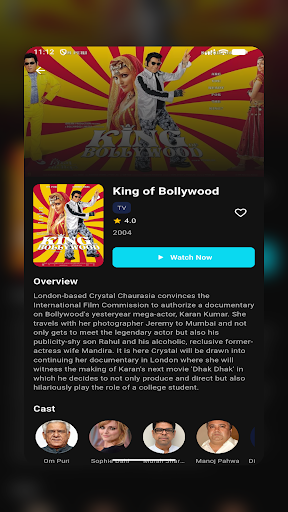
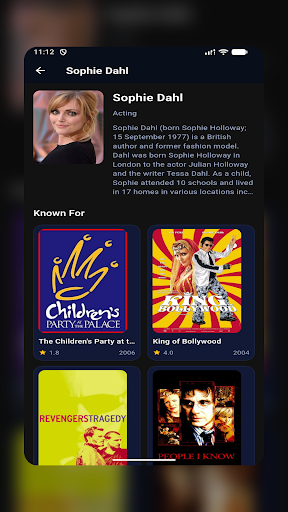
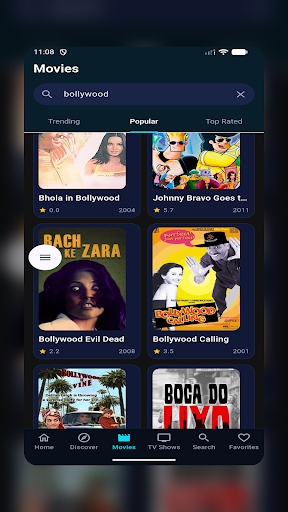
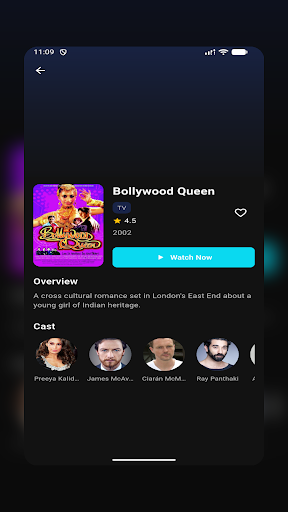
FilmyFly is a premier online platform that offers a vast library of entertainment content including the latest South Indian movies, Bollywood blockbusters, Hollywood films dubbed in Hindi, and exclusive web series. Our platform is designed to provide users with seamless access to high-quality content across multiple genres and languages.
Why Choose FilmyFly?
With thousands of satisfied users, FilmyFly has established itself as a trusted source for free entertainment. Our platform is regularly updated with new releases, ensuring you never miss out on the latest movies and shows. The user-friendly interface and fast download options make FilmyFly the preferred choice for entertainment enthusiasts.
FilmyFly operates as an informational platform about entertainment content. We encourage users to respect copyright laws and intellectual property rights. The content mentioned on this site may be subject to copyright protection in various jurisdictions.
Users should ensure they comply with their local laws regarding streaming and downloading copyrighted content. We recommend supporting official streaming platforms and content creators whenever possible.
This website does not host any content and merely provides information about entertainment options available on the internet.
แสดงเพิ่มเติม

1. ดาวน์โหลดตัวติดตั้ง MEmu และสิ้นสุดการติดตั้ง

2. เริ่ม MEmu จากนั้นเปิด Google Play บนหน้าแรก

3. ค้นหา FilmyFly - Movies & Web Series ใน Google Play
Install
4. ดาวน์โหลดและติดตั้ง FilmyFly - Movies & Web Series
5. เมื่อติดตั้งเสร็จให้คลิกที่ไอคอนเพื่อเริ่มใช้งาน

6. ใช้ MEmu เพื่อสัมผัสประสบการณ์ FilmyFly - Movies & Web Series บนคอมพิวเตอร์ของคุณ
MEmu Play คือโปรแกรมจำลอง Android ที่ดีที่สุด มีผู้ใช้มากกว่า 50 ล้านคน มอบประสบการณ์การใช้งานแอป Android ขั้นสุดยอดให้กับคุณ เทคโนโลยีจำลองเสมือนของ MEmu ช่วยให้คุณรันแอป Android หลายพันแอปบนคอมพิวเตอร์ได้อย่างราบรื่น แม้แอปที่กินทรัพยากรเครื่องสูงที่สุด
จอใหญ่และกราฟฟิกสวยกว่า; เล่นได้นาน, ไม่ต้องใช้แบตเตอรี่โทรศัพท์หรือเน็ตโทรศัพท์.
ระบบปรับแต่งปุ่มคีย์บอร์ดและเม้าส์ตามที่คุณเลือก
เล่นมากกว่าหนึ่งเกมบน PC ในเวลาเดียวกันด้วยระบบหลายจอหรือ Multi-Instance manager.
Use FilmyFly - Movies & Web Series on PC by following steps: