
Funimate Video Editor & Maker
อัปเดตเมื่อ
เวอร์ชันปัจจุบัน
13.3.1
ให้บริการโดย

เมื่อใช้ Funimate Video Editor & Maker บนโทรศัพท์ของคุณไม่ต้องกังวลกับการชาร์จไฟมากเกินไปปลดปล่อยตัวคุณเองจากหน้าจอขนาดเล็กและสนุกกับการใช้แอพนี้บนหน้าจอขนาดใหญ่ จากนี้ไปรับประสบการณ์เต็มหน้าจอของแอปพลิเคชันของคุณด้วยคีย์บอร์ดและเมาส์ MEmu มีคุณสมบัติที่น่าแปลกใจที่คุณคาดหวัง: การติดตั้งที่รวดเร็วและการตั้งค่าที่ง่ายควบคุมได้ง่ายไม่ จำกัด แบตเตอรี่ข้อมูลมือถือและการโทรที่รบกวน MEmu 9 ใหม่ล่าสุดเป็นตัวเลือกที่ดีที่สุดสำหรับการใช้ Meitu – โปรแกรมแก้ไขภาพแนวธรรมชาติ บนคอมพิวเตอร์ของคุณ ด้วยรหัสการดูดซึมของเราผู้จัดการหลายอินสแตนซ์ทำให้สามารถเปิดบัญชี 2 บัญชีขึ้นไปในเวลาเดียวกันได้ และที่สำคัญที่สุดเอ็นจิ้นจำลองพิเศษของเราสามารถปลดปล่อยศักยภาพของPCของคุณและทำให้ทุกอย่างราบรื่นและสนุกสนาน
แสดงเพิ่มเติม
ดาวน์โหลด Funimate Video Editor & Maker บน PC ด้วย MEmu Android Emulator สนุกกับการเล่นบนหน้าจอขนาดใหญ่ Funimate is the best video editing app you can find on mobile!
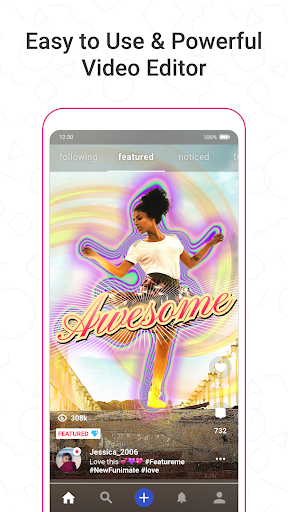
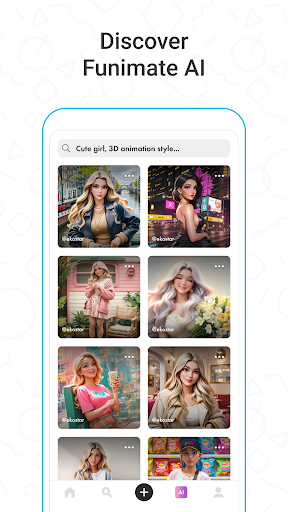
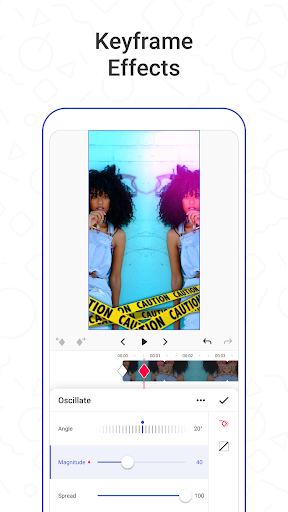
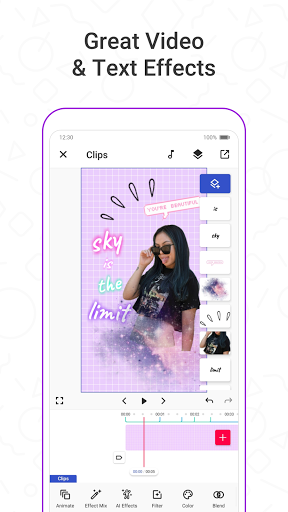
Funimate is the best video editing app you can find on mobile! Join millions of Funimate users who create advanced video edits easily. With Funimate, you’ll be able to create PRO edits very quickly with the help of unique and advanced editing features we have.
Funimate AI Studio, lets you generate AI characters and AI images, offering unlimited creative possibilities. Write prompts, share your creations, and find inspiration within the community to boost your videos' appeal.
Create amazing Fan Edits or spice up your freestyle videos with unique video features like transitions, custom animations, video and text effects and filters. Add stickers, backgrounds and overlays to your video to show off your creativity and amaze your friends from our element library with thousands of options.
You can share the videos you create on Funimate on TikTok, Instagram, Snapchat and amaze your friends and gain followers! Don’t forget to post on Funimate as well to join the Funimate community and for a chance to get featured!
P.S: Funimate users get featured more often on social media like TikTok because of creative videos they make by using unique Funimate video effects!
On Funimate you can find:
Fan Edit videos to show their appreciation and love to influencers and celebrities;
Lip sync, dance and freestyle videos with awesome text effects, AI effects and video effects;
Awesome anime edits our users make with their favorite anime and manga characters;
Game edits to show off your gaming skills;
And MANY MORE...
TOP VIDEO EDITING FEATURES
TRANSITIONS: Awesome transitions for your edits that you can add with a single tap! We have the best video transitions to wow your followers. Just add your pictures & videos and just by using a few taps you create a cool video with professional looking video transitions.
ELEMENT LIBRARY: Video editing is even more fun with overlays, stickers and backgrounds from our element library that has thousands of elements for you to select from. You can also use hundreds of emojis and add text to videos to create cool musical videos, lip sync videos or slow motion videos with Funimate.
KEYFRAMES: You’re not limited to our effects when it comes to making your videos unique. You can create your own effects with the photos on your phone. It’s super easy to animate your layers using keyframes! Discover custom animations to show off your creative skills to your followers.
VIDEO MASK & AI EFFECTS: You can change the background of your videos and add cool mask effects to your videos with just a click! To try this out, add a dance/freestyle video, tap AI Effects button and choose the effect you want. That’s it!
EFFECT MIX: Tons of different effects to add a professional touch to your videos! You can try more than 100 advanced video effects on Funimate video editor.
INTRO & OUTRO EFFECTS: Tens of intro and outro animations you can select for your texts, images and videos.
TEXT EFFECTS: Add lyrics of the music to your video with many text effects like neon lights, colors and many more. Tens of different fonts available!
ADD MUSIC TO VIDEOS: Add your favorite music to videos, to make short music video clips with creative effects.
VIDEO MERGE, CUT & TRIM: Besides all the awesome features, you’ll also have classic video editor app features like cropping, merging, cutting, trimming and editing videos. Funimate is the only video editor you need. You can also create reverse videos and slow motion videos just with a tap!
BE A PART OF FUNIMATE VIDEO EDITING COMMUNITY: Shoot videos for weekly challenges, show your creativity by using video effects, hot music and get featured to grow your fan base on Funimate. Share your creativity on TikTok, Instagram, Youtube and Musically and boost your likes: best way to amaze your friends and get new followers.
แสดงเพิ่มเติม

1. ดาวน์โหลดตัวติดตั้ง MEmu และสิ้นสุดการติดตั้ง

2. เริ่ม MEmu จากนั้นเปิด Google Play บนหน้าแรก

3. ค้นหา Funimate Video Editor & Maker ใน Google Play
Install
4. ดาวน์โหลดและติดตั้ง Funimate Video Editor & Maker
5. เมื่อติดตั้งเสร็จให้คลิกที่ไอคอนเพื่อเริ่มใช้งาน

6. ใช้ MEmu เพื่อสัมผัสประสบการณ์ Funimate Video Editor & Maker บนคอมพิวเตอร์ของคุณ
MEmu Play คือโปรแกรมจำลอง Android ที่ดีที่สุด มีผู้ใช้มากกว่า 50 ล้านคน มอบประสบการณ์การใช้งานแอป Android ขั้นสุดยอดให้กับคุณ เทคโนโลยีจำลองเสมือนของ MEmu ช่วยให้คุณรันแอป Android หลายพันแอปบนคอมพิวเตอร์ได้อย่างราบรื่น แม้แอปที่กินทรัพยากรเครื่องสูงที่สุด
จอใหญ่และกราฟฟิกสวยกว่า; เล่นได้นาน, ไม่ต้องใช้แบตเตอรี่โทรศัพท์หรือเน็ตโทรศัพท์.
ระบบปรับแต่งปุ่มคีย์บอร์ดและเม้าส์ตามที่คุณเลือก
เล่นมากกว่าหนึ่งเกมบน PC ในเวลาเดียวกันด้วยระบบหลายจอหรือ Multi-Instance manager.
Use Funimate Video Editor & Maker on PC by following steps: