GeForce NOW Cloud Gaming
อัปเดตเมื่อ
เวอร์ชันปัจจุบัน
1779207961
ให้บริการโดย

เมื่อใช้ GeForce NOW Cloud Gaming บนโทรศัพท์ของคุณไม่ต้องกังวลกับการชาร์จไฟมากเกินไปปลดปล่อยตัวคุณเองจากหน้าจอขนาดเล็กและสนุกกับการใช้แอพนี้บนหน้าจอขนาดใหญ่ จากนี้ไปรับประสบการณ์เต็มหน้าจอของแอปพลิเคชันของคุณด้วยคีย์บอร์ดและเมาส์ MEmu มีคุณสมบัติที่น่าแปลกใจที่คุณคาดหวัง: การติดตั้งที่รวดเร็วและการตั้งค่าที่ง่ายควบคุมได้ง่ายไม่ จำกัด แบตเตอรี่ข้อมูลมือถือและการโทรที่รบกวน MEmu 9 ใหม่ล่าสุดเป็นตัวเลือกที่ดีที่สุดสำหรับการใช้ Meitu – โปรแกรมแก้ไขภาพแนวธรรมชาติ บนคอมพิวเตอร์ของคุณ ด้วยรหัสการดูดซึมของเราผู้จัดการหลายอินสแตนซ์ทำให้สามารถเปิดบัญชี 2 บัญชีขึ้นไปในเวลาเดียวกันได้ และที่สำคัญที่สุดเอ็นจิ้นจำลองพิเศษของเราสามารถปลดปล่อยศักยภาพของPCของคุณและทำให้ทุกอย่างราบรื่นและสนุกสนาน
แสดงเพิ่มเติม
ดาวน์โหลด GeForce NOW Cloud Gaming บน PC ด้วย MEmu Android Emulator สนุกกับการเล่นบนหน้าจอขนาดใหญ่ NVIDIA GeForce NOW™ เปลี่ยนอุปกรณ์ของคุณให้เป็นอุปกรณ์เล่นเกมพีซีที่ทรงพลัง.
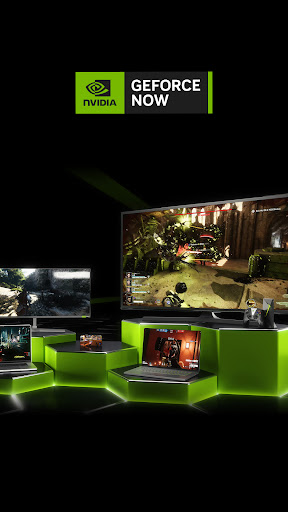
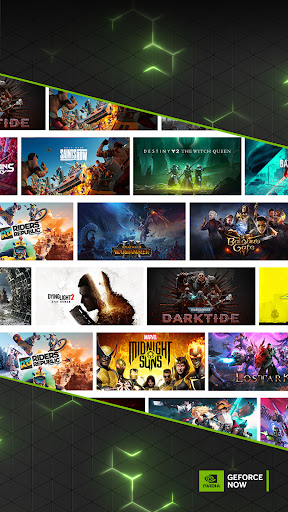
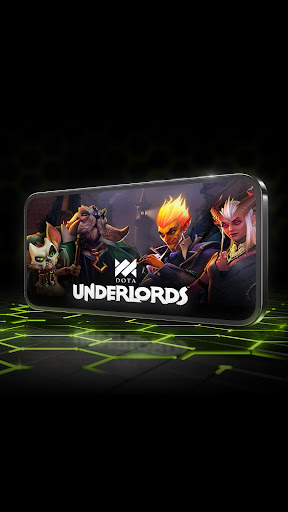
NVIDIA GeForce NOW™ เปลี่ยนอุปกรณ์ของคุณให้เป็นอุปกรณ์เล่นเกมพีซีที่ทรงพลัง
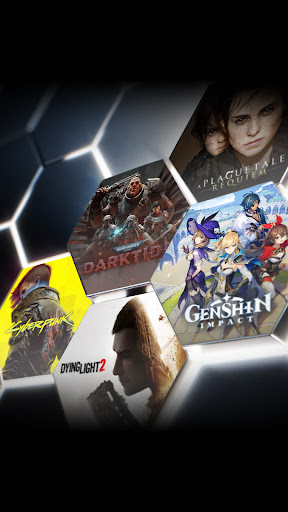
เกมเมอร์สามารถเล่นเกมพีซีที่ตนเองมีอยู่แล้วหรือซื้อเกมใหม่จากร้านค้าดิจิทัลยอดนิยม เช่น Steam, Epic Games Store, Ubisoft Connect และ EA เข้าถึงเกมกว่า 1,500+ เกม พร้อมเปิดตัวมากขึ้นทุกวันพฤหัสบดีของ GFN แคตตาล็อกยังมีเกมที่มีผู้เล่นมากที่สุดในโลกหลายเกม รวมถึงเกมที่เล่นฟรีกว่า 100 เกม เช่น Fortnite, Apex Legends, Destiny 2 และอีกมากมาย เล่นกับผู้เล่นพีซีอื่น ๆ หลายล้านคน และไม่ต้องรอการดาวน์โหลด ติดตั้ง แพตช์ หรืออัปเดต
การดาวน์โหลดแอปจะไม่ทำให้คุณเข้าถึงบริการได้ การสตรีมด้วย GeForce ตอนนี้จำเป็นต้องเป็นสมาชิก ทดลองเล่นเกมพีซีด้วยการเป็นสมาชิกฟรีของเรา หรือเข้าร่วมหนึ่งในสมาชิกระดับพรีเมียมของเราเพื่อประสบการณ์ที่ดียิ่งขึ้น ซึ่งรวมถึงอัตราเฟรมที่เร็วขึ้น, RTX ON, สิทธิ์เข้าถึงเซิร์ฟเวอร์เกมของเราก่อนใคร และระยะเวลาเซสชันที่ขยายออกไป หากต้องการเรียนรู้เพิ่มเติมเกี่ยวกับตัวเลือกการเป็นสมาชิก และการลงทะเบียน GeForce NOW โปรดไปที่เพจของเราที่นี่: www.geforcenow.com
แอป GeForce NOW ใช้งานได้กับโทรศัพท์ แท็บเล็ต และอุปกรณ์ทีวี Android ที่รองรับ OpenGL ES 2.0 พร้อมหน่วยความจำอย่างน้อย 1GB และ Android 5.0 (L) หรือใหม่กว่า GeForce NOW ทำงานร่วมกับ Chromebook ส่วนใหญ่ที่มี RAM ขนาด 4GB ขึ้นไป เพื่อประสบการณ์ที่ดีที่สุด เราขอแนะนำ WiFi 5GHz หรือการเชื่อมต่ออีเทอร์เน็ตที่มีความเร็วอย่างน้อย 15Mbps คุณสามารถดูรายการความต้องการของระบบและเกมแพดที่รองรับได้ที่นี่: https://www.nvidia.com/en-us/geforce-now/system-reqs/
แสดงเพิ่มเติม

1. ดาวน์โหลดตัวติดตั้ง MEmu และสิ้นสุดการติดตั้ง

2. เริ่ม MEmu จากนั้นเปิด Google Play บนหน้าแรก

3. ค้นหา GeForce NOW Cloud Gaming ใน Google Play
Install
4. ดาวน์โหลดและติดตั้ง GeForce NOW Cloud Gaming
5. เมื่อติดตั้งเสร็จให้คลิกที่ไอคอนเพื่อเริ่มใช้งาน

6. ใช้ MEmu เพื่อสัมผัสประสบการณ์ GeForce NOW Cloud Gaming บนคอมพิวเตอร์ของคุณ
MEmu Play คือโปรแกรมจำลอง Android ที่ดีที่สุด มีผู้ใช้มากกว่า 50 ล้านคน มอบประสบการณ์การใช้งานแอป Android ขั้นสุดยอดให้กับคุณ เทคโนโลยีจำลองเสมือนของ MEmu ช่วยให้คุณรันแอป Android หลายพันแอปบนคอมพิวเตอร์ได้อย่างราบรื่น แม้แอปที่กินทรัพยากรเครื่องสูงที่สุด
จอใหญ่และกราฟฟิกสวยกว่า; เล่นได้นาน, ไม่ต้องใช้แบตเตอรี่โทรศัพท์หรือเน็ตโทรศัพท์.
ระบบปรับแต่งปุ่มคีย์บอร์ดและเม้าส์ตามที่คุณเลือก
เล่นมากกว่าหนึ่งเกมบน PC ในเวลาเดียวกันด้วยระบบหลายจอหรือ Multi-Instance manager.
Use GeForce NOW Cloud Gaming on PC by following steps: