LGMV-Business
อัปเดตเมื่อ
เวอร์ชันปัจจุบัน
1.3.4
ให้บริการโดย

เมื่อใช้ LGMV-Business บนโทรศัพท์ของคุณไม่ต้องกังวลกับการชาร์จไฟมากเกินไปปลดปล่อยตัวคุณเองจากหน้าจอขนาดเล็กและสนุกกับการใช้แอพนี้บนหน้าจอขนาดใหญ่ จากนี้ไปรับประสบการณ์เต็มหน้าจอของแอปพลิเคชันของคุณด้วยคีย์บอร์ดและเมาส์ MEmu มีคุณสมบัติที่น่าแปลกใจที่คุณคาดหวัง: การติดตั้งที่รวดเร็วและการตั้งค่าที่ง่ายควบคุมได้ง่ายไม่ จำกัด แบตเตอรี่ข้อมูลมือถือและการโทรที่รบกวน MEmu 9 ใหม่ล่าสุดเป็นตัวเลือกที่ดีที่สุดสำหรับการใช้ Meitu – โปรแกรมแก้ไขภาพแนวธรรมชาติ บนคอมพิวเตอร์ของคุณ ด้วยรหัสการดูดซึมของเราผู้จัดการหลายอินสแตนซ์ทำให้สามารถเปิดบัญชี 2 บัญชีขึ้นไปในเวลาเดียวกันได้ และที่สำคัญที่สุดเอ็นจิ้นจำลองพิเศษของเราสามารถปลดปล่อยศักยภาพของPCของคุณและทำให้ทุกอย่างราบรื่นและสนุกสนาน
แสดงเพิ่มเติม
สัมผัสประสบการณ์สุดยอดการใช้งาน LGMV-Business บนพีซีด้วย MEmu Play นี่คือโปรแกรมจำลอง Android ฟรีที่ทรงพลัง ให้คุณใช้งานแอป Android นับพันบนเดสก์ท็อป สนุกกับการเชื่อมต่อกับเพื่อนๆ และขัดเกลาผลงานของคุณอย่างมีประสิทธิภาพยิ่งขึ้น! ■ New LGMV version released.
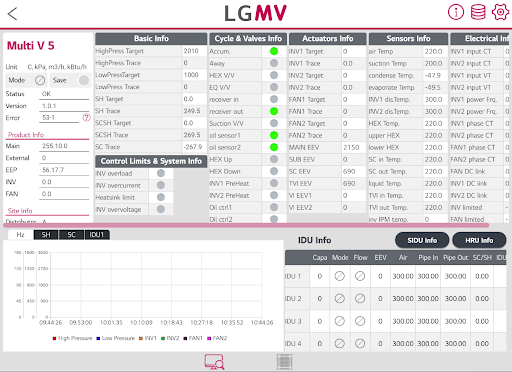
■ New LGMV version released
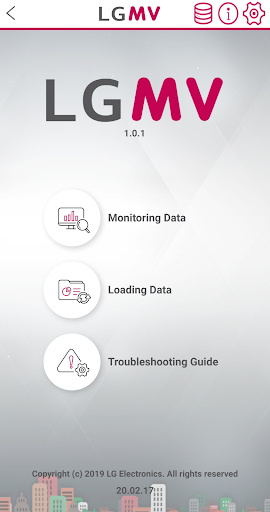
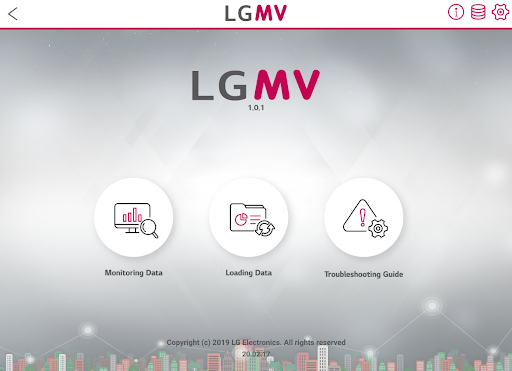
New LGMV has been released in order to expand the supported platforms(Android Tablet, iPhone) and provide the same UX/features regardless of the platform.
■ About LGMV
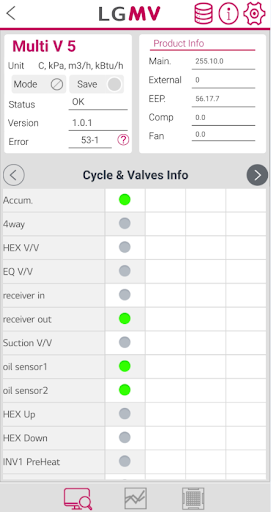
LGMV is designed to monitor the status of LG Electronics Air Conditioner products which helps engineers diagnose products and interpret refrigeration cycle.
Through this app, engineers will be able to identify the operation status of the product and provide a solution to the problems.
※ Please note that this app is only for air conditioning service engineers and cannot be used by general users.
■ Key function
1. Monitoring viewer: Display key information of air conditioner
2. Graph: Display pressure and frequency information of air conditioner in graph
3. Indoor unit operation control: Controls the operating mode of indoor units when the module is connected to the outdoor unit.
4. Save data: Save received air conditioner information as file
5. Save Black Box and Test Report: Receives Black Box data and Test operation result from product.
6. Troubleshooting guide: Display error number and supports resolution plan for the error number list in PDF document.
7. Additional Function (This feature is available on some models.)
• Test run Info
• Serial number Info
• Operating time Info
• Auto Test Run
■ Wi-Fi Module (Sold separately)
Model type : LGMV Wi-Fi Module
Model name : PLGMVW100
แสดงเพิ่มเติม

1. ดาวน์โหลดตัวติดตั้ง MEmu และสิ้นสุดการติดตั้ง

2. เริ่ม MEmu จากนั้นเปิด Google Play บนหน้าแรก

3. ค้นหา LGMV-Business ใน Google Play
Install
4. ดาวน์โหลดและติดตั้ง LGMV-Business
5. เมื่อติดตั้งเสร็จให้คลิกที่ไอคอนเพื่อเริ่มใช้งาน

6. ใช้ MEmu เพื่อสัมผัสประสบการณ์ LGMV-Business บนคอมพิวเตอร์ของคุณ
MEmu Play คือโปรแกรมจำลอง Android ที่ดีที่สุด มีผู้ใช้มากกว่า 50 ล้านคน มอบประสบการณ์การใช้งานแอป Android ขั้นสุดยอดให้กับคุณ เทคโนโลยีจำลองเสมือนของ MEmu ช่วยให้คุณรันแอป Android หลายพันแอปบนคอมพิวเตอร์ได้อย่างราบรื่น แม้แอปที่กินทรัพยากรเครื่องสูงที่สุด
จอใหญ่และกราฟฟิกสวยกว่า; เล่นได้นาน, ไม่ต้องใช้แบตเตอรี่โทรศัพท์หรือเน็ตโทรศัพท์.
ระบบปรับแต่งปุ่มคีย์บอร์ดและเม้าส์ตามที่คุณเลือก
เล่นมากกว่าหนึ่งเกมบน PC ในเวลาเดียวกันด้วยระบบหลายจอหรือ Multi-Instance manager.
Use LGMV-Business on PC by following steps: