
OpenEvidence
อัปเดตเมื่อ
เวอร์ชันปัจจุบัน
2.0.0
ให้บริการโดย

เมื่อใช้ OpenEvidence บนโทรศัพท์ของคุณไม่ต้องกังวลกับการชาร์จไฟมากเกินไปปลดปล่อยตัวคุณเองจากหน้าจอขนาดเล็กและสนุกกับการใช้แอพนี้บนหน้าจอขนาดใหญ่ จากนี้ไปรับประสบการณ์เต็มหน้าจอของแอปพลิเคชันของคุณด้วยคีย์บอร์ดและเมาส์ MEmu มีคุณสมบัติที่น่าแปลกใจที่คุณคาดหวัง: การติดตั้งที่รวดเร็วและการตั้งค่าที่ง่ายควบคุมได้ง่ายไม่ จำกัด แบตเตอรี่ข้อมูลมือถือและการโทรที่รบกวน MEmu 9 ใหม่ล่าสุดเป็นตัวเลือกที่ดีที่สุดสำหรับการใช้ Meitu – โปรแกรมแก้ไขภาพแนวธรรมชาติ บนคอมพิวเตอร์ของคุณ ด้วยรหัสการดูดซึมของเราผู้จัดการหลายอินสแตนซ์ทำให้สามารถเปิดบัญชี 2 บัญชีขึ้นไปในเวลาเดียวกันได้ และที่สำคัญที่สุดเอ็นจิ้นจำลองพิเศษของเราสามารถปลดปล่อยศักยภาพของPCของคุณและทำให้ทุกอย่างราบรื่นและสนุกสนาน
แสดงเพิ่มเติม
ดาวน์โหลด OpenEvidence บน PC ด้วย MEmu Android Emulator สนุกกับการเล่นบนหน้าจอขนาดใหญ่ OpenEvidence is an AI-powered medical information platform that provides healthcare professionals with accurate and efficient answers at the point of care.
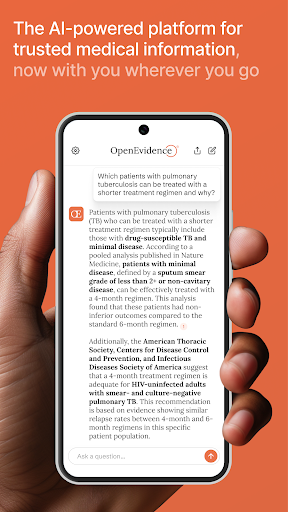

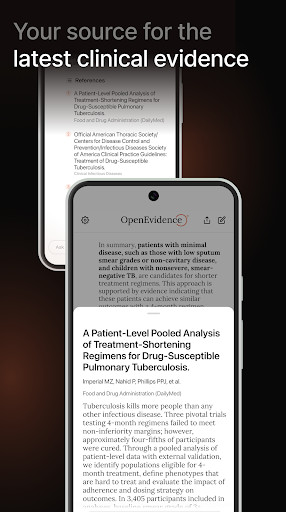
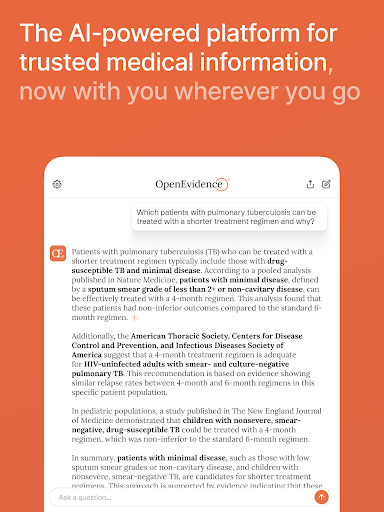
OpenEvidence is an AI-powered medical information platform that provides healthcare professionals with accurate and efficient answers at the point of care. Every answer on OpenEvidence is always sourced, cited, and grounded in the peer-reviewed medical literature.
• 160 medical specialties
• 1,000+ diseases and therapeutic areas
• 1m+ medical topics
Trusted by medical professionals at 7,000+ care centers across the US and by clinicians in over 185 countries.
OpenEvidence is only available for health care professionals. Users must verify their health care professional status before using OpenEvidence.
AS SEEN IN
Forbes: “OpenEvidence Keeps Doctors Up To Date On The Latest Science”
TESTIMONIALS
“I've been using OpenEvidence for the last week - it has been amazing! Able to narrow down on results quickly and find information that I wasn't able to do with Google/PubMed searches on my own.” - Dr. John Lee, MD. Physician & Faculty Member, Harvard Medical School
“OpenEvidence can be the foundational technology to power all clinical decision tools.” - Dr. Antonio Jorge Forte, MD. Director of MayoExpert, Mayo Clinic
“OpenEvidence is more up-to-date than UpToDate. And more useful regardless, since it’s interactive, and you can ask it questions, and get very specific answers about specific medical fact patterns in a patient case. It’s like having a curbside consult with a team of expert physicians, but that you can carry around with you in your pocket.” - Dr. Ram Dandillaya, MD. Clinical Chief, Department of Cardiology, Cedars-Sinai Medical Center
“I am in community practice and medical director of a community cancer center. OpenEvidence has been an incredible lifeline for daily practitioners.” - C.J., Oncologist
“OpenEvidence is absolutely fantastic. I use it a gazillion times a day.” - J.A., Neurologist
“OpenEvidence’s efforts to make medicine more evidence-based are invaluable. The shift from judgment to calculation can reduce the level of noise currently found in medicine.” - Daniel Kahneman, Nobel Prize Laureate (In Memoriam)
“It is light years ahead of the next best medical oriented AI I have used.” - R.E.., Oncologist
STAY SHARP & UP-TO-DATE
• Find what you need, when you need it on a mobile-native platform.
• Discover and find exactly what you are looking for with deep search and a highly intuitive user interface that understands you and what you are asking.
Also known as: Open Evidence
แสดงเพิ่มเติม

1. ดาวน์โหลดตัวติดตั้ง MEmu และสิ้นสุดการติดตั้ง

2. เริ่ม MEmu จากนั้นเปิด Google Play บนหน้าแรก

3. ค้นหา OpenEvidence ใน Google Play
Install
4. ดาวน์โหลดและติดตั้ง OpenEvidence
5. เมื่อติดตั้งเสร็จให้คลิกที่ไอคอนเพื่อเริ่มใช้งาน

6. ใช้ MEmu เพื่อสัมผัสประสบการณ์ OpenEvidence บนคอมพิวเตอร์ของคุณ
MEmu Play คือโปรแกรมจำลอง Android ที่ดีที่สุด มีผู้ใช้มากกว่า 50 ล้านคน มอบประสบการณ์การใช้งานแอป Android ขั้นสุดยอดให้กับคุณ เทคโนโลยีจำลองเสมือนของ MEmu ช่วยให้คุณรันแอป Android หลายพันแอปบนคอมพิวเตอร์ได้อย่างราบรื่น แม้แอปที่กินทรัพยากรเครื่องสูงที่สุด
จอใหญ่และกราฟฟิกสวยกว่า; เล่นได้นาน, ไม่ต้องใช้แบตเตอรี่โทรศัพท์หรือเน็ตโทรศัพท์.
ระบบปรับแต่งปุ่มคีย์บอร์ดและเม้าส์ตามที่คุณเลือก
เล่นมากกว่าหนึ่งเกมบน PC ในเวลาเดียวกันด้วยระบบหลายจอหรือ Multi-Instance manager.
Use OpenEvidence on PC by following steps: