ReadEra – book reader pdf epub
อัปเดตเมื่อ
เวอร์ชันปัจจุบัน
24.12.20+2070
ให้บริการโดย

เมื่อใช้ ReadEra – book reader pdf epub บนโทรศัพท์ของคุณไม่ต้องกังวลกับการชาร์จไฟมากเกินไปปลดปล่อยตัวคุณเองจากหน้าจอขนาดเล็กและสนุกกับการใช้แอพนี้บนหน้าจอขนาดใหญ่ จากนี้ไปรับประสบการณ์เต็มหน้าจอของแอปพลิเคชันของคุณด้วยคีย์บอร์ดและเมาส์ MEmu มีคุณสมบัติที่น่าแปลกใจที่คุณคาดหวัง: การติดตั้งที่รวดเร็วและการตั้งค่าที่ง่ายควบคุมได้ง่ายไม่ จำกัด แบตเตอรี่ข้อมูลมือถือและการโทรที่รบกวน MEmu 9 ใหม่ล่าสุดเป็นตัวเลือกที่ดีที่สุดสำหรับการใช้ Meitu – โปรแกรมแก้ไขภาพแนวธรรมชาติ บนคอมพิวเตอร์ของคุณ ด้วยรหัสการดูดซึมของเราผู้จัดการหลายอินสแตนซ์ทำให้สามารถเปิดบัญชี 2 บัญชีขึ้นไปในเวลาเดียวกันได้ และที่สำคัญที่สุดเอ็นจิ้นจำลองพิเศษของเราสามารถปลดปล่อยศักยภาพของPCของคุณและทำให้ทุกอย่างราบรื่นและสนุกสนาน
แสดงเพิ่มเติม
ดาวน์โหลด ReadEra – book reader pdf epub บน PC ด้วย MEmu Android Emulator สนุกกับการเล่นบนหน้าจอขนาดใหญ่ ReadEra — book reader allows reading books for free, offline in PDF, EPUB, Microsoft Word (DOC, DOCX, RTF), Kindle (MOBI, AZW3), DJVU, FB2, TXT, ODT and CHM formats.
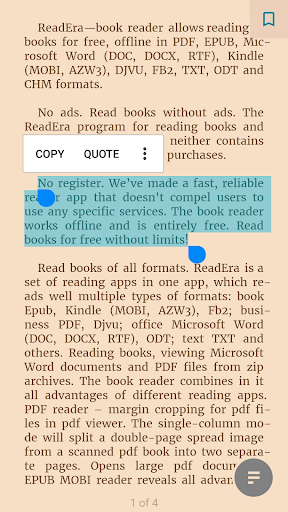
ReadEra — book reader allows reading books for free, offline in PDF, EPUB, Microsoft Word (DOC, DOCX, RTF), Kindle (MOBI, AZW3), DJVU, FB2, TXT, ODT and CHM formats.
No ads
Read books without ads. The ReadEra program for reading books and viewing PDF documents neither contains ads nor imposes internal purchases.
No register
We’ve made a fast, reliable reader app that doesn't compel users to use any specific services. The book reader works offline and is entirely free. Read books for free without limits!
Read books of all formats
ReadEra is a set of reading apps in one app, which reads well multiple types of formats: book Epub, Kindle (MOBI, AZW3), Fb2; business PDF, Djvu; office Microsoft Word (DOC, DOCX, RTF), ODT; text TXT and others. Reading books, viewing Microsoft Word documents and PDF files from zip archives.
The book reader combines in it all advantages of different reading apps.
PDF reader – margin cropping for pdf files in pdf viewer. The single-column mode will split a double-page spread image from a scanned pdf book into two separate pages. Opens large pdf documents.
EPUB reader & MOBI reader reveals all advantages of the EPUB and MOBI formats for eBooks.
WORD reader forms contents of a book by titles.
FB2 reader opens books of fb2 format from zip archive; no need to unpack.
The reader for books, ReadEra, reads all popular formats of books, journals, articles and other documents in one app.
Best book manager for your library
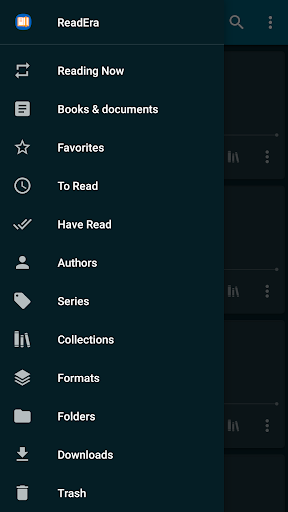
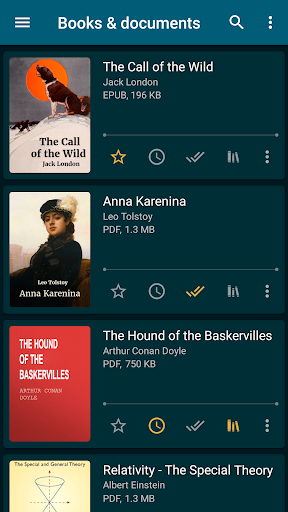
Auto-detection of books and documents. Just download an Epub book, PDF journal, Microsoft Word documents or PDF article from the Internet so they appear in the reader for reading. Easy navigation through folders and downloads. Grouping books by authors and series. Book reading lists: To Read, Have Read, Favorites. The Collections tool (bookshelves) allows creating personal thematic collections. Books and documents can be added to one or several collections at the same time. We do our best to ensure order in your eBook library.
Navigation through a book
Quick access to the reading settings, table of contents, bookmarks, text highlights, quotes, notes, page browsing history in a book and other eBook options. Navigate the book using the page pointer or the progress line. Footnote texts in Epub, Mobi, Docx, Fb2 formats are printed at the bottom of the page, as in a paper book. Displays the total number of pages of a book and separately pages of a reading chapter.
Convenient reading settings
Auto-saving the current reading page. Nice color modes while reading books: day, night, sepia, console. Horizontal or vertical page flipping mode. Screen orientation, brightness and page margins adjustment, including PDF and DjVu. Adjustable type font, size, boldness, line spacing and hyphenation for Microsoft Word, Epub, Kindle (Mobi, Azw3), Fb2, TXT and ODT. Zoom option for PDF file and Djvu file when you read PDF and read Djvu.
Economized memory usage
The reader doesn’t copy books and documents into its store; detects duplicate files, saves bookmarks and the current reading page, even when files are moved or deleted. For example, even if you delete files and download books again, you’ll be able to continue reading books from the last read page. EBook ReadEra allows storing data on the SD card.
Multi-document mode
The book reader Readera allows reading several books and documents at the same time. For example, you can simultaneously read Epub books and PDF journals by placing them on the device screen in split-screen mode (two windows). Or read Microsoft Word, ODT, PDF documents, Epub/Mobi and Kindle books, switching between them by the "Active apps" system button.
EBook reader ReadEra – best app for reading PDF, Epub, Kindle (Mobi, Azw3), TXT, Fb2 books; Microsoft Word (DOC, DOCX, RTF), ODT documents and PDF viewer for Android.
Read books easily and for free with ReadEra!
แสดงเพิ่มเติม

1. ดาวน์โหลดตัวติดตั้ง MEmu และสิ้นสุดการติดตั้ง

2. เริ่ม MEmu จากนั้นเปิด Google Play บนหน้าแรก

3. ค้นหา ReadEra – book reader pdf epub ใน Google Play
Install
4. ดาวน์โหลดและติดตั้ง ReadEra – book reader pdf epub
5. เมื่อติดตั้งเสร็จให้คลิกที่ไอคอนเพื่อเริ่มใช้งาน

6. ใช้ MEmu เพื่อสัมผัสประสบการณ์ ReadEra – book reader pdf epub บนคอมพิวเตอร์ของคุณ
MEmu Play คือโปรแกรมจำลอง Android ที่ดีที่สุด มีผู้ใช้มากกว่า 50 ล้านคน มอบประสบการณ์การใช้งานแอป Android ขั้นสุดยอดให้กับคุณ เทคโนโลยีจำลองเสมือนของ MEmu ช่วยให้คุณรันแอป Android หลายพันแอปบนคอมพิวเตอร์ได้อย่างราบรื่น แม้แอปที่กินทรัพยากรเครื่องสูงที่สุด
จอใหญ่และกราฟฟิกสวยกว่า; เล่นได้นาน, ไม่ต้องใช้แบตเตอรี่โทรศัพท์หรือเน็ตโทรศัพท์.
ระบบปรับแต่งปุ่มคีย์บอร์ดและเม้าส์ตามที่คุณเลือก
เล่นมากกว่าหนึ่งเกมบน PC ในเวลาเดียวกันด้วยระบบหลายจอหรือ Multi-Instance manager.
Use ReadEra – book reader pdf epub on PC by following steps: