
Psiphon
อัปเดตเมื่อ
เวอร์ชันปัจจุบัน
406
ให้บริการโดย

เมื่อใช้ Psiphon บนโทรศัพท์ของคุณไม่ต้องกังวลกับการชาร์จไฟมากเกินไปปลดปล่อยตัวคุณเองจากหน้าจอขนาดเล็กและสนุกกับการใช้แอพนี้บนหน้าจอขนาดใหญ่ จากนี้ไปรับประสบการณ์เต็มหน้าจอของแอปพลิเคชันของคุณด้วยคีย์บอร์ดและเมาส์ MEmu มีคุณสมบัติที่น่าแปลกใจที่คุณคาดหวัง: การติดตั้งที่รวดเร็วและการตั้งค่าที่ง่ายควบคุมได้ง่ายไม่ จำกัด แบตเตอรี่ข้อมูลมือถือและการโทรที่รบกวน MEmu 9 ใหม่ล่าสุดเป็นตัวเลือกที่ดีที่สุดสำหรับการใช้ Meitu – โปรแกรมแก้ไขภาพแนวธรรมชาติ บนคอมพิวเตอร์ของคุณ ด้วยรหัสการดูดซึมของเราผู้จัดการหลายอินสแตนซ์ทำให้สามารถเปิดบัญชี 2 บัญชีขึ้นไปในเวลาเดียวกันได้ และที่สำคัญที่สุดเอ็นจิ้นจำลองพิเศษของเราสามารถปลดปล่อยศักยภาพของPCของคุณและทำให้ทุกอย่างราบรื่นและสนุกสนาน
แสดงเพิ่มเติม
ดาวน์โหลด Psiphon บน PC ด้วย MEmu Android Emulator สนุกกับการเล่นบนหน้าจอขนาดใหญ่ .
Access Everything on the Open Internet with Psiphon
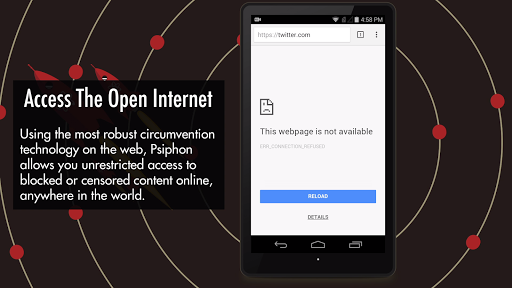
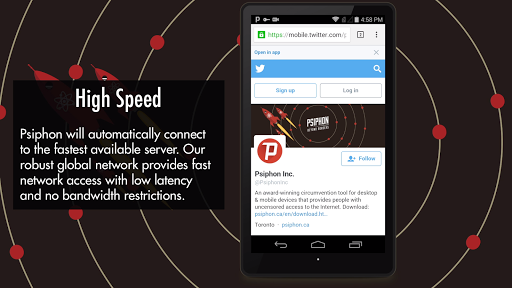
Millions of people in over 200 countries around the planet are already connecting to the Internet using Psiphon, the most robust circumvention tool on the web. Psiphon facilitates access to websites and services which are censored, blocked, or otherwise unavailable, no matter where you are in the world. Whether you can’t access your favourite news broadcast today, or want to provide an extra layer of protection when using public wifi services, Psiphon is the best VPN tool for accessing the open Internet.
Features:
• Free for personal use.
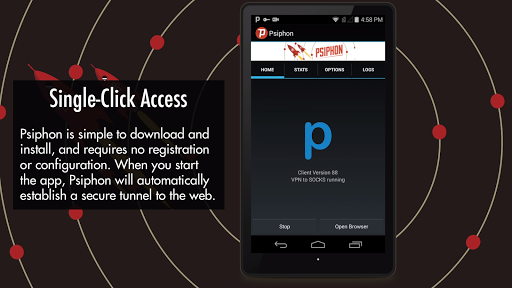
• Easy to download and install. No registration, subscription, or configuration required.
• Automatic selection of protocols to provide effective, reliable circumvention every time.
• View how much traffic you have used with in-app stats tracking.
• Psiphon is an open-source project subject to credible security auditing and open review. To find our source code and design documents, visit the project homepage: https://github.com/Psiphon-Inc/psiphon
• Psiphon uses the Android VPNService to route your Internet traffic through Psiphon servers.
This version of Psiphon may not be available in every country. Please try Psiphon Pro:
https://play.google.com/store/apps/details?id=com.psiphon3.subscription
แสดงเพิ่มเติม

1. ดาวน์โหลดตัวติดตั้ง MEmu และสิ้นสุดการติดตั้ง

2. เริ่ม MEmu จากนั้นเปิด Google Play บนหน้าแรก

3. ค้นหา Psiphon ใน Google Play
Install
4. ดาวน์โหลดและติดตั้ง Psiphon
5. เมื่อติดตั้งเสร็จให้คลิกที่ไอคอนเพื่อเริ่มใช้งาน

6. ใช้ MEmu เพื่อสัมผัสประสบการณ์ Psiphon บนคอมพิวเตอร์ของคุณ
MEmu Play คือโปรแกรมจำลอง Android ที่ดีที่สุด มีผู้ใช้มากกว่า 50 ล้านคน มอบประสบการณ์การใช้งานแอป Android ขั้นสุดยอดให้กับคุณ เทคโนโลยีจำลองเสมือนของ MEmu ช่วยให้คุณรันแอป Android หลายพันแอปบนคอมพิวเตอร์ได้อย่างราบรื่น แม้แอปที่กินทรัพยากรเครื่องสูงที่สุด
จอใหญ่และกราฟฟิกสวยกว่า; เล่นได้นาน, ไม่ต้องใช้แบตเตอรี่โทรศัพท์หรือเน็ตโทรศัพท์.
ระบบปรับแต่งปุ่มคีย์บอร์ดและเม้าส์ตามที่คุณเลือก
เล่นมากกว่าหนึ่งเกมบน PC ในเวลาเดียวกันด้วยระบบหลายจอหรือ Multi-Instance manager.
Use Psiphon on PC by following steps: