Speed VPN-Fast, Secure, Free Unlimited Proxy
อัปเดตเมื่อ
เวอร์ชันปัจจุบัน
4.0.5
ให้บริการโดย

เมื่อใช้ Speed VPN-Fast, Secure, Free Unlimited Proxy บนโทรศัพท์ของคุณไม่ต้องกังวลกับการชาร์จไฟมากเกินไปปลดปล่อยตัวคุณเองจากหน้าจอขนาดเล็กและสนุกกับการใช้แอพนี้บนหน้าจอขนาดใหญ่ จากนี้ไปรับประสบการณ์เต็มหน้าจอของแอปพลิเคชันของคุณด้วยคีย์บอร์ดและเมาส์ MEmu มีคุณสมบัติที่น่าแปลกใจที่คุณคาดหวัง: การติดตั้งที่รวดเร็วและการตั้งค่าที่ง่ายควบคุมได้ง่ายไม่ จำกัด แบตเตอรี่ข้อมูลมือถือและการโทรที่รบกวน MEmu 9 ใหม่ล่าสุดเป็นตัวเลือกที่ดีที่สุดสำหรับการใช้ Meitu – โปรแกรมแก้ไขภาพแนวธรรมชาติ บนคอมพิวเตอร์ของคุณ ด้วยรหัสการดูดซึมของเราผู้จัดการหลายอินสแตนซ์ทำให้สามารถเปิดบัญชี 2 บัญชีขึ้นไปในเวลาเดียวกันได้ และที่สำคัญที่สุดเอ็นจิ้นจำลองพิเศษของเราสามารถปลดปล่อยศักยภาพของPCของคุณและทำให้ทุกอย่างราบรื่นและสนุกสนาน
แสดงเพิ่มเติม
ดาวน์โหลด Speed VPN-Fast, Secure, Free Unlimited Proxy บน PC ด้วย MEmu Android Emulator สนุกกับการเล่นบนหน้าจอขนาดใหญ่ Speed VPN is a lightening-fast app which provides free VPN proxy service.
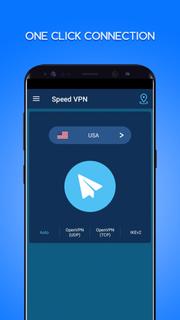
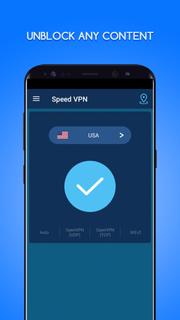
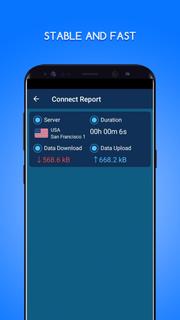
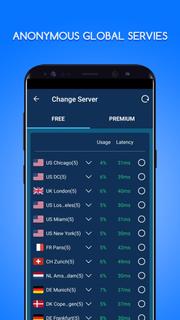
Speed VPN is a lightening-fast app which provides free VPN proxy service. No need to make any configuration, just simply click on one button, you can access the Internet securely and anonymously.When it comes to Internet's safety and security, Speed VPN is an essential tool. It encrypts your connection so that third parties can’t track your online activities, making it more secure than a typical connection.We have built a global VPN network included America, Europe and Asia, and expand to more countries soon. Most servers are free to use, you can click the flag and change server at any time.This VPN helps you bypass any access restrictions, such as firewalls in schools or at work. To respect your privacies, we do not keep any log on our server side.Why choose Speed VPN?✓ Large number of servers, high-speed bandwidth✓ Choose apps which using VPN (Android 5.0+ required)✓ Works with Wi-Fi, LTE/4G, 3G and all mobile data carriers✓ Strict no-logging policy✓ Smartly choose the best server✓ Well-designed UI✓ No usage and time limit✓ No registration or configuration required✓ No additional permissions requiredDownload Speed VPN, the world's fastest secure virtual private network, and enjoy it all!If Speed VPN connection fails, don't worry, you can follow these steps to fix it:1) Click the flag icon2) Click the refresh button to check servers3) Choose the fastest and most stable server to reconnectHoping you suggestion and good rating to keep it growing and make it better :-)VPN related introductionA virtual private network (VPN) extends a private network across a public network, and enables users to send and receive data across shared or public networks as if their computing devices were directly connected to the private network. Applications running across the VPN may therefore benefit from the functionality, security, and management of the private network.Individual Internet users may secure their transactions with a VPN, to circumvent geo-restrictions and censorship, or to connect to proxy servers for the purpose of protecting personal identity and location. However, some Internet sites block access to known VPN technology to prevent the circumvention of their geo-restrictions.VPNs cannot make online connections completely anonymous, but they can usually increase privacy and security. To prevent disclosure of private information, VPNs typically allow only authenticated remote access using tunneling protocols and encryption techniques.Mobile virtual private networks are used in settings where an endpoint of the VPN is not fixed to a single IP address, but instead roams across various networks such as data networks from cellular carriers or between multiple Wi-Fi access points. Mobile VPNs have been widely used in public safety, where they give law enforcement officers access to mission-critical applications, such as computer-assisted dispatch and criminal databases, while they travel between different subnets of a mobile network.
แสดงเพิ่มเติม

1. ดาวน์โหลดตัวติดตั้ง MEmu และสิ้นสุดการติดตั้ง

2. เริ่ม MEmu จากนั้นเปิด Google Play บนหน้าแรก

3. ค้นหา Speed VPN-Fast, Secure, Free Unlimited Proxy ใน Google Play
Install
4. ดาวน์โหลดและติดตั้ง Speed VPN-Fast, Secure, Free Unlimited Proxy
5. เมื่อติดตั้งเสร็จให้คลิกที่ไอคอนเพื่อเริ่มใช้งาน

6. ใช้ MEmu เพื่อสัมผัสประสบการณ์ Speed VPN-Fast, Secure, Free Unlimited Proxy บนคอมพิวเตอร์ของคุณ
MEmu Play คือโปรแกรมจำลอง Android ที่ดีที่สุด มีผู้ใช้มากกว่า 50 ล้านคน มอบประสบการณ์การใช้งานแอป Android ขั้นสุดยอดให้กับคุณ เทคโนโลยีจำลองเสมือนของ MEmu ช่วยให้คุณรันแอป Android หลายพันแอปบนคอมพิวเตอร์ได้อย่างราบรื่น แม้แอปที่กินทรัพยากรเครื่องสูงที่สุด
จอใหญ่และกราฟฟิกสวยกว่า; เล่นได้นาน, ไม่ต้องใช้แบตเตอรี่โทรศัพท์หรือเน็ตโทรศัพท์.
ระบบปรับแต่งปุ่มคีย์บอร์ดและเม้าส์ตามที่คุณเลือก
เล่นมากกว่าหนึ่งเกมบน PC ในเวลาเดียวกันด้วยระบบหลายจอหรือ Multi-Instance manager.
Use Speed VPN-Fast, Secure, Free Unlimited Proxy on PC by following steps: