Widget iOS 16 - Color Widgets
อัปเดตเมื่อ
เวอร์ชันปัจจุบัน
6.5
ให้บริการโดย

เมื่อใช้ Widget iOS 16 - Color Widgets บนโทรศัพท์ของคุณไม่ต้องกังวลกับการชาร์จไฟมากเกินไปปลดปล่อยตัวคุณเองจากหน้าจอขนาดเล็กและสนุกกับการใช้แอพนี้บนหน้าจอขนาดใหญ่ จากนี้ไปรับประสบการณ์เต็มหน้าจอของแอปพลิเคชันของคุณด้วยคีย์บอร์ดและเมาส์ MEmu มีคุณสมบัติที่น่าแปลกใจที่คุณคาดหวัง: การติดตั้งที่รวดเร็วและการตั้งค่าที่ง่ายควบคุมได้ง่ายไม่ จำกัด แบตเตอรี่ข้อมูลมือถือและการโทรที่รบกวน MEmu 9 ใหม่ล่าสุดเป็นตัวเลือกที่ดีที่สุดสำหรับการใช้ Meitu – โปรแกรมแก้ไขภาพแนวธรรมชาติ บนคอมพิวเตอร์ของคุณ ด้วยรหัสการดูดซึมของเราผู้จัดการหลายอินสแตนซ์ทำให้สามารถเปิดบัญชี 2 บัญชีขึ้นไปในเวลาเดียวกันได้ และที่สำคัญที่สุดเอ็นจิ้นจำลองพิเศษของเราสามารถปลดปล่อยศักยภาพของPCของคุณและทำให้ทุกอย่างราบรื่นและสนุกสนาน
แสดงเพิ่มเติม
ดาวน์โหลด Widget iOS 16 - Color Widgets บน PC ด้วย MEmu Android Emulator สนุกกับการเล่นบนหน้าจอขนาดใหญ่ Bored with the same old phone?
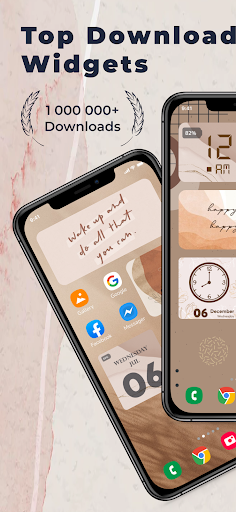
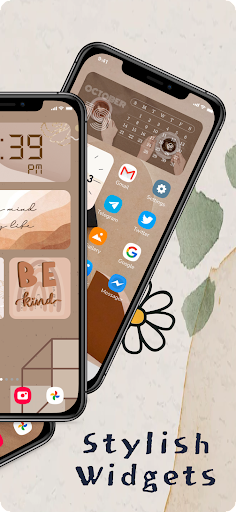
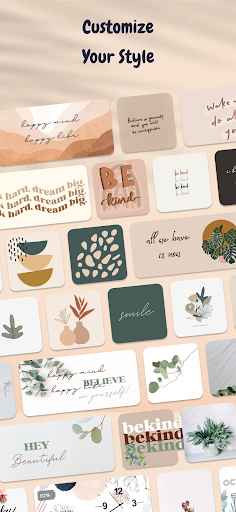
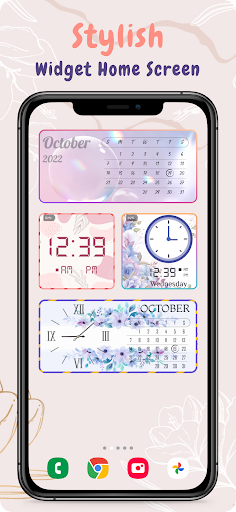
Bored with the same old phone? Meet Color Widgets—the #1 worldwide Home Screen Manager with Lock Screen Widget, one click to satisfy all your fantasies!
Color Widgets allows you to freely add stylish widgets and customize the home screen! We got cool widgets, themes, keyboards, fonts and charging animations that are really beautiful!
Widget iOS 16 makes adding aesthetic and handy widgets to your home screen easy. Choose from stunning predesigned widgets or, better yet, create your own with the easy-to-use widget editor. Browse dozens of widget types like photo, countdown, date and battery, weather, quotes, and many more.
Widget iOS 16 - Color Widgets allows you to add Widgets with 3 sizes: small, medium and large. Comes with many beautiful fonts, font colors, backgrounds, or you can add your favorite background images in your phone.
Try the new aesthetic refreshing look of iOS 16 on your Android smartphone, with all the widget for iOS 16.
As the organizer of the home screen, Color Widgets can greatly improve the convenience of using iPhone and provides you with all-in-one services!
There are 2000+ icons, 5000+ widgets and 200+ themes including various aesthetic wallpapers as you choose!
With Color Widgets, you can enjoy widgets, icons, wallpapers and exclusive keyboard themes on iOS 16 and decorate your home screen!
WIDGET iOS 16
Customize each widget to perfection. Add pictures to your widgets, edit their font, create your own color-scheme, and so much more. Frequent updates constantly add new widgets you'd love. With Color Widgets, there are no limits to customizing your Home Screen! Here’s a glimpse of our widgets:
● Aesthetic
● Black
● Time, Date & Battery
● Countdown
● Daily, Hourly, & Current Weather
● Music & Playlists
● Calendar
● Analog Clock
● Quotes & Custom Text
● Reminders
● Step Count/Pedometer
● Sunset & Sunrise
● Neon
and more
How to use Color Widget
1. Click on your favorite widget category
2. Click Set Widget
3. Go to your phone screen
4. Press and hold until the widget pops up
5. Go to the widget and select ("2 × 2"), ("4 x 2") or ("4 x 4")
Your favorite widgets will appear on your phone and no more watermarks on each icon
Photo widget is available on your home screen as well. You can decorate your home screen with your favorite photos, such as exciting moments, favorite idols or your cute pet, etc. You can also add your favorite text on the home screen like inspiring sentences. It can also be used as notes, as you can add reminders of important events or even words that are difficult to remember. Use it according to your needs!
Along with many more widgets to discover.
Enjoy WIDGET iOS 16 for free
We are also looking for your feedback, suggestion, or recommendation. Please, feel free to let us hear from you at your review so we can continue to bring you the best experiences and updates these Widget iOS 16 - Color Widgets app.
Note:
If the widgets are not refreshing on your phone, go to Settings in the app > enable the "Allow Apps to run in the background" option.
แสดงเพิ่มเติม

1. ดาวน์โหลดตัวติดตั้ง MEmu และสิ้นสุดการติดตั้ง

2. เริ่ม MEmu จากนั้นเปิด Google Play บนหน้าแรก

3. ค้นหา Widget iOS 16 - Color Widgets ใน Google Play
Install
4. ดาวน์โหลดและติดตั้ง Widget iOS 16 - Color Widgets
5. เมื่อติดตั้งเสร็จให้คลิกที่ไอคอนเพื่อเริ่มใช้งาน

6. ใช้ MEmu เพื่อสัมผัสประสบการณ์ Widget iOS 16 - Color Widgets บนคอมพิวเตอร์ของคุณ
MEmu Play คือโปรแกรมจำลอง Android ที่ดีที่สุด มีผู้ใช้มากกว่า 50 ล้านคน มอบประสบการณ์การใช้งานแอป Android ขั้นสุดยอดให้กับคุณ เทคโนโลยีจำลองเสมือนของ MEmu ช่วยให้คุณรันแอป Android หลายพันแอปบนคอมพิวเตอร์ได้อย่างราบรื่น แม้แอปที่กินทรัพยากรเครื่องสูงที่สุด
จอใหญ่และกราฟฟิกสวยกว่า; เล่นได้นาน, ไม่ต้องใช้แบตเตอรี่โทรศัพท์หรือเน็ตโทรศัพท์.
ระบบปรับแต่งปุ่มคีย์บอร์ดและเม้าส์ตามที่คุณเลือก
เล่นมากกว่าหนึ่งเกมบน PC ในเวลาเดียวกันด้วยระบบหลายจอหรือ Multi-Instance manager.
Use Widget iOS 16 - Color Widgets on PC by following steps: