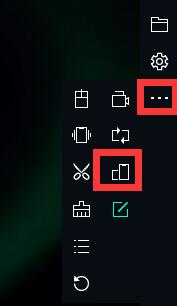
How to fix landscape and portrait
 |
|
Tips: Not all apps can fix landscape and portrait, if some apps flash back, just cancel it.
The MEmu comes with a fixed switching function. The information settings in the upper right corner of the simulator are as follows:
1. How to fix landscape?
① Pull down the Android menu to switch "Auto-rotate".
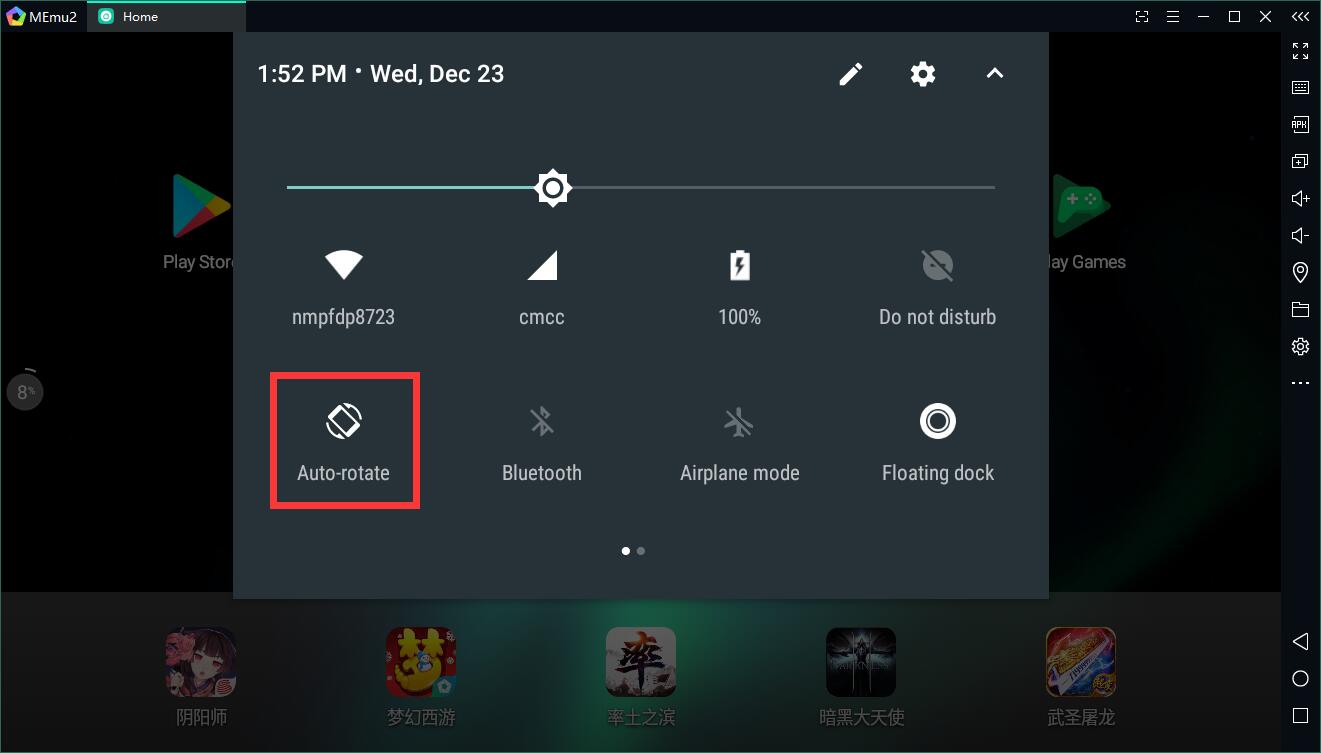
② Select “Fixed landscape” in the upper right corner.
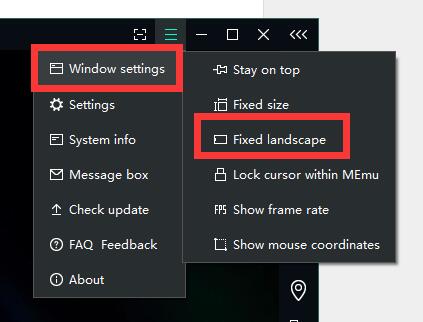
2. How to fix portrait?
① Adjust the resolution to "Phone" in the "Display", save and restart.
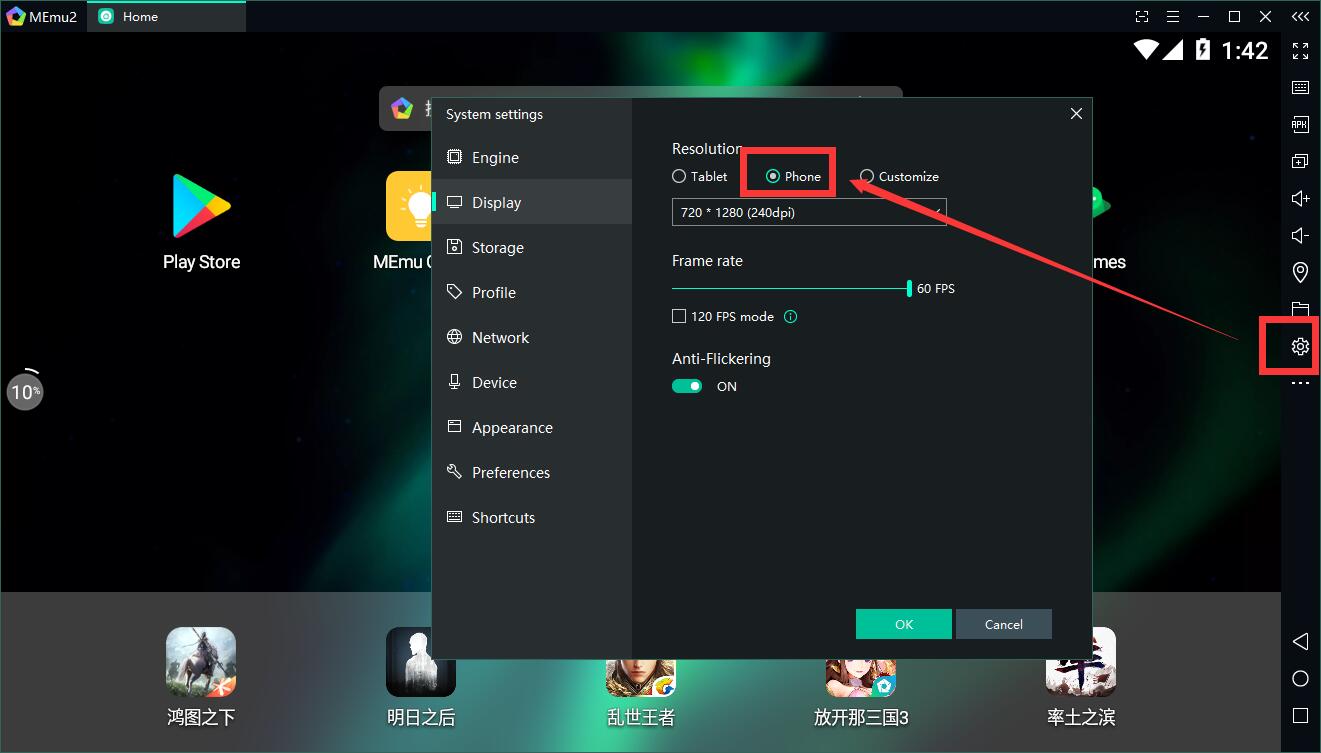
② Pull down the Android menu and select "portrait".
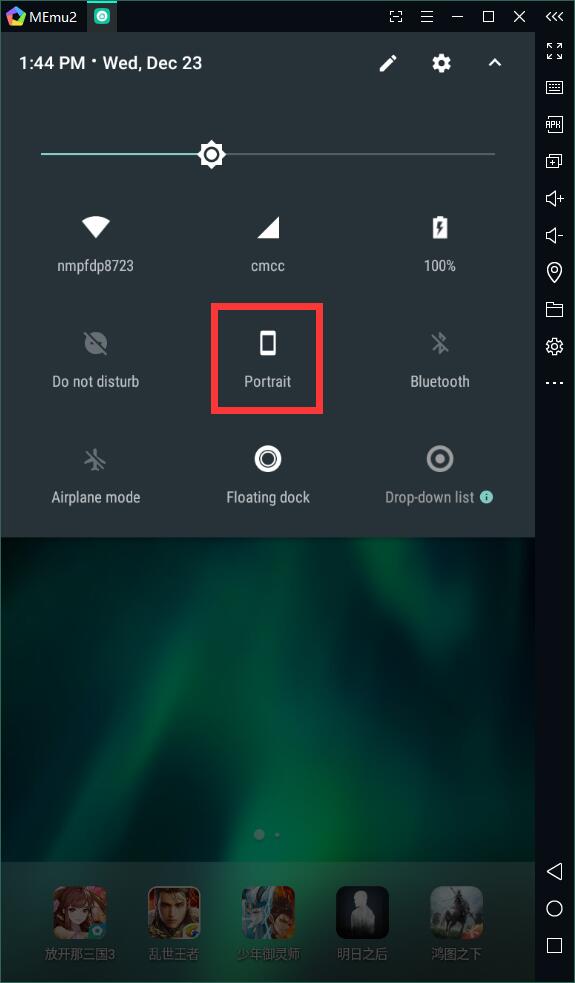
Tips: Landscape still appears after fixed portrait, you can select the function shown in the picture.