How to Use MEmu?
 |
|
In this article, we will introduce the basic functions of MEmu and the basic steps to play Android games on the MEmu Android Emulator. You might also want to check out what is MEmu and find out whether MEmu is safe.
What are the system requirements?
Please check the system requirements article for the most updated information.
Note: If you want to create multiple Android instances, run Multi-MEmu.
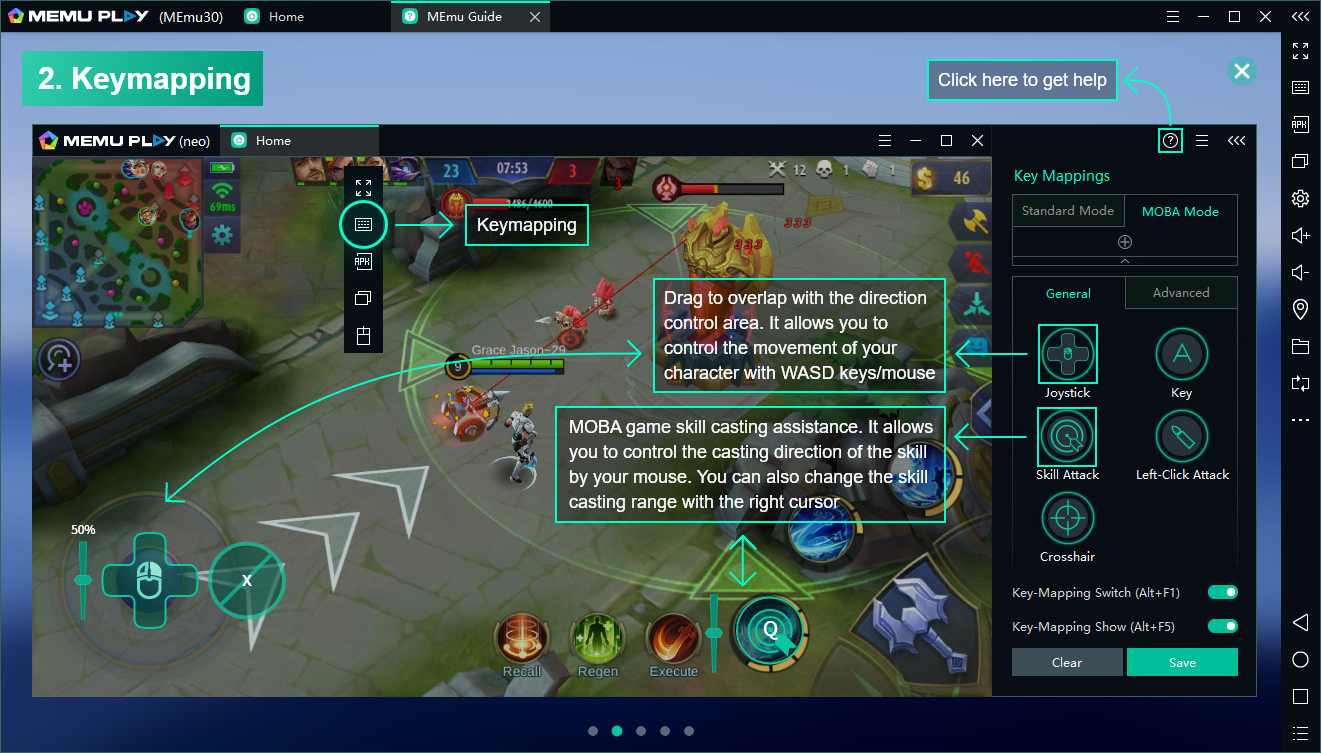
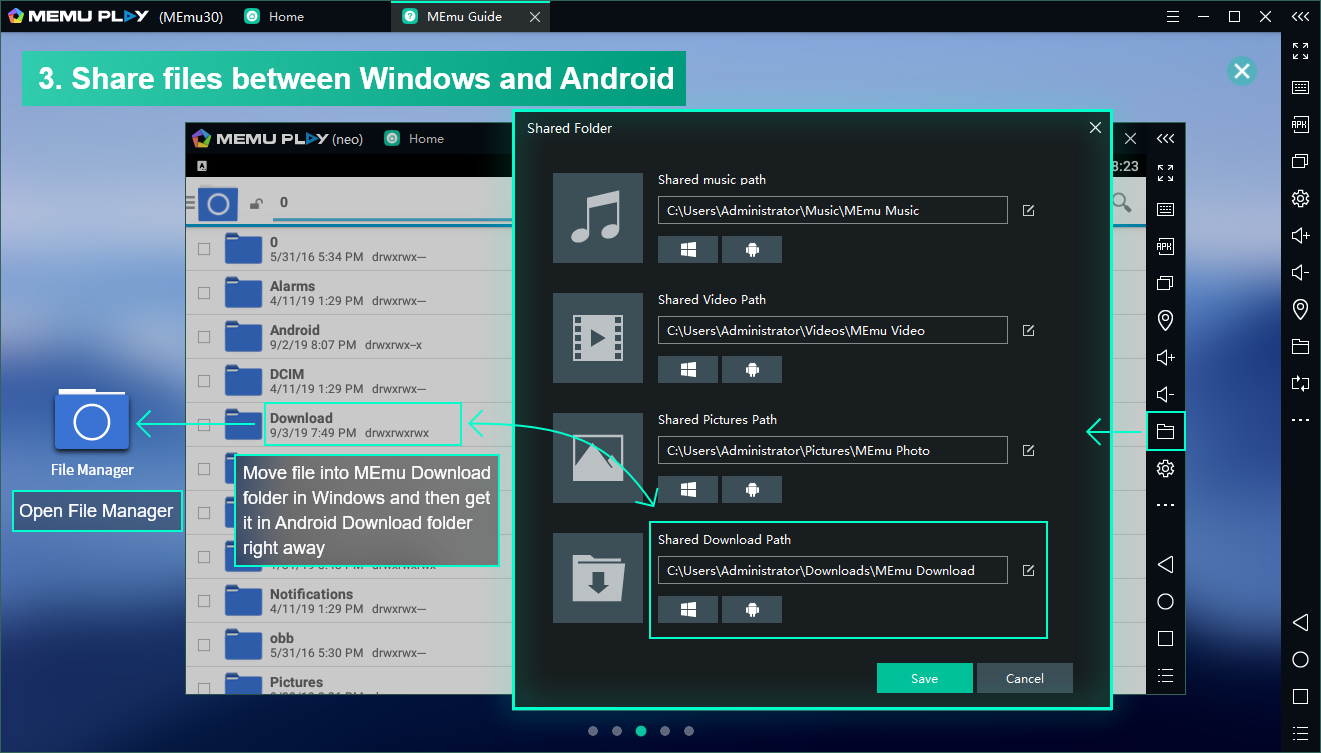
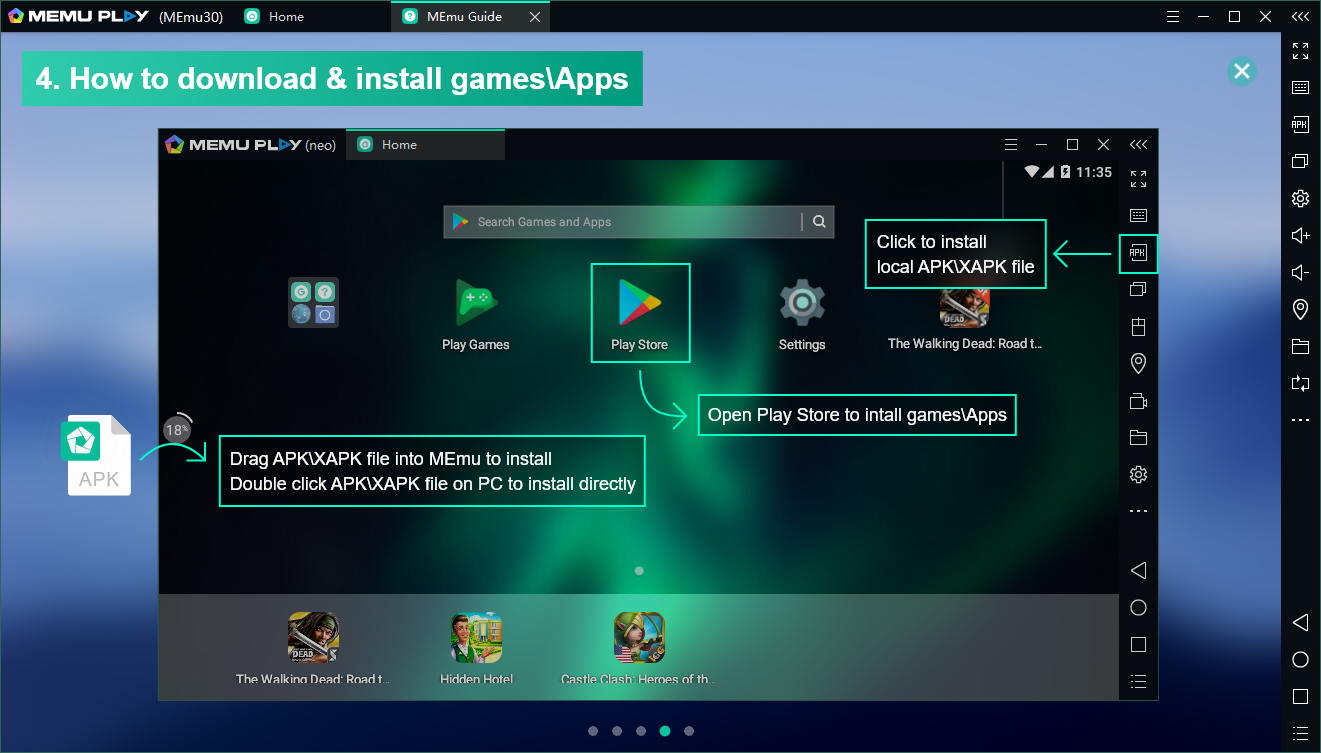
Interface Introduction:
Please follow the instruction below to set up your keymapping so you can enjoy playing Android games with your keyboard, mouse, or controller.


Extended Readings:
- How to set up MEmu? How to Configure CPU and Memory
- How to download apps? How to Download and Install Games or Apps
- Why it is so slow? How to Enable Hardware Virtualization
- Why does it fail to start? System requirements & How to Solve Start Failure
- Why does it fail to start unexpectedly? Conflict with other software
- Youtube Videos:
[Video Tutorial] MEmu App Player
[Video Tutorial] Multi-MEmu User Guide
> Back to MEmu Support, everything you need to know about MEmu <<
- Official Website: https://www.memuplay.com
- Official Twitter: https://twitter.com/MicrovirtMEmu
- Facebook Page: https://www.facebook.com/memuplayer
- MEmu User Group: https://www.facebook.com/groups/memuplayer
- Discord: https://discord.gg/gA4GWV9