
Panophobia
Aktualisiert
Aktuelle Version
Angeboten von

Bei all Ihrer Leidenschaft für das Spielen von Panophobia sollten Ihre Hände nicht auf einen winzigen Bildschirm Ihres Telefons beschränkt sein. Spielen Sie wie ein Profi und übernehmen Sie die volle Kontrolle über Ihr Spiel mit Tastatur und Maus. MEmu bietet Ihnen all die Dinge, die Sie erwarten. Laden Sie Panophobia herunter und spielen Sie es auf dem PC. Spielen Sie so lange, wie Sie wollen, ohne Grenzwerte für Akku, mobile Daten und störende Anrufe. Das brandneue MEmu 9 ist die beste Wahl, um Panophobia auf dem PC zu spielen. Das exquisite voreingestellte Tastaturbelegungssystem, das mit unserem Fachwissen vorbereitet wurde, macht Panophobia zu einem echten PC-Spiel. Der MEmu Multi-Instanz-Manager ermöglicht das Spielen von 2 oder mehr Konten auf demselben Gerät. Und das Wichtigste: Unsere exklusive Emulations-Engine kann das volle Potenzial Ihres PCs freisetzen und für reibungslose Abläufe sorgen.
Mehr anzeigen
Laden Sie Play Panophobia auf dem PC mit MEmu Android Emulator. Viel Spaß beim Spielen auf großmundieren. Panophobia Game is a horror-themed mobile game built for Android, mixing psychological suspense with story-driven chaos.
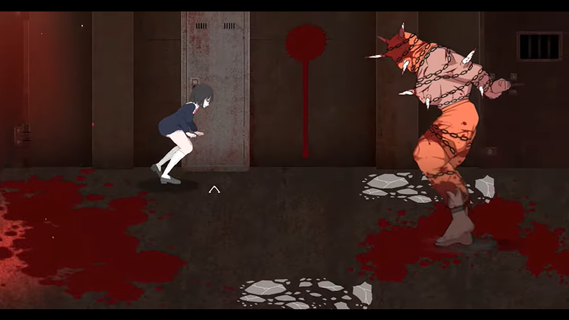
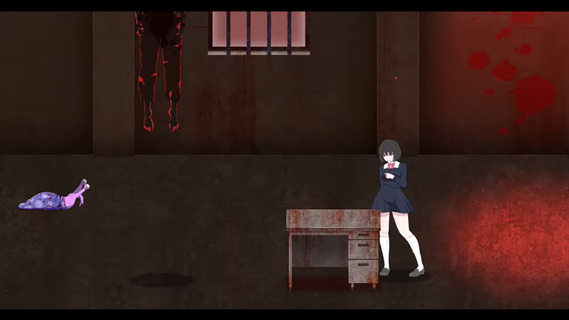
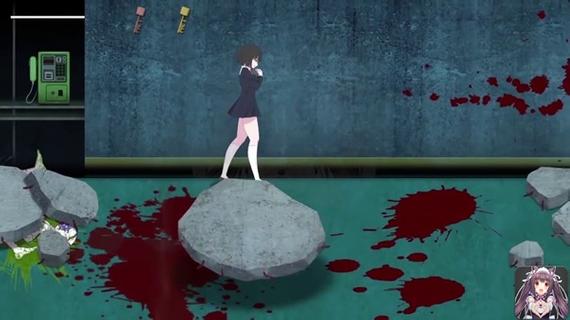
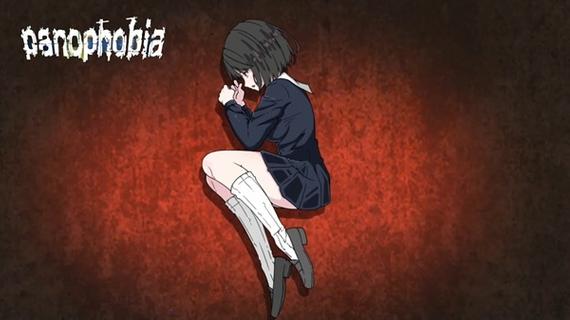
Panophobia Game is a horror-themed mobile game built for Android, mixing psychological suspense with story-driven chaos. It's not your typical casual tap-and-swipe kind of app â this one dives deep into a twisted narrative filled with fear triggers, jump scares, and survival puzzles. With intense storytelling and choice-based mechanics, it blends atmospheric tension with eerie visuals that keep your nerves on edge.Panophobia thrives on unpredictability. You're thrown into a nightmarish world where fear isnât just an emotion â itâs the main mechanic. Each level is packed with clues, creepy visuals, and decision-making moments that can shift the entire flow of the game. Itâs less about flashy action and more about the pressure cooker feeling of being trapped in your own dread.The artwork is where it really pops. The developers put in serious work crafting a visual language that messes with your head. Shadows stretch a little too far, and figures in the corner of your eye feel just real enough to make you question everything. Itâs designed to keep you unsteady, right from the first tap.Youâll also find yourself making decisions that ripple through the story. Your actions matter â which makes every choice you make kinda stressful, in the best way possible. Youâre not just surviving monsters or dodging traps; youâre unraveling a web of phobias and psychological horror that plays out differently depending on how bold (or reckless) you are.Even though the mechanics are simple to grasp â mostly touch, drag, or swipe â the intensity ramps up quickly. You wonât spend time learning a bunch of controls. Instead, the focus is on your reaction speed, instincts, and how well you handle pressure in the dark.The multiplayer mode is a plot twist on its own. Connecting with friends or strangers adds a layer of unpredictable chaos. Sometimes it helps. Sometimes it makes the fear worse. But thatâs what makes it so fun â or terrifying â depending on your vibe.
Mehr anzeigen

1. Laden das MEmu-Installationsprogramm herunter und beenden die Installation

2. MEmu starten und Google Play auf der Homepage öffnen

3. Suchen Panophobia in Google Play
Install
4. Herunterladen und Installieren Panophobia
5. Klicken nach Abschluss der Installation auf das Symbol, um es zu starten

6. Viel Spaß beim Spielen von Panophobia auf dem PC mit MEmu
MEmu App Player ist der beste kostenlose Android-Emulator und 50 Millionen Menschen genießen bereits seine hervorragende Android-Gaming-Erfahrung. Mit der MEmu-Virtualisierungstechnologie können Sie Tausende von Android-Spielen problemlos auf Ihrem PC spielen, selbst bei grafikintensiven Spielen.
BGrößeres Bild mit besserer Grafik; Keine unterbrechungen, keine sorgen um Akku
Komplette Tastenbelegung unterstützt mit Maus und Tastatur oder Controller
Mit dem „Multi-Instance-Manager“ können Sie mehrere Spielkonten oder Spiele gleichzeitig auf einem PC ausführen.
Play Panophobia on PC by following steps: