Don't Starve Together
Mise à jour
Version actuelle
2.3.1
Proposée par

Avec toute la passion que vous avez à jouer Don't Starve Together, vos mains ne sont pas sensées se limiter à l’infime écran de votre téléphone. Jouez comme un pro et ayez le contrôle total de votre jeu à l’aide du clavier et de la souris. MEmu satisfait toutes vos attentes. Téléchargez et jouez Don't Starve Together sur PC. Jouez aussi longtemps que vous souhaitez sans aucune limitation de batterie, de données mobiles et d’appels embêtants. La toute nouvelle version de MEmu 9 est la meilleure option de jouer Don't Starve Together sur PC. Réalisé par nos experts, l’e magnifique système d’affectation de touches prédéfini fait de Don't Starve Together un jeu réaliste sur PC. Le gestionnaire multi-instances de MEmu permet 2 ou plusieurs comptes de jeu sur le même appareil. Et le plus important, le moteur d’émulation exclusif peut libérer le plein potentiel de votre PC, ce qui facilite tout.
Afficher plus
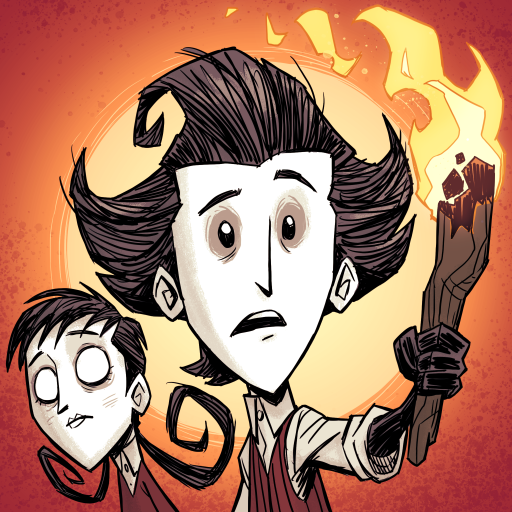
Téléchargez Don't Starve Together avec le simulateur d’Android MEmu sur votre PC. Profitez de jouer sur un grand écran. Combattez, cultivez, construisez et explorez ensemble dans cette extension multijoueur autonome du jeu de survie intransigeant en univers sauvage, Don't Starve.
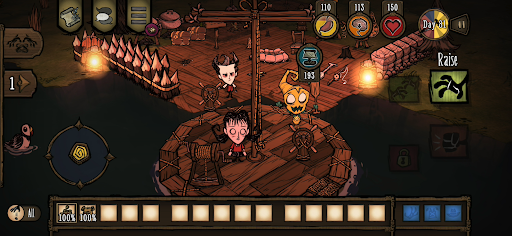
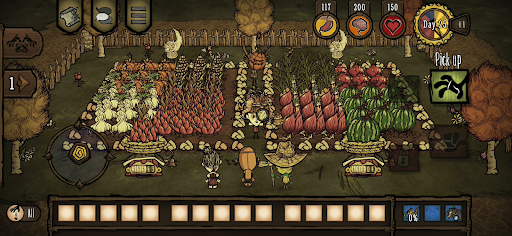
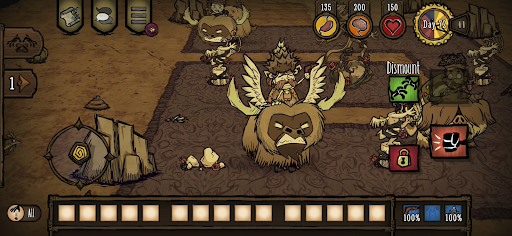
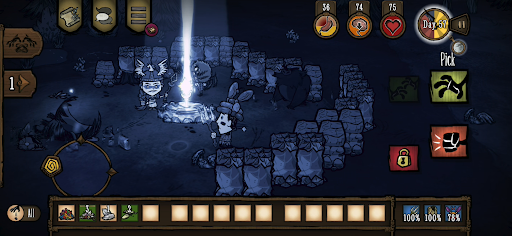
Combattez, cultivez, construisez et explorez ensemble dans cette extension multijoueur autonome du jeu de survie intransigeant en univers sauvage, Don't Starve.
Pénétrez dans un monde étrange et inexploré bourré de créatures bizarres, de dangers cachés et de vieux secrets. Collectez des ressources afin de fabriquer des objets et des structures correspondant à votre style de survie. Jouez à votre manière et élucidez les mystères de « La Constante ». Coopérez entre amis lors de parties privées ou faites-vous-en de nouveaux en ligne. Collaborez avec d'autres joueurs pour survivre dans un environnement hostile ou tentez votre chance en solitaire.
Survivez ensemble dans un monde sinistre plein de surprises et de mystères, et faites preuve de ressources pour sortir de ces ténèbres.
CARACTÉRISTIQUES
– Faites le nécessaire pour survivre dans ce monde caricatural étrange et choisissez parmi un large éventail de personnages, chacun avec une histoire et un style qui lui sont propres.
– L'union fait la force : ces terres pullulent de dangers et de monstres, donc vous aurez plus de chances avec des amis autour de vous, que ce soit en local ou en ligne, pour survivre ensemble.
– Vos besoins avant tout : construisez une colonie, cultivez et chassez pour vous nourrir, fabriquez de l'équipement pour vous défendre et partez en expédition tout en pensant à faire des pauses et renifler les fleurs sous peine de perdre les pédales !
– Qui vous a emmené dans un endroit aussi dangereux, et pourquoi ? Vous devrez explorer « La Constante » et résoudre ses mystères déroutants pour trouver un moyen de vous échapper.
– Jouez à votre façon : choisissez le mode de jeu que vous préférez afin d'ajuster la difficulté via toute une sélection de paramètres.
– Choisissez parmi un large choix d'objets afin de personnaliser vos personnages préférés : survivre certes, avec mais style ! (Achats en jeu disponibles)
Soigneusement retravaillé pour mobile
– Interface remaniée : UI mobile exclusive avec commandes tactiles intégrales
– Partage des éléments débloqués entre PC et console : Associez vos comptes et partagez vos skins et personnages débloqués entre votre PC et votre console
– Succès Google Play Games
– Sauvegarde cloud : partagez votre partie entre appareils Android
– Compatible avec manettes MFi
Afficher plus

1. Téléchargez l'installateur MEmu et terminez l'installation

2. Démarrez MEmu puis ouvrez Google Play sur la page d'accueil

3. Recherchez Don't Starve Together dans Google Play
Install
4. Téléchargez et installez Don't Starve Together
5. Une fois l'installation terminée, cliquez sur l'icône pour démarrer

6. Profitez de jouer Don't Starve Together sur PC avec MEmu
Le lecteur d'application MEmu est le meilleur émulateur Android gratuit, et 50 millions de personnes profitent déjà de sa fantastique expérience de jeu Android. La technologie de virtualisation MEmu vous donne la possibilité de jouer à des milliers de jeux Android sur votre PC sans aucune difficulté, même aux plus gourmands.
L’écran plus grand avec de meilleurs graphismes; Une longue durée, sans limitation de batterie ou de données mobiles.
Soutien du Keymapping pour un contrôle précis du clavier et de la souris ou de la manette de jeu
Plusieurs comptes de jeu ou tâches sur un seul PC en même temps avec le gestionnaire de multi-instance.
Play Don't Starve Together on PC by following steps: