Don't Starve Together
Updated
Current Version
2.3.1
Offered By

With your passion for Don't Starve Together, you shouldn’t have to limit yourself to the small screen of a phone. Play like a pro and take full control of the game using a keyboard and mouse. MEmu gives you everything you’re looking for. Download and play Don't Starve Together on PC. Play as long as you want — no more worries about battery life, mobile data, or unexpected calls. The all-new MEmu 9 is the best way to play Don't Starve Together on PC. With our expertly designed keymapping system, Don't Starve Together feels just like a real PC game. The MEmu multi-instance manager lets you run two or more accounts on the same device at the same time. Most importantly, our exclusive emulation engine unlocks your PC’s full potential, delivering smooth and seamless performance.
Show more
Download Don't Starve Together on PC with MEmu Android Emulator. Enjoy playing on big screen. Fight, Farm, Build and Explore Together in the standalone multiplayer expansion to the uncompromising wilderness survival game, Don't Starve.
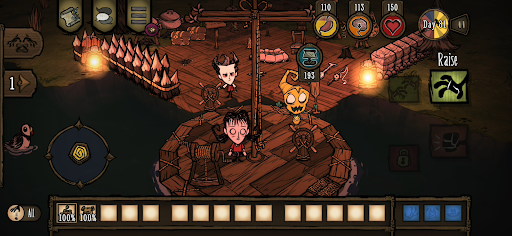
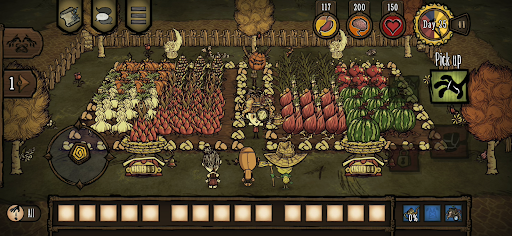
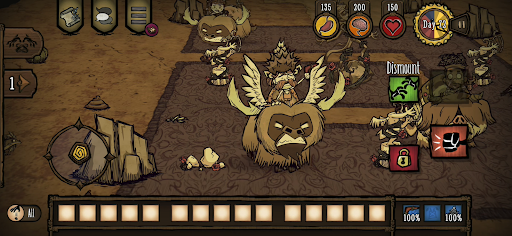
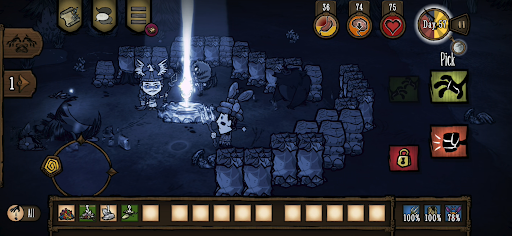
Fight, Farm, Build and Explore Together in the standalone multiplayer expansion to the uncompromising wilderness survival game, Don't Starve.
Enter a strange and unexplored world full of odd creatures, hidden dangers, and ancient secrets. Gather resources to craft items and build structures that match your survival style. Play your way as you unravel the mysteries of "The Constant". Cooperate with your friends in a private game, or find new friends online. Work with other players to survive the harsh environment, or strike out on your own.
Survive together stranded on a gloomy world full of surprises and mysteries, and craft your way out through the darkness. Do whatever it takes, but most importantly, Don't Starve.
FEATURES
– Do what you can to survive in this spooky and cartoonish world and choose between a large catalog of characters with their own backstory and playstyle.
– There’s safety in numbers: these lands are full of dangers and monsters so your odds are greater surrounded by friends in local co-op or online partners you meet along the way.
– Tend to your needs: build a settlement, farm and hunt for food, craft better gear to defend yourself and go in expedition but don’t forget to take a break in the flowers once in a while or you’ll start to lose your mind!
– Who put you in these dangerous surroundings, and why? You’ll need to explore "The Constant" and crack its puzzling mysteries to find out and escape this gloomy place.
– Play your own way: pick the mode you prefer to adjust the difficulty by tweaking a large panel of parameters.
– Choose from a large variety of cosmetic items for your favorite characters: survive, but in style! (available in in-app purchases)
CAREFULLY REDESIGNED FOR MOBILE
– Revamped interface – exclusive mobile UI with complete touch control
– Google Play Games achievements
– Shared Unlocks with PC & Console - Link your accounts and share your unlocked skins and characters with PC and Console
– Cloud Save – Share your progress between Android devices
– Compatible with controllers
Show more

1. Download MEmu installer and finish the setup

2. Start MEmu then open Google Play on the desktop

3. Search Don't Starve Together in Google Play
Install
4. Download and Install Don't Starve Together
5. On install completion click the icon to start

6. Enjoy playing Don't Starve Together on PC with MEmu
MEmu Play is the best Android emulator and 100 million people already enjoy its superb Android gaming experience. The MEmu virtualization technology empowers you to play thousands of Android games smoothly on your PC, even the most graphic-intensive ones.
Bigger screen with better graphics; Long duration, without limitation of battery or mobile data.
Full Keymapping support for precise control of keyboard and mouse or gamepad.
Multiple game accounts or tasks on single PC at one time with Multi-Instance manager.
Play Don't Starve Together on PC by following steps: