
Adventure Bar Story
Updated
Current Version
1.7.4
Offered By

With your passion for Adventure Bar Story, you shouldn’t have to limit yourself to the small screen of a phone. Play like a pro and take full control of the game using a keyboard and mouse. MEmu gives you everything you’re looking for. Download and play Adventure Bar Story on PC. Play as long as you want — no more worries about battery life, mobile data, or unexpected calls. The all-new MEmu 9 is the best way to play Adventure Bar Story on PC. With our expertly designed keymapping system, Adventure Bar Story feels just like a real PC game. The MEmu multi-instance manager lets you run two or more accounts on the same device at the same time. Most importantly, our exclusive emulation engine unlocks your PC’s full potential, delivering smooth and seamless performance.
Show more
Download Adventure Bar Story on PC with MEmu Android Emulator. Enjoy playing on big screen. Attention.
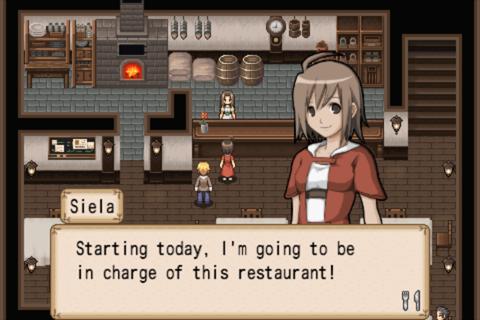
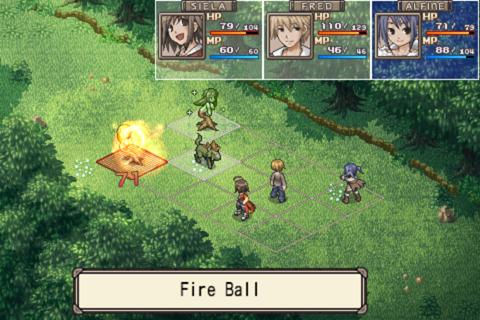
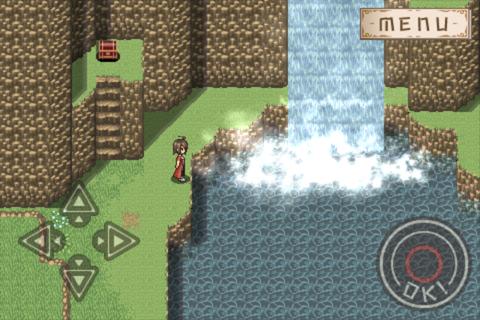
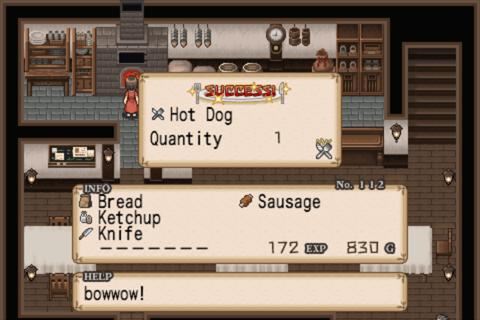
Attention
Before downloading "Adventure Bar Story", please download the free application, "Adventure Bar Story LITE" to make sure the game is supported on your device.
■ Adventure Bar Story LITE
https://play.google.com/store/apps/details?id=com.rideon.sakaba_eng_free&feature=more_from_developer
#1 RPG in 27 Countries on the App Store
Own a Bar Inside an RPG! -Simulation Management Meets Full Scale RPG-
“I'm so high on this because it's the best of every world. I'm not spending hours and hours senselessly grinding, and I'm not cooking fake food until my eyes bleed. The mix of action and simulation feels right. The pacing is good.” -toucharcade.com
“It's a massive game, with a seriously smart idea that has been executed well. If you're hooked by RPGs and find simulations addictive, this game might just eliminate your free time altogether.” -Pocket Gamer
“We spent way more time than we bargained for with a near-final build as we got sucked into its intricacies, but we’ve managed to tear our thumbs away from the touchscreen long enough to write up some impressions.” -iFanzine.com
site
http://www.rideongames.com/android/adventure_bar_story/top.html
Story
Kamerina's Bar is a typical tavern in the world of an RPG where adventurers gather to share information. YOU are the owner. Gustav, the rich neighborhood restaurant owner, is trying to buyout your tavern. Gustav is a powerful man, if you don't do anything, he will drive you out of business and force you to sell the bar! Best way to defend the take over? WIN THE CROWD! Become the most popular bar in town, so even Gustav can't touch you!
Game Play
- Slice Up Monsters for Your Main Dish!
Battles are the best way to get exotic ingredients. Slice up a dragon, and bring back its meat to cook dragon steak! Steal its eggs to make dragon omelets!
- Rank up Your Bar!
Cook with the ingredients gathered in your adventure. Serve customers and win contests to Rank up Your Bar and trigger RPG events. Do you have what it takes to analyze seasonal demand changes and combos?
-Eat to Level Up!
Unlike most RPGs, the characters in this game do not level up by fighting monsters. EXP is gained only through eating! Make enough food for your customers and party members. The better the food, the stronger they get.
- 400 Recipes
There are over 400 recipes in the game! Completing the recipe book will be a tough challenge. Lead your party members to over 10 dungeons in the game to look for rare ingredients!
※iAPs are absolutely unnecessary for the full completion of the game. Only 50-70 hours of your time is! There is also no waiting time in the game. It’s NOT a pay or wait game.
Show more

1. Download MEmu installer and finish the setup

2. Start MEmu then open Google Play on the desktop

3. Search Adventure Bar Story in Google Play
Install
4. Download and Install Adventure Bar Story
5. On install completion click the icon to start

6. Enjoy playing Adventure Bar Story on PC with MEmu
MEmu Play is the best Android emulator and 100 million people already enjoy its superb Android gaming experience. The MEmu virtualization technology empowers you to play thousands of Android games smoothly on your PC, even the most graphic-intensive ones.
Bigger screen with better graphics; Long duration, without limitation of battery or mobile data.
Full Keymapping support for precise control of keyboard and mouse or gamepad.
Multiple game accounts or tasks on single PC at one time with Multi-Instance manager.
Play Adventure Bar Story on PC by following steps:















































