Backgammon Pro
Updated
Current Version
4.42
Offered By

With your passion for Backgammon Pro, you shouldn’t have to limit yourself to the small screen of a phone. Play like a pro and take full control of the game using a keyboard and mouse. MEmu gives you everything you’re looking for. Download and play Backgammon Pro on PC. Play as long as you want — no more worries about battery life, mobile data, or unexpected calls. The all-new MEmu 9 is the best way to play Backgammon Pro on PC. With our expertly designed keymapping system, Backgammon Pro feels just like a real PC game. The MEmu multi-instance manager lets you run two or more accounts on the same device at the same time. Most importantly, our exclusive emulation engine unlocks your PC’s full potential, delivering smooth and seamless performance.
Show more
Download Backgammon Pro on PC with MEmu Android Emulator. Enjoy playing on big screen. Top Developer (awarded 2011, 2012, 2013 and 2015) .
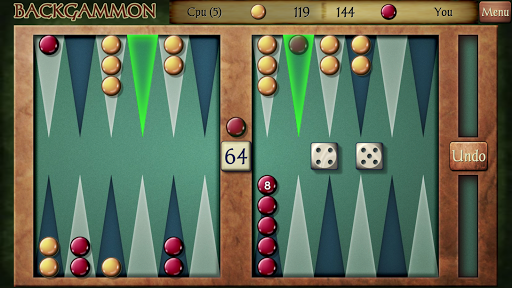
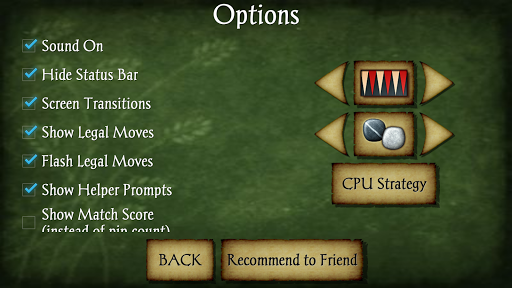
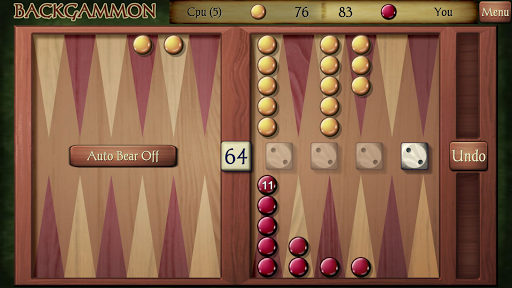
Top Developer (awarded 2011, 2012, 2013 and 2015)
AI Factory's Backgammon is the best free Backgammon game on Android!
Backgammon is a game of skill and strategy; one of the world's classic parlour board games, played for recreation and gambling. Like Mahjong, Backgammon is played in social groups in coffee houses and bars. Historically, variants of this game are believed to have been played in Mesopotamia and Egypt thousands of years ago, then by the Romans and later in India. It also spread to East Asia, but was largely replaced by Xiangqi (Chinese chess). It is now very popular in the West.
Features: ** New stronger Version June 2023 **
-- New --- Full game review! Step back and re-analyse your games, with game record export
-- New --- Set your own Dice Seed so you can replay games to try out strategies, also allowing you to prove dice integrity
-- New --- Full extensive stats, allowing full match and lifetime breakdown of numbers
-- New --- Full in-depth 70k on-line documentation with usage instructions
-- Strong Backgammon AI, now with 2 game engines!
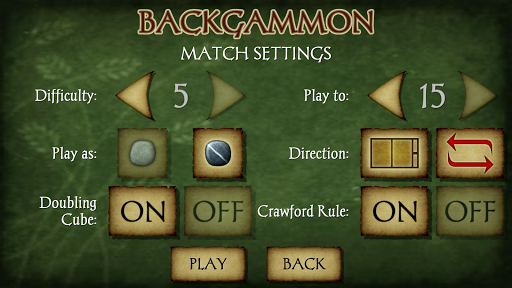
-- 7 Difficulty levels! 5 existing levels + 2 new stronger levels added!
-- Full match play + Doubling Cube & Crawford rule options
-- 4 Boards and Piece Sets
-- Single Player vs Computer or local 2 Player
-- Hint & Stats
-- Auto Dice generator, Seeded Dice generator or Manual Dice input
-- Designed for both Tablet and Phone
*Does it cheat? See "CPU Strategy" page + Manual Dice (using real-world dice) and Manual Seed option (to test dice integrity) to prove to yourself that it doesn't*
Show more

1. Download MEmu installer and finish the setup

2. Start MEmu then open Google Play on the desktop

3. Search Backgammon Pro in Google Play
Install
4. Download and Install Backgammon Pro
5. On install completion click the icon to start

6. Enjoy playing Backgammon Pro on PC with MEmu
MEmu Play is the best Android emulator and 100 million people already enjoy its superb Android gaming experience. The MEmu virtualization technology empowers you to play thousands of Android games smoothly on your PC, even the most graphic-intensive ones.
Bigger screen with better graphics; Long duration, without limitation of battery or mobile data.
Full Keymapping support for precise control of keyboard and mouse or gamepad.
Multiple game accounts or tasks on single PC at one time with Multi-Instance manager.
Play Backgammon Pro on PC by following steps: