Hearts Pro
Updated
Current Version
2.05
Offered By

With your passion for Hearts Pro, you shouldn’t have to limit yourself to the small screen of a phone. Play like a pro and take full control of the game using a keyboard and mouse. MEmu gives you everything you’re looking for. Download and play Hearts Pro on PC. Play as long as you want — no more worries about battery life, mobile data, or unexpected calls. The all-new MEmu 9 is the best way to play Hearts Pro on PC. With our expertly designed keymapping system, Hearts Pro feels just like a real PC game. The MEmu multi-instance manager lets you run two or more accounts on the same device at the same time. Most importantly, our exclusive emulation engine unlocks your PC’s full potential, delivering smooth and seamless performance.
Show more
Download Hearts Pro on PC with MEmu Android Emulator. Enjoy playing on big screen. Top Developer (awarded 2013) .
Top Developer (awarded 2013)
Same as our free "Hearts", but without advertising!
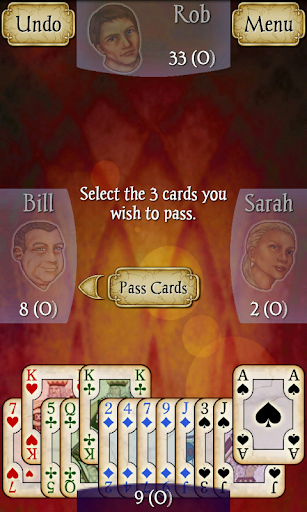
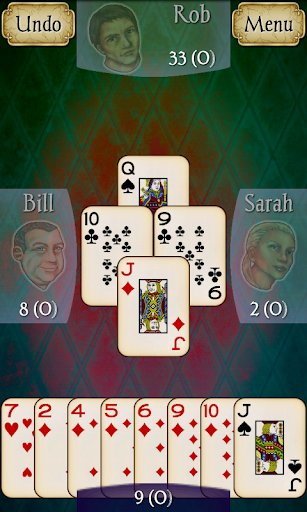
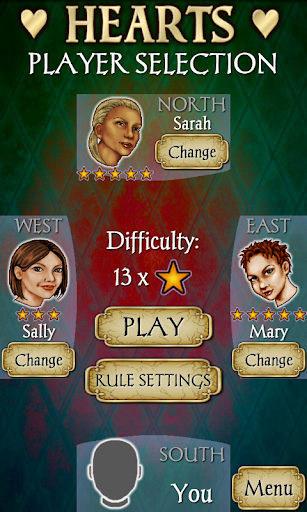
AI Factory Hearts brings this classic and popular 4-player trick-taking card game to the Android market. Created to the same high standard as the rest of our games, AI Factory Hearts provides classy graphics, super smooth gameplay, highly scalable difficulty & much more. Hearts has never been so good!
Hearts is also known under a number of different names around the world, including Chase the Lady and Rickety Kate, and is similar to the game Black Lady. In Turkey the game is called Queen of Spades, and in India it is known as Black Queen.
Featuring:
- Full Hearts play, with optional Jack of Diamonds rule
- Card passing options, including alternating (Left, Right, Across, No Pass)
- 18 CPU Hearts players of varying skill (beginner to expert)
- Choose which characters to play against!
- Choose between 3 decks of cards and 5 backgrounds (or use your own photo!)
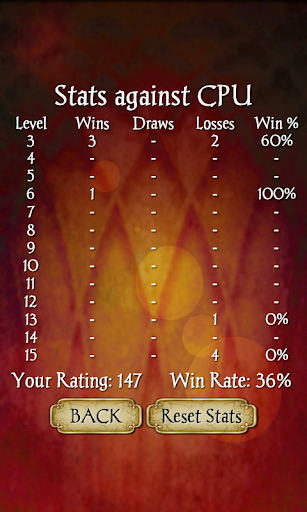
- User and CPU player stats!
- Undo & Hints
- Hearts Rules & Help
- Designed for both Tablet and Phone
Show more

1. Download MEmu installer and finish the setup

2. Start MEmu then open Google Play on the desktop

3. Search Hearts Pro in Google Play
Install
4. Download and Install Hearts Pro
5. On install completion click the icon to start

6. Enjoy playing Hearts Pro on PC with MEmu
MEmu Play is the best Android emulator and 100 million people already enjoy its superb Android gaming experience. The MEmu virtualization technology empowers you to play thousands of Android games smoothly on your PC, even the most graphic-intensive ones.
Bigger screen with better graphics; Long duration, without limitation of battery or mobile data.
Full Keymapping support for precise control of keyboard and mouse or gamepad.
Multiple game accounts or tasks on single PC at one time with Multi-Instance manager.
Play Hearts Pro on PC by following steps: