Color Cube Match: Sort Puzzle
Updated
Current Version
0.4.1
Offered By

With your passion for Color Cube Match: Sort Puzzle, you shouldn’t have to limit yourself to the small screen of a phone. Play like a pro and take full control of the game using a keyboard and mouse. MEmu gives you everything you’re looking for. Download and play Color Cube Match: Sort Puzzle on PC. Play as long as you want — no more worries about battery life, mobile data, or unexpected calls. The all-new MEmu 9 is the best way to play Color Cube Match: Sort Puzzle on PC. With our expertly designed keymapping system, Color Cube Match: Sort Puzzle feels just like a real PC game. The MEmu multi-instance manager lets you run two or more accounts on the same device at the same time. Most importantly, our exclusive emulation engine unlocks your PC’s full potential, delivering smooth and seamless performance.
Show more
Download Color Cube Match: Sort Puzzle on PC with MEmu Android Emulator. Enjoy playing on big screen. Color Cube Match—a calm cube-sorting game with a clever twist.
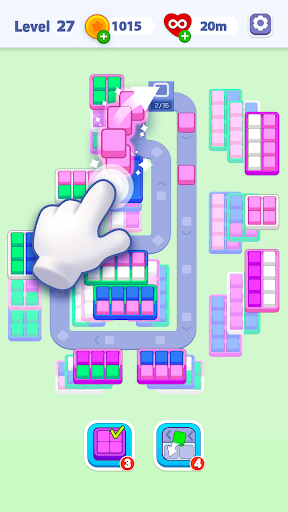
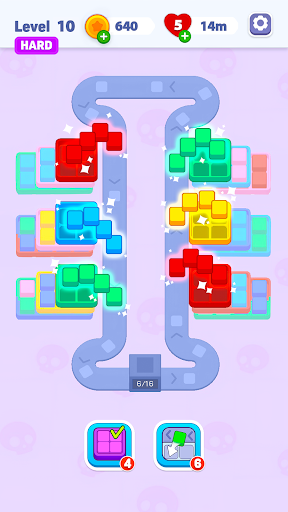
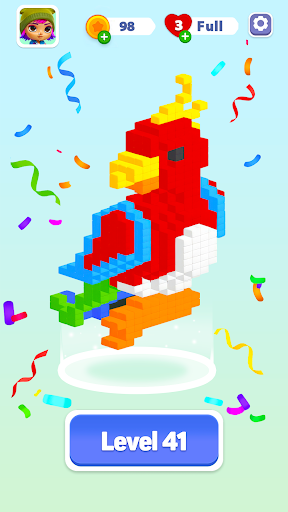
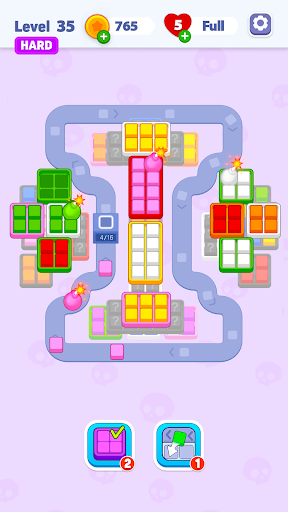
Color Cube Match—a calm cube-sorting game with a clever twist.
Take a break and dive into a vibrant flow of colors, crates, and smart moves. This puzzle sort game helps you unwind while your brain stays pleasantly engaged. Play at your own pace—perfect for fans of sorting games with no timer who love precise cube sorting.
Clear the Field, One Crate at a Time
Tap to pick up color cubes and place them on the conveyor. Watch them travel into matching crates and fill the slots. When a crate is full, it disappears—freeing space and revealing what's beneath. But mind the flow: conveyor slots are limited, so plan ahead to avoid jams in this thoughtful cube game and satisfying puzzle sort game.
Puzzle with a Twist
Your journey to sort cubes is filled with unique twists that make this puzzle sort game stand out:
- Mystery Boxes: Colors are hidden until revealed—adapt on the fly.
- Multicolor Crates: Need several block types—get the sequence right for a perfect clear.
- Crate Lock: Some crates open only after you clear others—rethink your route and keep the conveyor moving.
- Sealed Cube: One cube is hidden. Reveal it at the right moment to avoid jams.
- Shape Sort: Not only cubes—some crates need different object shapes. Slots show silhouettes; pieces auto-fill when color and shape match.
Power-Ups & Smart Tools
- Box Out: Instantly fill and remove any chosen crate to clear space fast.
- Hold Box: Move extra cubes off the conveyor into neutral storage when things get tight—then release them at the perfect moment to sort cubes efficiently.
Simple to Play, Satisfying to Master
One-tap controls, short levels, and pure logic—no twitchy moves needed. Enjoy a relaxed sort challenge or push yourself with trickier stacks and shapes. Designed for players who prefer no-timer color-sorting games and a fair, strategic challenge that rewards planning.
Why You'll Love It
- Unique conveyor flow you won't find in another cube game.
- Clean rules, low randomness—your plan wins.
- Great fit for breaks or longer puzzle streaks.
- Works offline—play anytime, anywhere.
- For fans of color-match and puzzle sort game design and those who like to sort cubes for tactile satisfaction.
Ready to match color cubes, fill crates, and clear the board? Jump into this fresh conveyor puzzle sort game—your next relaxing sort challenge awaits!
Show more

1. Download MEmu installer and finish the setup

2. Start MEmu then open Google Play on the desktop

3. Search Color Cube Match: Sort Puzzle in Google Play
Install
4. Download and Install Color Cube Match: Sort Puzzle
5. On install completion click the icon to start

6. Enjoy playing Color Cube Match: Sort Puzzle on PC with MEmu
MEmu Play is the best Android emulator and 100 million people already enjoy its superb Android gaming experience. The MEmu virtualization technology empowers you to play thousands of Android games smoothly on your PC, even the most graphic-intensive ones.
Bigger screen with better graphics; Long duration, without limitation of battery or mobile data.
Full Keymapping support for precise control of keyboard and mouse or gamepad.
Multiple game accounts or tasks on single PC at one time with Multi-Instance manager.
Play Color Cube Match: Sort Puzzle on PC by following steps: