City Transport Manager
Updated
Current Version
1.0.9
Offered By

With your passion for City Transport Manager, you shouldn’t have to limit yourself to the small screen of a phone. Play like a pro and take full control of the game using a keyboard and mouse. MEmu gives you everything you’re looking for. Download and play City Transport Manager on PC. Play as long as you want — no more worries about battery life, mobile data, or unexpected calls. The all-new MEmu 9 is the best way to play City Transport Manager on PC. With our expertly designed keymapping system, City Transport Manager feels just like a real PC game. The MEmu multi-instance manager lets you run two or more accounts on the same device at the same time. Most importantly, our exclusive emulation engine unlocks your PC’s full potential, delivering smooth and seamless performance.
Show more
Download City Transport Manager on PC with MEmu Android Emulator. Enjoy playing on big screen. What would public transport in your city look like if you could plan it yourself?
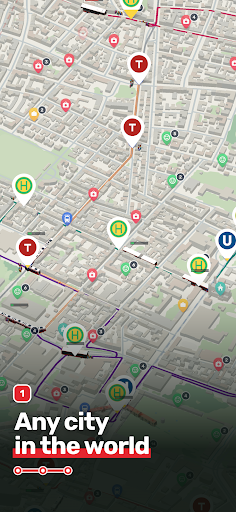
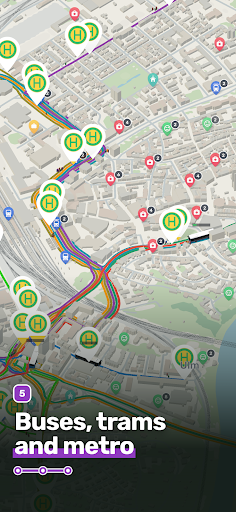
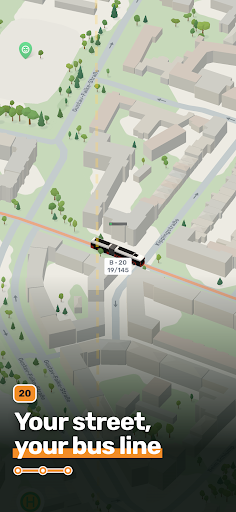
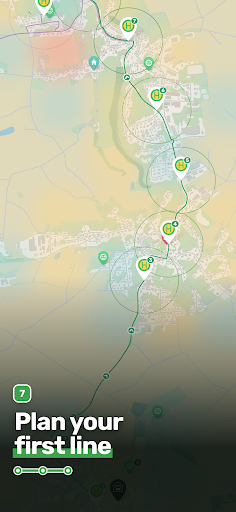
What would public transport in your city look like if you could plan it yourself?
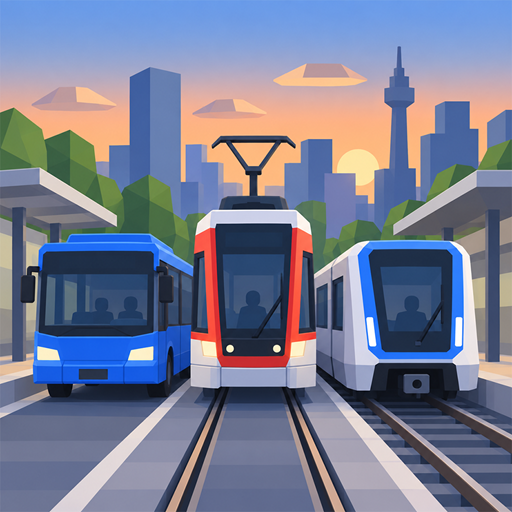
In City Transport Manager, you found your own transport company on real maps. Place stops, plan your first bus lines and build a network of buses, trams and metro lines step by step. You decide which districts to connect and how your passengers get where they're going.
YOUR CITY AS THE GAME WORLD
Start in your hometown or discover somewhere new. Real streets, buildings and interesting destinations form the basis of your transport network. Connect residential areas with workplaces, shopping and leisure activities, and expand your service area bit by bit.
FROM YOUR FIRST BUS LINE TO A FULL NETWORK
Set your routes, place stops in the right spots and keep transfers short. Unlock trams and metro lines and combine the different modes of transport so that individual lines become one connected network.
THE RIGHT VEHICLES FOR YOUR LINES
Grow your fleet from small minibuses to articulated buses and double-deckers. Put larger vehicles on high-demand routes and enlarge your depot as your company grows. Trams and metro trains open up new possibilities for busy connections.
GOOD CONNECTIONS, HAPPY PASSENGERS
Your passengers have specific destinations and transfer between your lines. Wait times, the routes they take and full vehicles all affect their satisfaction. Keep an eye on demand, adjust how your vehicles are deployed and improve your service where it's needed.
YOUR COMPANY, YOUR DECISIONS
Set ticket prices, keep track of revenue and operating costs, and invest in your next expansion. Choose operating hours and run your fleet automatically or tailored to the time of day. Strike the balance between an attractive service and a profitable operation.
GROW WITH EVERY SUCCESS
Complete goals, reach milestones and earn stars for research, new areas and upgrades. Unlock more vehicle categories and open up more and more of your city.
Turn your first line into a network that connects your city.
Show more

1. Download MEmu installer and finish the setup

2. Start MEmu then open Google Play on the desktop

3. Search City Transport Manager in Google Play
Install
4. Download and Install City Transport Manager
5. On install completion click the icon to start

6. Enjoy playing City Transport Manager on PC with MEmu
MEmu Play is the best Android emulator and 100 million people already enjoy its superb Android gaming experience. The MEmu virtualization technology empowers you to play thousands of Android games smoothly on your PC, even the most graphic-intensive ones.
Bigger screen with better graphics; Long duration, without limitation of battery or mobile data.
Full Keymapping support for precise control of keyboard and mouse or gamepad.
Multiple game accounts or tasks on single PC at one time with Multi-Instance manager.
Play City Transport Manager on PC by following steps: