
프로젝트 오리진 : X
Updated
Current Version
Offered By

With your passion for 프로젝트 오리진 : X, you shouldn’t have to limit yourself to the small screen of a phone. Play like a pro and take full control of the game using a keyboard and mouse. MEmu gives you everything you’re looking for. Download and play 프로젝트 오리진 : X on PC. Play as long as you want — no more worries about battery life, mobile data, or unexpected calls. The all-new MEmu 9 is the best way to play 프로젝트 오리진 : X on PC. With our expertly designed keymapping system, 프로젝트 오리진 : X feels just like a real PC game. The MEmu multi-instance manager lets you run two or more accounts on the same device at the same time. Most importantly, our exclusive emulation engine unlocks your PC’s full potential, delivering smooth and seamless performance.
Show more
Download 프로젝트 오리진 : X on PC with MEmu Android Emulator. Enjoy playing on big screen. 초미래 SF MMORPG의 시대가 시작된다!



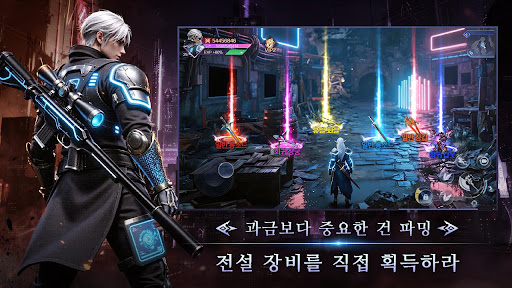
초미래 SF MMORPG의 시대가 시작된다!
미래 도시를 위협하는 거대한 위기가 시작된다!
지금 바로 전장에 합류하라!
게임 스토리
2077년, 인류 문명은 양자 기술 시대로 진입했다.
신경망 AI가 전 세계에 보급되면서 현실과 가상세계의 경계는 점차 사라지기 시작했다.
그러나 어느 날, 통제를 벗어난 AI 군단이 도시 핵심 시스템을 장악하고 기계 생명체들이
각성하면서 인류 문명은 붕괴의 위기에 직면한다.
마지막 질서를 되찾기 위해 특별한 유전자를 지닌 ‘각성자’들이 모여 저항군을 결성한다.
그들은 최첨단 전투 슈트와 초능력을 활용해 네온으로 빛나는 미래 도시와 폐허가 된
전장을 누비며 끊임없이 진화하는 기계 군단에 맞서 싸운다.
그리고 당신은 새로운 세대의 각성자로서,
최강 AI 파트너와 함께 인류의 운명을 건 전투에 뛰어들게 된다.
세계 뒤에 숨겨진 궁극의 진실을 밝혀낼 준비가 되었는가?
게임 소개
- 몰입감 넘치는 오픈월드 미래 도시 -
초대형 사이버펑크 도시를 자유롭게 탐험
네온 거리, 지하 블랙마켓, 기계 폐허를 넘나들며
진정한 미래 판타지 어드벤처를 경험하라
- 초능력 각성 액션 배틀 -
시간 정지, 중력 제어, 번개 폭발 등 다양한 초능력
자신만의 전투 스타일을 구축하고
한계를 뛰어넘는 화려한 콤보 액션을 즐겨라
- 초지능 AI 파트너 시스템 -
최첨단 AI와 함께 실시간 전투
적의 약점을 분석하고 강력한 필살기를 발동
차원이 다른 AI 협동 전투를 체험하라
- 초거대 기계 보스 총출동 -
압도적인 전쟁 병기에 맞서 팀을 결성하라
실시간 멀티플레이 협동 전투 지원
화면을 가득 채우는 압도적 스케일의 보스 레이드를 경험하라!
Show more

1. Download MEmu installer and finish the setup

2. Start MEmu then open Google Play on the desktop

3. Search 프로젝트 오리진 : X in Google Play
Install
4. Download and Install 프로젝트 오리진 : X
5. On install completion click the icon to start

6. Enjoy playing 프로젝트 오리진 : X on PC with MEmu
MEmu Play is the best Android emulator and 100 million people already enjoy its superb Android gaming experience. The MEmu virtualization technology empowers you to play thousands of Android games smoothly on your PC, even the most graphic-intensive ones.
Bigger screen with better graphics; Long duration, without limitation of battery or mobile data.
Full Keymapping support for precise control of keyboard and mouse or gamepad.
Multiple game accounts or tasks on single PC at one time with Multi-Instance manager.
Play 프로젝트 오리진 : X on PC by following steps: