BRIXITY
Updated
Current Version
1.0.22
Offered By

With your passion for BRIXITY, you shouldn’t have to limit yourself to the small screen of a phone. Play like a pro and take full control of the game using a keyboard and mouse. MEmu gives you everything you’re looking for. Download and play BRIXITY on PC. Play as long as you want — no more worries about battery life, mobile data, or unexpected calls. The all-new MEmu 9 is the best way to play BRIXITY on PC. With our expertly designed keymapping system, BRIXITY feels just like a real PC game. The MEmu multi-instance manager lets you run two or more accounts on the same device at the same time. Most importantly, our exclusive emulation engine unlocks your PC’s full potential, delivering smooth and seamless performance.
Show more
Download BRIXITY on PC with MEmu Android Emulator. Enjoy playing on big screen. Step into the year 2523 and dive into an all new take on world building games.
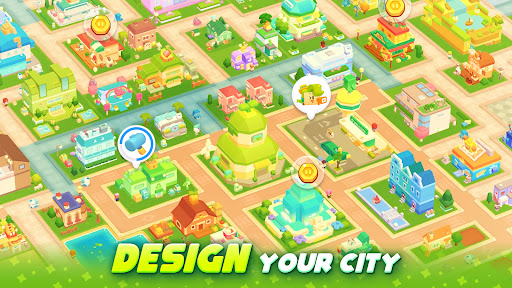
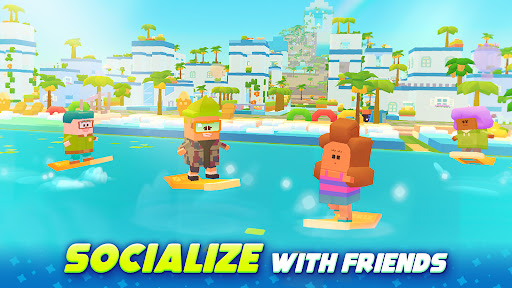
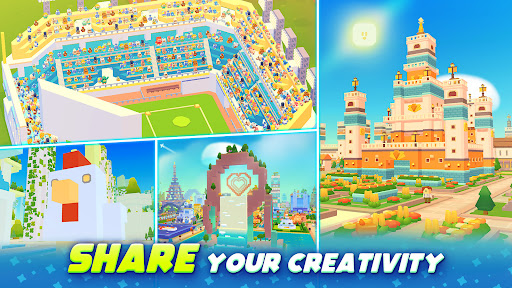
Step into the year 2523 and dive into an all new take on world building games. Earth lies desolate and in dire need of your visionary touch. As the Brix-Master, your mission is to build a city fit for civilization once again. Revive the planet with purifying substances called 'Brix', building blocks and create a city that will attract the cute and lovely Pipos, the future citizens of Earth.
Build your world in an all new sandbox adventure to construct magnificent buildings that will become the heart and soul of your civilization. Create a city with awe-inspiring structures, from towering skyscrapers to cozy residential homes, each designed with your own unique touch. If you can dream it, you can build it in this world of endless possibilities as you build your own architectural marvels. With over 7000 types of Brix(blocks) available, you can create a city unlike anything ever built. Share your creations with friends and even take inspiration as you visit their city.
Make a city fit for you new inhabitants with bustling city centers, transportation, and more! Assign jobs to your citizens to keep your world moving in a fantasy town simulator that brings your city building dreams to life. Step into unique and collaborative free building games as you explore the vast array of cities and worlds, each one a testament to the creativity and imagination of fellow builders around the world.
Build your own city and explore the awe-inspiring towns around you that put other players’ creativity on full display. Build up your world with special Brix and bring your dream city creations to life. Pipos are waiting to live the city life, so get to building!
BRIXITY FEATURES
CITY BUILDING GAMES FIT FOR YOU
- Build a city that serves as an outlet for your town building ideas and creativity
- Dream it, then build it. BRIXITY gives you the tools to create a city how you envision it
- Enter a city tycoon adventure filled with unique content, a playful population, and fun ways to interact with others
PIPOS ARE READY FOR THE CITY LIFE
- Create a city fit for all Pipos, each with their own personalities and adorable quirks
- Build your world and watch them engage in playful activities and spread joy throughout your city
- Become the ultimate city manager as you assign jobs and create the perfect environment for your Pipos to thrive
BUILD, EXPLORE, AND SHARE YOUR CREATIONS
- Enjoy truly collaborative city building games as you share blueprints with friends and other players
- Explore cities around you to marvel in the creativity of BRIXITY players everywhere
- Take inspiration or inspire others with the breathtaking opportunities our city builder has to offer
Unleash your creativity, discover new content, interact with others, and let your imagination run wild as you become part of a global community dedicated to the art of creation. In BRIXITY, the possibilities are limitless, and the world is yours to explore.
----
Join us at Discord: https://discord.gg/4sZ67NdBE2
Please forward all other questions to our support team
Contact email: support@brixity.zendesk.com
No special permissions are required to use this app.
- Minimum Requirements: Galaxy S9, 3GB of RAM or higher
Privacy Policy: https://policy.devsisters.com/en/privacy/
Terms of Service: https://policy.devsisters.com/en/terms-of-service/
Show more

1. Download MEmu installer and finish the setup

2. Start MEmu then open Google Play on the desktop

3. Search BRIXITY in Google Play
Install
4. Download and Install BRIXITY
5. On install completion click the icon to start

6. Enjoy playing BRIXITY on PC with MEmu
MEmu Play is the best Android emulator and 100 million people already enjoy its superb Android gaming experience. The MEmu virtualization technology empowers you to play thousands of Android games smoothly on your PC, even the most graphic-intensive ones.
Bigger screen with better graphics; Long duration, without limitation of battery or mobile data.
Full Keymapping support for precise control of keyboard and mouse or gamepad.
Multiple game accounts or tasks on single PC at one time with Multi-Instance manager.
Play BRIXITY on PC by following steps: