
Out There: Ω Edition
Updated
Current Version
4.4
Offered By

With your passion for Out There: Ω Edition, you shouldn’t have to limit yourself to the small screen of a phone. Play like a pro and take full control of the game using a keyboard and mouse. MEmu gives you everything you’re looking for. Download and play Out There: Ω Edition on PC. Play as long as you want — no more worries about battery life, mobile data, or unexpected calls. The all-new MEmu 9 is the best way to play Out There: Ω Edition on PC. With our expertly designed keymapping system, Out There: Ω Edition feels just like a real PC game. The MEmu multi-instance manager lets you run two or more accounts on the same device at the same time. Most importantly, our exclusive emulation engine unlocks your PC’s full potential, delivering smooth and seamless performance.
Show more
Download Out There: Ω Edition on PC with MEmu Android Emulator. Enjoy playing on big screen. 80% OFF!
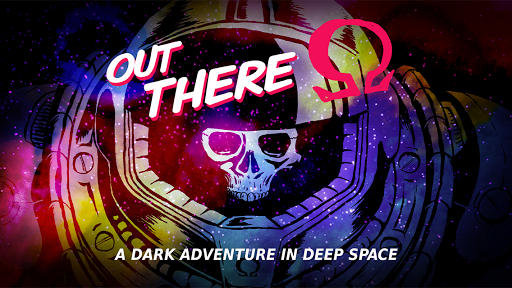
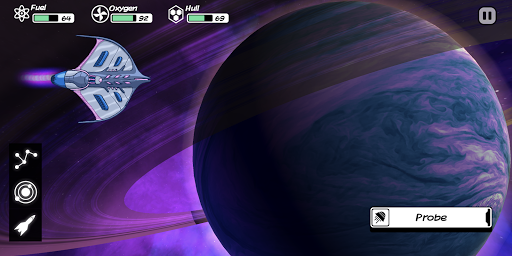
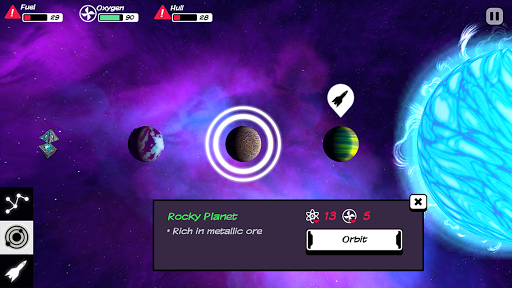
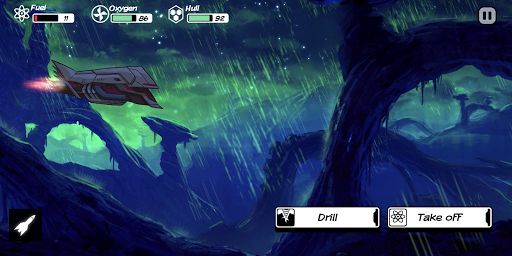
80% OFF! A cosmic adventure of survival and discovery awaits!
Survive the void, conquer the unknown. Your interstellar journey begins today!
5/5 - TouchArcade
5/5 - PocketTactics
9/10 'Gold Award' - PocketGamer
Grand Prize - DevGAMM Moscow 2015
Excellence in Narrative - DevGAMM 2015
Best Game Design Award - Casual Connect EE 2014
Excellence In Narrative Finalist - IMGA 2015
Best Mobile Games of 2014 - TouchArcade
Best Mobile Games of 2014 - Game Informer
Best Mobile Games of 2014 - Gamezebo
Official Selection : Leftfield Collection - Rezzed Show 2013
Official Selection : Indie Games Arcade - Eurogamer Expo 2013
Official Selection : Indie MEGABOOTH - PAX East 2014
WARNING : This game is hard. Check the forum for strategy tips : http://outthere.forumactif.org/
You are an astronaut awaking from cryonics not in the solar system, but... out there... in a far and unknown place of the galaxy. In Out There, you will have to survive, tinkering your ship with what you can gather drifting in the void, and spot garden planets to refill your oxygen supply.
Space is an hostile place ; dangerous and mysterious adventures will mark each step of your travel. You will not only meet intelligent species that won’t care about you, but also deal with ancient powers linked to your destiny and the fate of mankind itself.
Survival and understanding of what is really at stake in the galaxy is the core of what Out There has to offer.
Music by award-winning composer Siddhartha Barnhoorn (Antichamber, The Stanley Parable)
• Google Game Services : 59 achievements, 1 leaderboard
• A dark and melancholic, hard sci-fi adventure
• Explore a freshly procedurally-generated galaxy every new game
• 350+ multiple choices handwritten game book adventures
• Epic main storyline with 4 different endings
• 10 spaceships with different specs to discover
• Crafting system with 20 alien technologies built from 15 materials
• Engage with alien life forms and learn their language
• No combat ! It’s you against the environment
• Eerie score by award-winning composer Siddartha Barnhoom (Antichamber, The Stanley Parable)
• Fantastic pulp comics graphics
• High replay value
Show more

1. Download MEmu installer and finish the setup

2. Start MEmu then open Google Play on the desktop

3. Search Out There: Ω Edition in Google Play
Install
4. Download and Install Out There: Ω Edition
5. On install completion click the icon to start

6. Enjoy playing Out There: Ω Edition on PC with MEmu
MEmu Play is the best Android emulator and 100 million people already enjoy its superb Android gaming experience. The MEmu virtualization technology empowers you to play thousands of Android games smoothly on your PC, even the most graphic-intensive ones.
Bigger screen with better graphics; Long duration, without limitation of battery or mobile data.
Full Keymapping support for precise control of keyboard and mouse or gamepad.
Multiple game accounts or tasks on single PC at one time with Multi-Instance manager.
Play Out There: Ω Edition on PC by following steps: