드래곤 나이트 키우기 : 방치형 RPG
Updated
Current Version
3.1.0
Offered By

With your passion for 드래곤 나이트 키우기 : 방치형 RPG, you shouldn’t have to limit yourself to the small screen of a phone. Play like a pro and take full control of the game using a keyboard and mouse. MEmu gives you everything you’re looking for. Download and play 드래곤 나이트 키우기 : 방치형 RPG on PC. Play as long as you want — no more worries about battery life, mobile data, or unexpected calls. The all-new MEmu 9 is the best way to play 드래곤 나이트 키우기 : 방치형 RPG on PC. With our expertly designed keymapping system, 드래곤 나이트 키우기 : 방치형 RPG feels just like a real PC game. The MEmu multi-instance manager lets you run two or more accounts on the same device at the same time. Most importantly, our exclusive emulation engine unlocks your PC’s full potential, delivering smooth and seamless performance.
Show more
Download 드래곤 나이트 키우기 : 방치형 RPG on PC with MEmu Android Emulator. Enjoy playing on big screen. Dragon Knight Natsu returns 10 years into the past to save the kingdom!

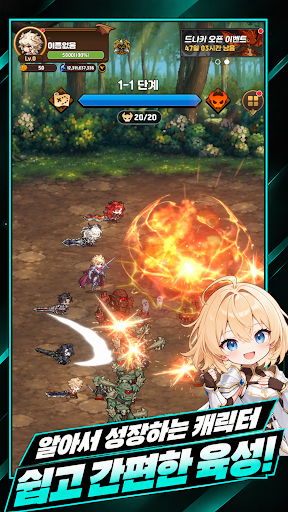
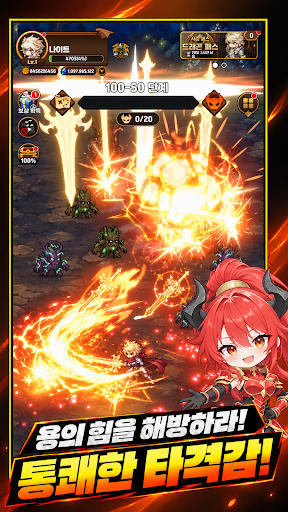
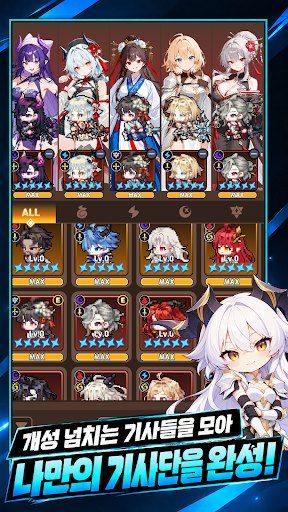
Dragon Knight Natsu returns 10 years into the past to save the kingdom!
Become strong again and save the kingdom!
Train a powerful Dragon Knight alongside your strong fellow knights!
[Game Features]
- 100% identical rewards for online and offline play! Characters that grow 24/7
- The ultimate pixel art! Gorgeous and cool graphics, overwhelming infinite growth!
- Intuitive and fun diverse growth systems!
- Dopamine explosion! Farm equipment to raise your own special Dragon Knight!
- Breathtaking battles through multi-raids and boss battles!
- Customize your Dragon Knight with various costumes
Important Note
1. This product includes optional paid items and in-game currency payment features.
Please be aware that actual charges will apply when purchasing optional paid items or in-game currency. 2. The right to withdraw from a subscription for digital products purchased in the game may be subject to withdrawal or restrictions in accordance with the 'Act on the Consumer Protection in Electronic Commerce, etc.'
3. Email: ryonggame4@gmail.com
Show more

1. Download MEmu installer and finish the setup

2. Start MEmu then open Google Play on the desktop

3. Search 드래곤 나이트 키우기 : 방치형 RPG in Google Play
Install
4. Download and Install 드래곤 나이트 키우기 : 방치형 RPG
5. On install completion click the icon to start

6. Enjoy playing 드래곤 나이트 키우기 : 방치형 RPG on PC with MEmu
MEmu Play is the best Android emulator and 100 million people already enjoy its superb Android gaming experience. The MEmu virtualization technology empowers you to play thousands of Android games smoothly on your PC, even the most graphic-intensive ones.
Bigger screen with better graphics; Long duration, without limitation of battery or mobile data.
Full Keymapping support for precise control of keyboard and mouse or gamepad.
Multiple game accounts or tasks on single PC at one time with Multi-Instance manager.
Play 드래곤 나이트 키우기 : 방치형 RPG on PC by following steps: